
TurboB52 - Minecraft Skins & Skin History
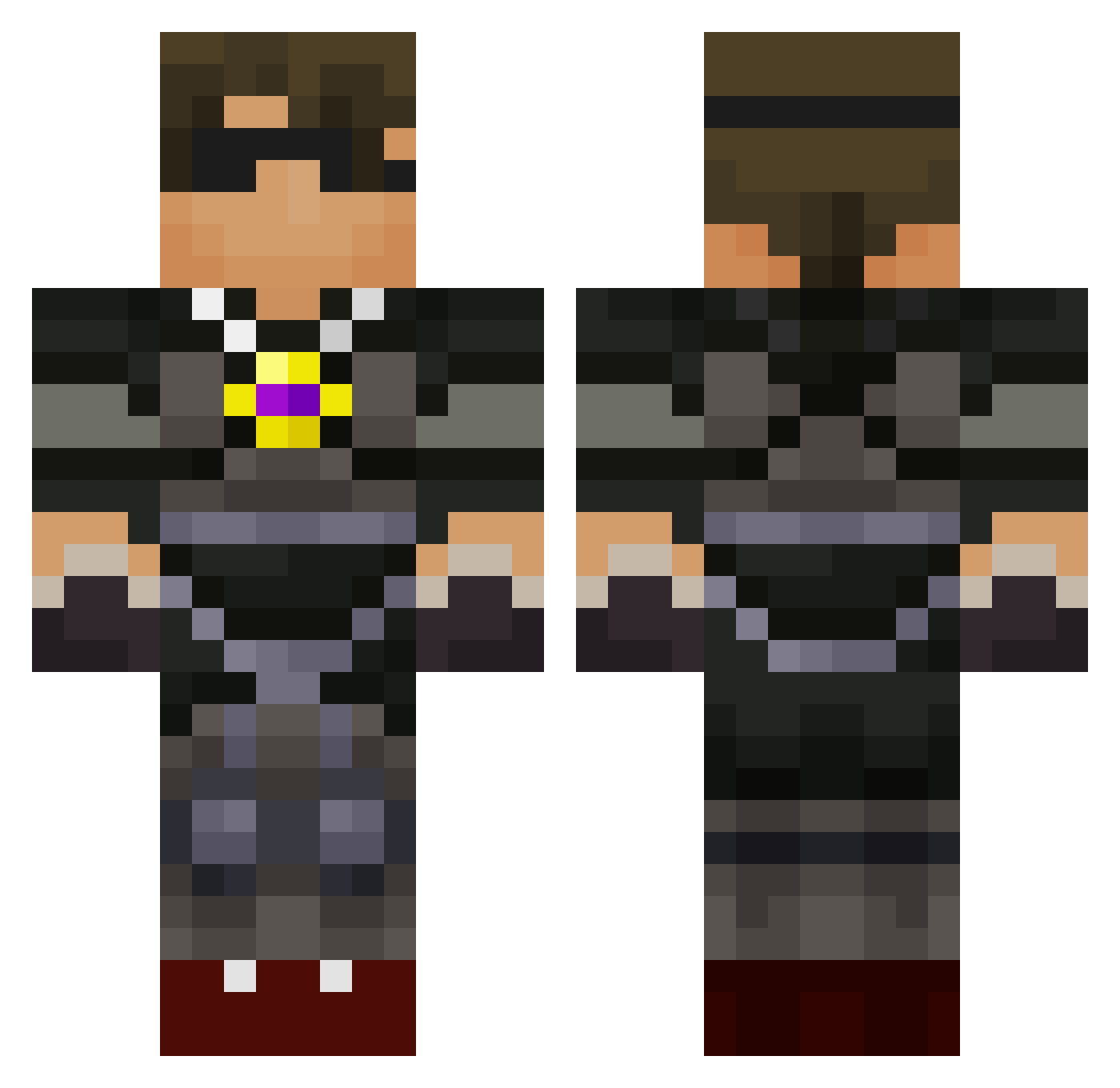
Current Minecraft skin of the player TurboB52, loaded from the official Mojang API. Rotate the 3D model with your mouse or finger, then download the skin as a PNG file and use it in Minecraft: Bedrock Edition or Java Edition for free. When TurboB52 changes their skin, this page updates automatically and the old skin stays in the history below.
Other players with this skin (588)
TurboB52 was the 267th player we have seen with this skin, first spotted on 06.09.2026. The same skin was seen on these players. Open a nickname to see their current skin and skin history.
 Adambeck1 YoloSwaggins25 Abijah04 steelcage21 KotdoesMINECRAFT skythemanrs6 urwerstnightmare treysteel austinrocks04 skywalker684 runner544 Tianxiezunzai BUTTERtroll2013 lilmilt02 chanamama severethunder44 blacknight1197 Kylegr12 hun_E_du jar99 Xman141 GunGuy735 RedDeathBully Sintistic lexharris12345 BeastMode491 cooldude1233211 polo457 bandrhoff Samibacca1103 Frankieg7 MurrayManGaming Butterman94 Senzaa pietrof6 mornop124 dinodan18 MooseMan113 Chacheeto Mattoxcraft2008 alexoceanpets masterdjswag1 stevey152 ryno917 BEASTY42 Creeper0211 Toonjoe PUCKSTOPPERJ owenparker123 Digibro101 robotic239 predator24795 willire712 Legendgamer1012 putypie121404 brodyryan12 CassiusA dex109 gabrielrener Nuggetslug
More Necklace Minecraft skins
How to install the TurboB52 skin
- Press the Download button above to save the skin as a PNG file.
- Minecraft: Bedrock Edition (PE): open the Dressing Room from the main menu (or tap your character → Edit Character), go to Classic Skins → Owned, press the + (new skin) button, choose the downloaded PNG and pick the Classic (Steve) model. Works on PC and mobile; consoles cannot import custom skins.
- Minecraft: Java Edition: open the Minecraft Launcher, go to the Skins tab, click New Skin, load the PNG, pick the Classic (Steve) model and press Save & Use. You can also upload it at minecraft.net → Profile → Change Skin.
The skin does not show up after import - what should I do?
Restart Minecraft and open the Dressing Room again - imported skins sometimes appear only after a restart. Also make sure you selected the imported skin and picked the Classic (Steve) model.
Which model should I choose, Classic or Slim?
This skin is designed for the Classic (Steve) model. If you pick the wrong model, the arms of the skin will look stretched or squeezed.
Is the skin of TurboB52 free to download?
Yes. Press Download, save the PNG file and use it in Minecraft: Bedrock Edition or Java Edition - no payment or registration needed. The skin also works on multiplayer servers and Realms.
More skins
Looking for more? Go back to all Minecraft skins and check the top skins of the week, month and all time, or find any player's skin by nickname.