
Tryqze - Minecraft Skins & Skin History
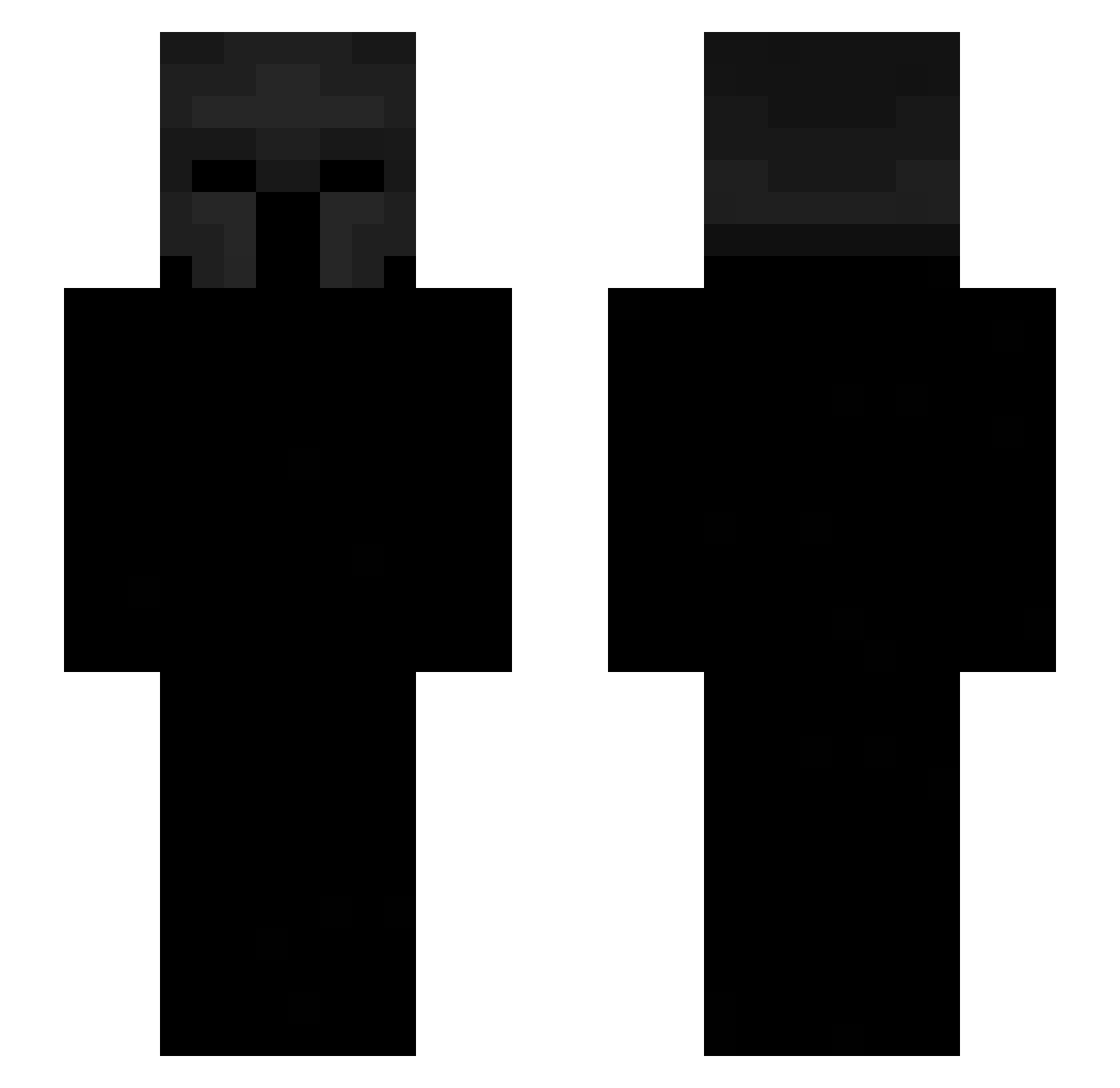
Current Minecraft skin of the player Tryqze, loaded from the official Mojang API. Rotate the 3D model with your mouse or finger, then download the skin as a PNG file and use it in Minecraft: Bedrock Edition or Java Edition for free. When Tryqze changes their skin, this page updates automatically and the old skin stays in the history below.
Other players with this skin (441)
Tryqze was the 345th player we have seen with this skin, first spotted on 12.10.2026. The same skin was seen on these players. Open a nickname to see their current skin and skin history.
 _Yas _BlackFight3r_ Danceterrier luckylucii666 AstralPresance MarianoRG Said_Ss HypixelHatesmeh kasen1212 phquack spectralfox11 skeletonb0n3r thebigbob22 aldishoppingbag xablas12 Ash12367 SAEBISS gustavo346 Ver1q Crucifix002 6deez CloutForFun wazzi_1 A_83K3 Miinoou wao1 Celextial maxidrf27 7thg Willsen1311 LeGaulois101 JazzyLAWX Ricki567 noskillbutsigma xX_neok_Xx xvvtsikv Sixtty1u PASIRjbhfzi26ios _Karlix Nedyu Vinny_ KingSung_ sant_8969 Retawolfe del_lahh ringsnchains soDiegoo BlackTower2 kurant1 Rabyy_ DrTaco67 m1lk_drinker Corge jao8 ramennoodles912 xxDinoxx77 nksvo Emphereal Kaczoor _KKYBA
More Spartan Minecraft skins
How to install the Tryqze skin
- Press the Download button above to save the skin as a PNG file.
- Minecraft: Bedrock Edition (PE): open the Dressing Room from the main menu (or tap your character → Edit Character), go to Classic Skins → Owned, press the + (new skin) button, choose the downloaded PNG and pick the Slim (Alex) model. Works on PC and mobile; consoles cannot import custom skins.
- Minecraft: Java Edition: open the Minecraft Launcher, go to the Skins tab, click New Skin, load the PNG, pick the Slim (Alex) model and press Save & Use. You can also upload it at minecraft.net → Profile → Change Skin.
The skin does not show up after import - what should I do?
Restart Minecraft and open the Dressing Room again - imported skins sometimes appear only after a restart. Also make sure you selected the imported skin and picked the Slim (Alex) model.
Which model should I choose, Classic or Slim?
This skin is designed for the Slim (Alex) model. If you pick the wrong model, the arms of the skin will look stretched or squeezed.
Is the skin of Tryqze free to download?
Yes. Press Download, save the PNG file and use it in Minecraft: Bedrock Edition or Java Edition - no payment or registration needed. The skin also works on multiplayer servers and Realms.
More skins
Looking for more? Go back to all Minecraft skins and check the top skins of the week, month and all time, or find any player's skin by nickname.