
Try_Gero - Minecraft Skins & Skin History
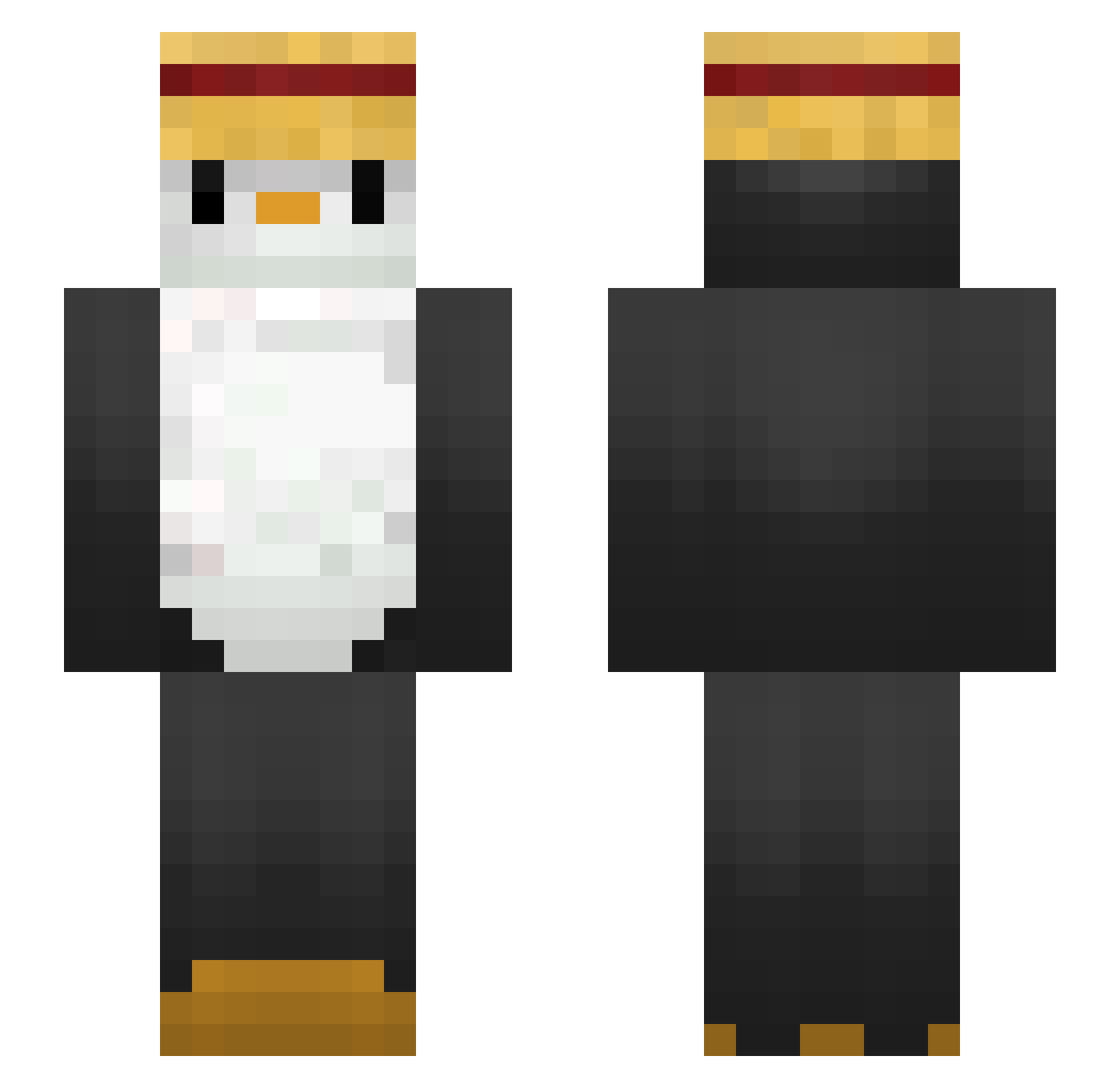
Current Minecraft skin of the player Try_Gero, loaded from the official Mojang API. Rotate the 3D model with your mouse or finger, then download the skin as a PNG file and use it in Minecraft: Bedrock Edition or Java Edition for free. When Try_Gero changes their skin, this page updates automatically and the old skin stays in the history below.
Other players with this skin (288)
Try_Gero was the 77th player we have seen with this skin, first spotted on 27.08.2026. The same skin was seen on these players. Open a nickname to see their current skin and skin history.
 zake08 Prime712 junho03 Ec2b ryanzord SIM_0527 seanandjohn iban_man tuuto yourfavoriteana AysaTheNotSoGrt GentleTuna42737 iamapancake27 Angelin4 stiqzmp4 MokITraf Gu_ma bhuwakool limgyuone Jigglay Zaxdro tivvs ajSantos Lyingi bigworm_ Eaglefly003 ice_mingi Wa_Chief MarcelPinguin babta2 Sn0fall GGyumni TopeiraL0ka norbelie rbgh3250 MOoHAaZI CptMarmotte bms4199 BYS12123 Utomo_ Nientie AkameIsCute devilcartman310 Mazi0108 IHyen Clifford6 AuriMay FJS50 goomja bielzoka DENISxFLEXS ji_hwan_ TOTORO51 olopokemon someone38 NXTSprint oscarvato11 Erxjay wander_b magma031212
More Straw Hat Minecraft skins
How to install the Try_Gero skin
- Press the Download button above to save the skin as a PNG file.
- Minecraft: Bedrock Edition (PE): open the Dressing Room from the main menu (or tap your character → Edit Character), go to Classic Skins → Owned, press the + (new skin) button, choose the downloaded PNG and pick the Slim (Alex) model. Works on PC and mobile; consoles cannot import custom skins.
- Minecraft: Java Edition: open the Minecraft Launcher, go to the Skins tab, click New Skin, load the PNG, pick the Slim (Alex) model and press Save & Use. You can also upload it at minecraft.net → Profile → Change Skin.
The skin does not show up after import - what should I do?
Restart Minecraft and open the Dressing Room again - imported skins sometimes appear only after a restart. Also make sure you selected the imported skin and picked the Slim (Alex) model.
Which model should I choose, Classic or Slim?
This skin is designed for the Slim (Alex) model. If you pick the wrong model, the arms of the skin will look stretched or squeezed.
Is the skin of Try_Gero free to download?
Yes. Press Download, save the PNG file and use it in Minecraft: Bedrock Edition or Java Edition - no payment or registration needed. The skin also works on multiplayer servers and Realms.
More skins
Looking for more? Go back to all Minecraft skins and check the top skins of the week, month and all time, or find any player's skin by nickname.