
TrollBobMan - Minecraft Skins & Skin History
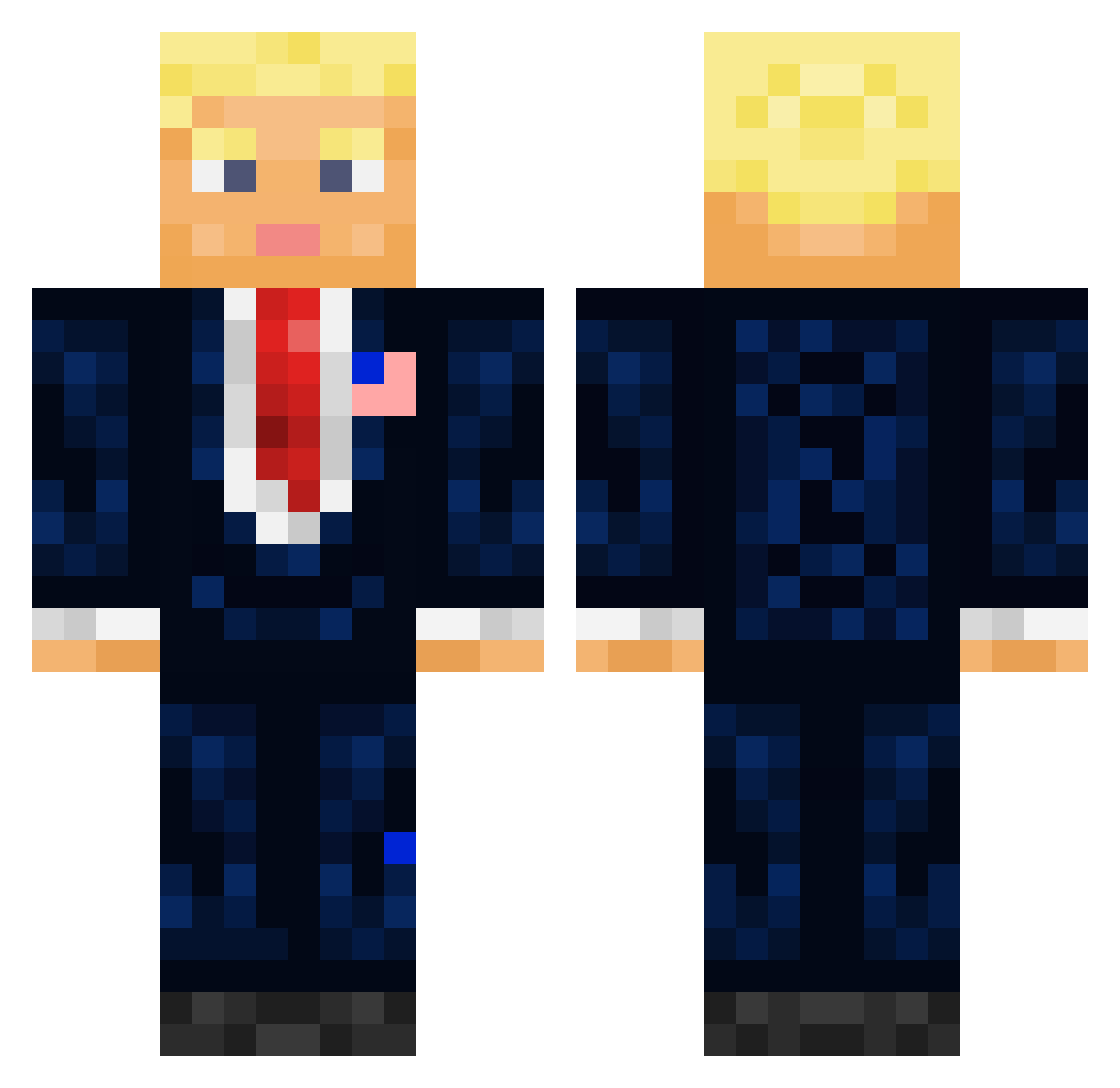
Current Minecraft skin of the player TrollBobMan, loaded from the official Mojang API. Rotate the 3D model with your mouse or finger, then download the skin as a PNG file and use it in Minecraft: Bedrock Edition or Java Edition for free. When TrollBobMan changes their skin, this page updates automatically and the old skin stays in the history below.
Other players with this skin (710)
TrollBobMan was the 187th player we have seen with this skin, first spotted on 22.08.2026. The same skin was seen on these players. Open a nickname to see their current skin and skin history.
 NatXoo7 ZeusHAWK nigeriusz SjonnieNH Had1369 yourbrother02 Tom00O0 TurboMan1994 Yamijack Hingerable matheufrank21 Donald_Blumpf Diroman ibmoz99 Cho_och JAKESWAGMONEY BejbiBoblas KedarABX Aiden020 amazonensehd Ayri69 RingoTwingo CoolBoss1205 OGPelipper
 Leadpizza all6nn Skuttiee RQUINONEZ2002 BookedTrash7876 yaeillidari Jamie_zh BallerAnt15 ChettiPete XIYU_555 sawyer78999 zennzzy Skipaz Lohan_bg Vortex667 MattzillaMC D0naldTrump nikh05 Soudo008 RobQuinzani ThiccOatmeal Bizeneuille Skhwhid KING_FRODO Xr15txvr5331 Donld_Trump CSky_squirrel Im_Her FBatuhan7 marcodene tosiasunshine XMASHAZE Wambelo Brokebrian69 VinnyD369 kalberda23
More President Minecraft skins
How to install the TrollBobMan skin
- Press the Download button above to save the skin as a PNG file.
- Minecraft: Bedrock Edition (PE): open the Dressing Room from the main menu (or tap your character → Edit Character), go to Classic Skins → Owned, press the + (new skin) button, choose the downloaded PNG and pick the Classic (Steve) model. Works on PC and mobile; consoles cannot import custom skins.
- Minecraft: Java Edition: open the Minecraft Launcher, go to the Skins tab, click New Skin, load the PNG, pick the Classic (Steve) model and press Save & Use. You can also upload it at minecraft.net → Profile → Change Skin.
The skin does not show up after import - what should I do?
Restart Minecraft and open the Dressing Room again - imported skins sometimes appear only after a restart. Also make sure you selected the imported skin and picked the Classic (Steve) model.
Which model should I choose, Classic or Slim?
This skin is designed for the Classic (Steve) model. If you pick the wrong model, the arms of the skin will look stretched or squeezed.
Is the skin of TrollBobMan free to download?
Yes. Press Download, save the PNG file and use it in Minecraft: Bedrock Edition or Java Edition - no payment or registration needed. The skin also works on multiplayer servers and Realms.
More skins
Looking for more? Go back to all Minecraft skins and check the top skins of the week, month and all time, or find any player's skin by nickname.