
TrapMeisterJ - Minecraft Skins & Skin History
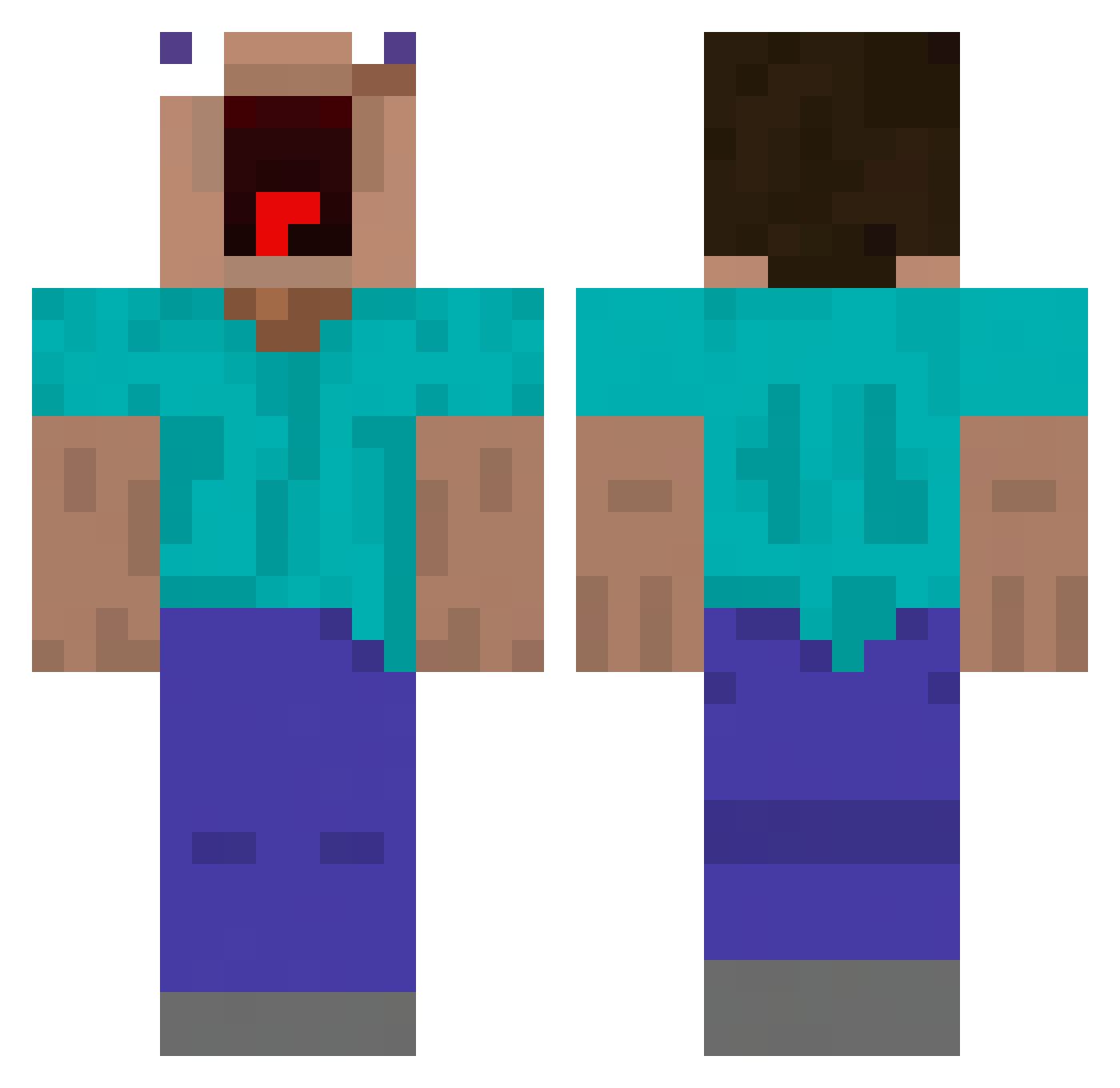
Current Minecraft skin of the player TrapMeisterJ, loaded from the official Mojang API. Rotate the 3D model with your mouse or finger, then download the skin as a PNG file and use it in Minecraft: Bedrock Edition or Java Edition for free. When TrapMeisterJ changes their skin, this page updates automatically and the old skin stays in the history below.
Other players with this skin (478)
TrapMeisterJ was the 143rd player we have seen with this skin, first spotted on 27.08.2026. The same skin was seen on these players. Open a nickname to see their current skin and skin history.
 Againinsane manu_aquizzy Historyyyyyyyyyy MARKOPOS shangsou childtickler112 gildongmoo Breath_of_blue se0lc Pala_gamer Meko_69 OM_0419 cow321_ PrinzParty MintyMentos240 Millypoop jipekong Blrrlury Buhishido Johansson121 llllllllllllilll Nxxlas Wesleychiu1212 qkqh1220 KillaPho B2luga APHROSIDIAC Woosyy Kazutoizz koxako Flogo122 uqml DGM1937 jdjojo Wonto_n 0laaf imthebest3241 owl_nonono TTVCrystalClapsU Squidward293 cyr_06 zak09111 priznicek Zeeno jongjin_46 Shao0V0 samuelol_1609 candyguyball LouisB655 NdonioS XDReaper0 Larry_Plays GENFISH6114 sebs09_ita NurMcLovin yeppeee HubcioDupcio LePoope Pasteque83 szymik20
More Funny Minecraft skins
How to install the TrapMeisterJ skin
- Press the Download button above to save the skin as a PNG file.
- Minecraft: Bedrock Edition (PE): open the Dressing Room from the main menu (or tap your character → Edit Character), go to Classic Skins → Owned, press the + (new skin) button, choose the downloaded PNG and pick the Classic (Steve) model. Works on PC and mobile; consoles cannot import custom skins.
- Minecraft: Java Edition: open the Minecraft Launcher, go to the Skins tab, click New Skin, load the PNG, pick the Classic (Steve) model and press Save & Use. You can also upload it at minecraft.net → Profile → Change Skin.
The skin does not show up after import - what should I do?
Restart Minecraft and open the Dressing Room again - imported skins sometimes appear only after a restart. Also make sure you selected the imported skin and picked the Classic (Steve) model.
Which model should I choose, Classic or Slim?
This skin is designed for the Classic (Steve) model. If you pick the wrong model, the arms of the skin will look stretched or squeezed.
Is the skin of TrapMeisterJ free to download?
Yes. Press Download, save the PNG file and use it in Minecraft: Bedrock Edition or Java Edition - no payment or registration needed. The skin also works on multiplayer servers and Realms.
More skins
Looking for more? Go back to all Minecraft skins and check the top skins of the week, month and all time, or find any player's skin by nickname.