
Traa_CE - Minecraft Skins & Skin History
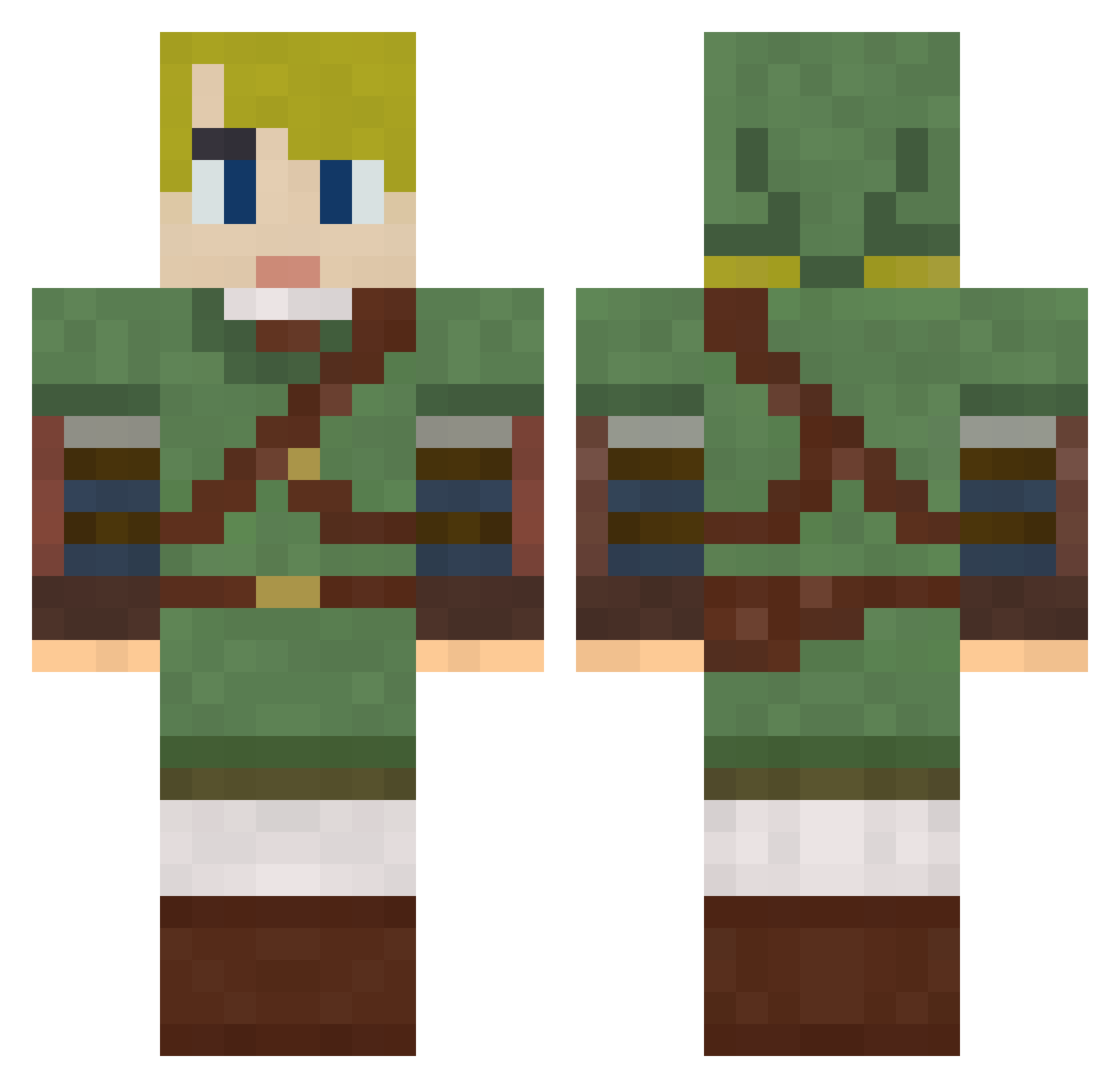
Current Minecraft skin of the player Traa_CE, loaded from the official Mojang API. Rotate the 3D model with your mouse or finger, then download the skin as a PNG file and use it in Minecraft: Bedrock Edition or Java Edition for free. When Traa_CE changes their skin, this page updates automatically and the old skin stays in the history below.
Other players with this skin (792)
Traa_CE was the 555th player we have seen with this skin, first spotted on 09.10.2026. The same skin was seen on these players. Open a nickname to see their current skin and skin history.
 TheCoolestTaco Surreza Hi5Five6 Mazai96 leoxxi NeoNamek dragon0288 derek101390 sstracker Looniticc moegex killerkracker Hanaglulo MrClone01 CrashMurphy _Ludger_ Siblyx Thetriforcefede LandMander castiel05 da_mix98 NkLink45 babbbabb AlexdaQuick CreeperGuy1986 Tedaye Tsyrril kye73 Olympos_ eldnar7 snailcookie samijill1 aNarwhal icey1127 nyck783 DiabolicalBlake iloveanime123456 NOTSUA mika226 garu1129 jmkruenegel cocothedalek ambrette2012 budweiser4life DefectiveBanana Zackawrath gre2n JSockohlosskey kylethekidrs1 Mewboss Sky0wl Magicdealer takethefake FKDRroka icreepurmom sudako025 BikeRideMan povverdemon hardwhiterice Botjes
More Zelda Minecraft skins
How to install the Traa_CE skin
- Press the Download button above to save the skin as a PNG file.
- Minecraft: Bedrock Edition (PE): open the Dressing Room from the main menu (or tap your character → Edit Character), go to Classic Skins → Owned, press the + (new skin) button, choose the downloaded PNG and pick the Classic (Steve) model. Works on PC and mobile; consoles cannot import custom skins.
- Minecraft: Java Edition: open the Minecraft Launcher, go to the Skins tab, click New Skin, load the PNG, pick the Classic (Steve) model and press Save & Use. You can also upload it at minecraft.net → Profile → Change Skin.
The skin does not show up after import - what should I do?
Restart Minecraft and open the Dressing Room again - imported skins sometimes appear only after a restart. Also make sure you selected the imported skin and picked the Classic (Steve) model.
Which model should I choose, Classic or Slim?
This skin is designed for the Classic (Steve) model. If you pick the wrong model, the arms of the skin will look stretched or squeezed.
Is the skin of Traa_CE free to download?
Yes. Press Download, save the PNG file and use it in Minecraft: Bedrock Edition or Java Edition - no payment or registration needed. The skin also works on multiplayer servers and Realms.
More skins
Looking for more? Go back to all Minecraft skins and check the top skins of the week, month and all time, or find any player's skin by nickname.