
Tr3kz - Minecraft Skins & Skin History
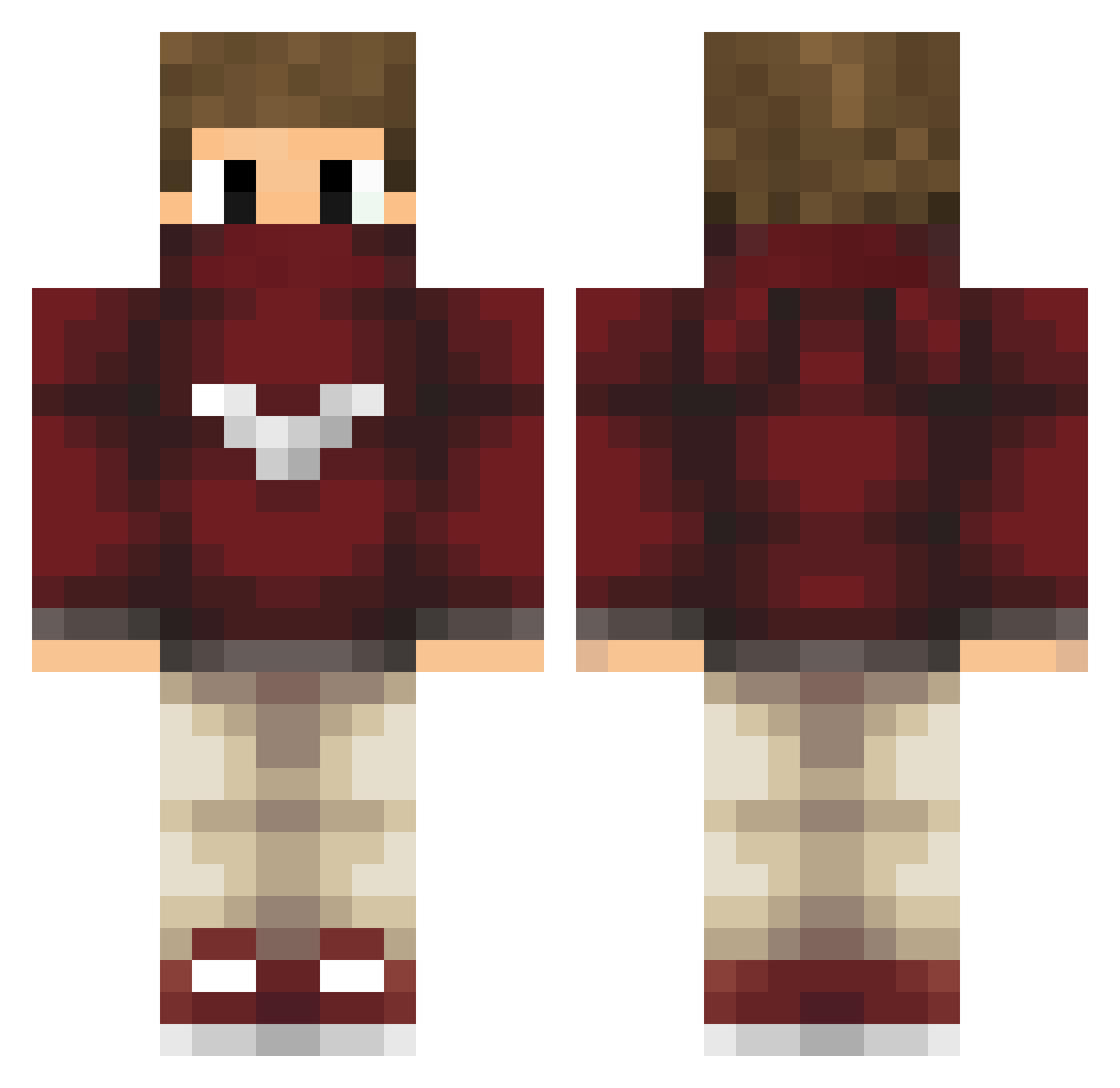
Current Minecraft skin of the player Tr3kz, loaded from the official Mojang API. Rotate the 3D model with your mouse or finger, then download the skin as a PNG file and use it in Minecraft: Bedrock Edition or Java Edition for free. When Tr3kz changes their skin, this page updates automatically and the old skin stays in the history below.
Other players with this skin (51)
Tr3kz was the 15th player we have seen with this skin, first spotted on 30.08.2026. The same skin was seen on these players. Open a nickname to see their current skin and skin history.
 ImParadox EDOMEK_TOP Cristopher7892 GONZALO_121 TheNxco xpisan DerJoJoKing dani_popa utkukacmaz remy_sp_ ALIBERAL GermanKingPlayeZ santiSG oppstop mr_turki HolyCowist 1mpreza Eudoksjusz xRustyMX renshuuu Achilles321 Good_Michel Sarbaros ZYNCAstro oOveljkoOo Ankan_Anki ItsBloodi Sp1n3x Lucas_Klippel ZyRox_LoL Birnenblitz Grenzo_67 rtschnitz SaksoVarmi3169 RafaelHira KomediMuter Chief_Mike rell1ked VEGETTALEDRO StravedYou _Zorbich_ brickfatguy KadinPlayz Rainns CHROMANCE NogaKnight SayByeToYourHead spikesoftlyyy ZikZar SpookyOk Pondoa
More Face Mask Minecraft skins
How to install the Tr3kz skin
- Press the Download button above to save the skin as a PNG file.
- Minecraft: Bedrock Edition (PE): open the Dressing Room from the main menu (or tap your character → Edit Character), go to Classic Skins → Owned, press the + (new skin) button, choose the downloaded PNG and pick the Classic (Steve) model. Works on PC and mobile; consoles cannot import custom skins.
- Minecraft: Java Edition: open the Minecraft Launcher, go to the Skins tab, click New Skin, load the PNG, pick the Classic (Steve) model and press Save & Use. You can also upload it at minecraft.net → Profile → Change Skin.
The skin does not show up after import - what should I do?
Restart Minecraft and open the Dressing Room again - imported skins sometimes appear only after a restart. Also make sure you selected the imported skin and picked the Classic (Steve) model.
Which model should I choose, Classic or Slim?
This skin is designed for the Classic (Steve) model. If you pick the wrong model, the arms of the skin will look stretched or squeezed.
Is the skin of Tr3kz free to download?
Yes. Press Download, save the PNG file and use it in Minecraft: Bedrock Edition or Java Edition - no payment or registration needed. The skin also works on multiplayer servers and Realms.
More skins
Looking for more? Go back to all Minecraft skins and check the top skins of the week, month and all time, or find any player's skin by nickname.