
TongF - Minecraft Skins & Skin History
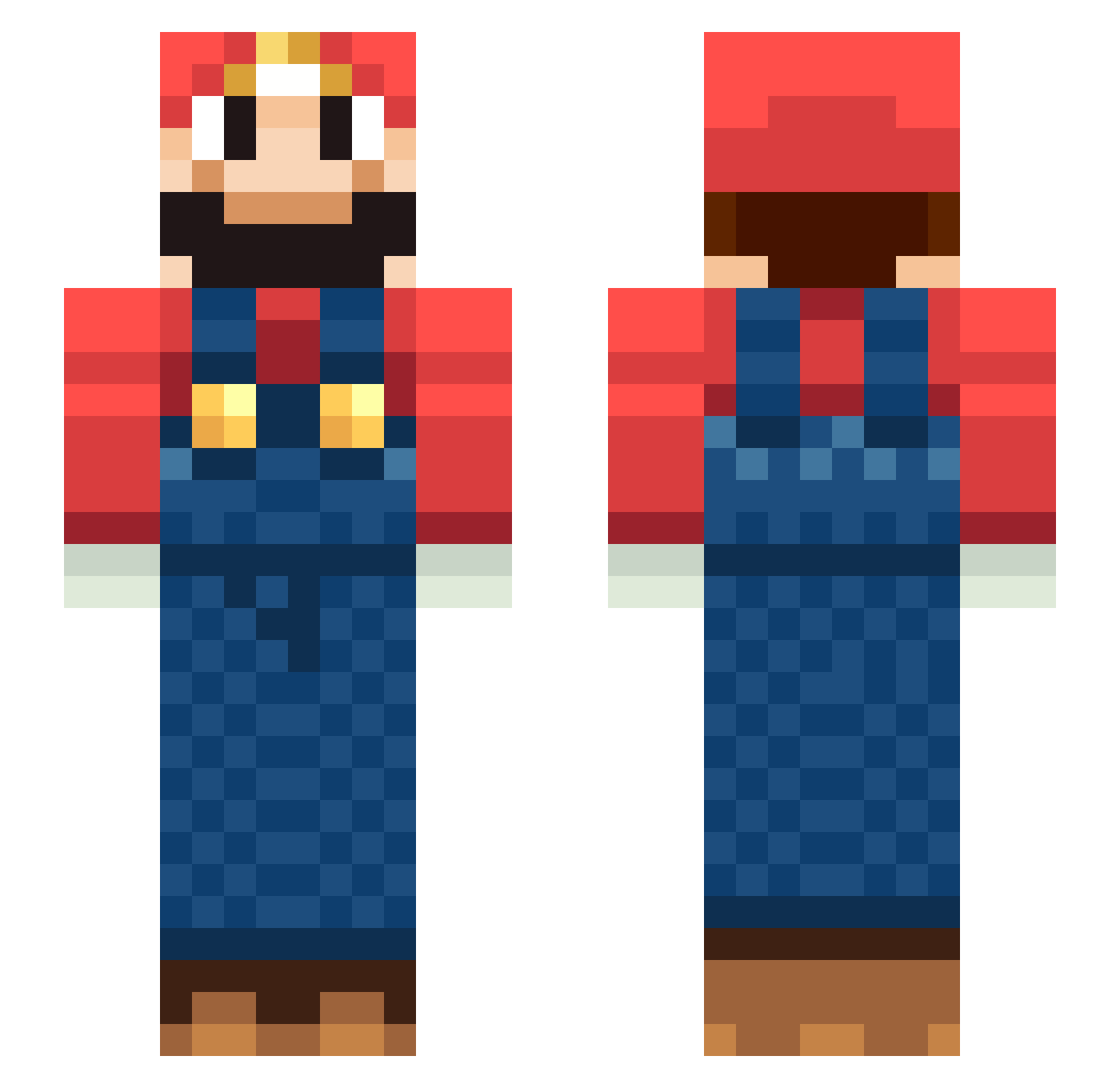
Current Minecraft skin of the player TongF, loaded from the official Mojang API. Rotate the 3D model with your mouse or finger, then download the skin as a PNG file and use it in Minecraft: Bedrock Edition or Java Edition for free. When TongF changes their skin, this page updates automatically and the old skin stays in the history below.
Other players with this skin (219)
TongF was the 140th player we have seen with this skin, first spotted on 30.09.2026. The same skin was seen on these players. Open a nickname to see their current skin and skin history.
 mrsbv snailkim0124 Marcelin12 ExtasyEast CaptainMorgan2k LampiaoOfSertao holkom MagicStorm Tennoshien Fisheei srmplays Bobi____ Brnnnan Sinbad10 stark9493 Rudddy swasd_ Himana AndrijZyn jbaker36 Worum89 Gabbott01 Emotion_ kangkm _Tyebo KiRoNi Hinata0520 Kenty0409 GhezTV Andre_andre1205 Nhive Marian_Twa I_So_Karma Himons sburrolo bell6v Toyo_Alw7sh wakaba_san DEVO2206 Fish_Wei sir_krabipatti SoggySocksx FortuneIII ander03 cigpuffer lisav04 chaeseong16 junghoon1 XMuperSarioX kimbohenboy Balanswan HouHou2 MonoliMR Alamzz3 KINGOFCORN pennyS__ jackthemaster4 mavverickk MementoMario Hassenkam10
More Nintendo Minecraft skins
How to install the TongF skin
- Press the Download button above to save the skin as a PNG file.
- Minecraft: Bedrock Edition (PE): open the Dressing Room from the main menu (or tap your character → Edit Character), go to Classic Skins → Owned, press the + (new skin) button, choose the downloaded PNG and pick the Slim (Alex) model. Works on PC and mobile; consoles cannot import custom skins.
- Minecraft: Java Edition: open the Minecraft Launcher, go to the Skins tab, click New Skin, load the PNG, pick the Slim (Alex) model and press Save & Use. You can also upload it at minecraft.net → Profile → Change Skin.
The skin does not show up after import - what should I do?
Restart Minecraft and open the Dressing Room again - imported skins sometimes appear only after a restart. Also make sure you selected the imported skin and picked the Slim (Alex) model.
Which model should I choose, Classic or Slim?
This skin is designed for the Slim (Alex) model. If you pick the wrong model, the arms of the skin will look stretched or squeezed.
Is the skin of TongF free to download?
Yes. Press Download, save the PNG file and use it in Minecraft: Bedrock Edition or Java Edition - no payment or registration needed. The skin also works on multiplayer servers and Realms.
More skins
Looking for more? Go back to all Minecraft skins and check the top skins of the week, month and all time, or find any player's skin by nickname.