
TonLangelaan - Minecraft Skins & Skin History
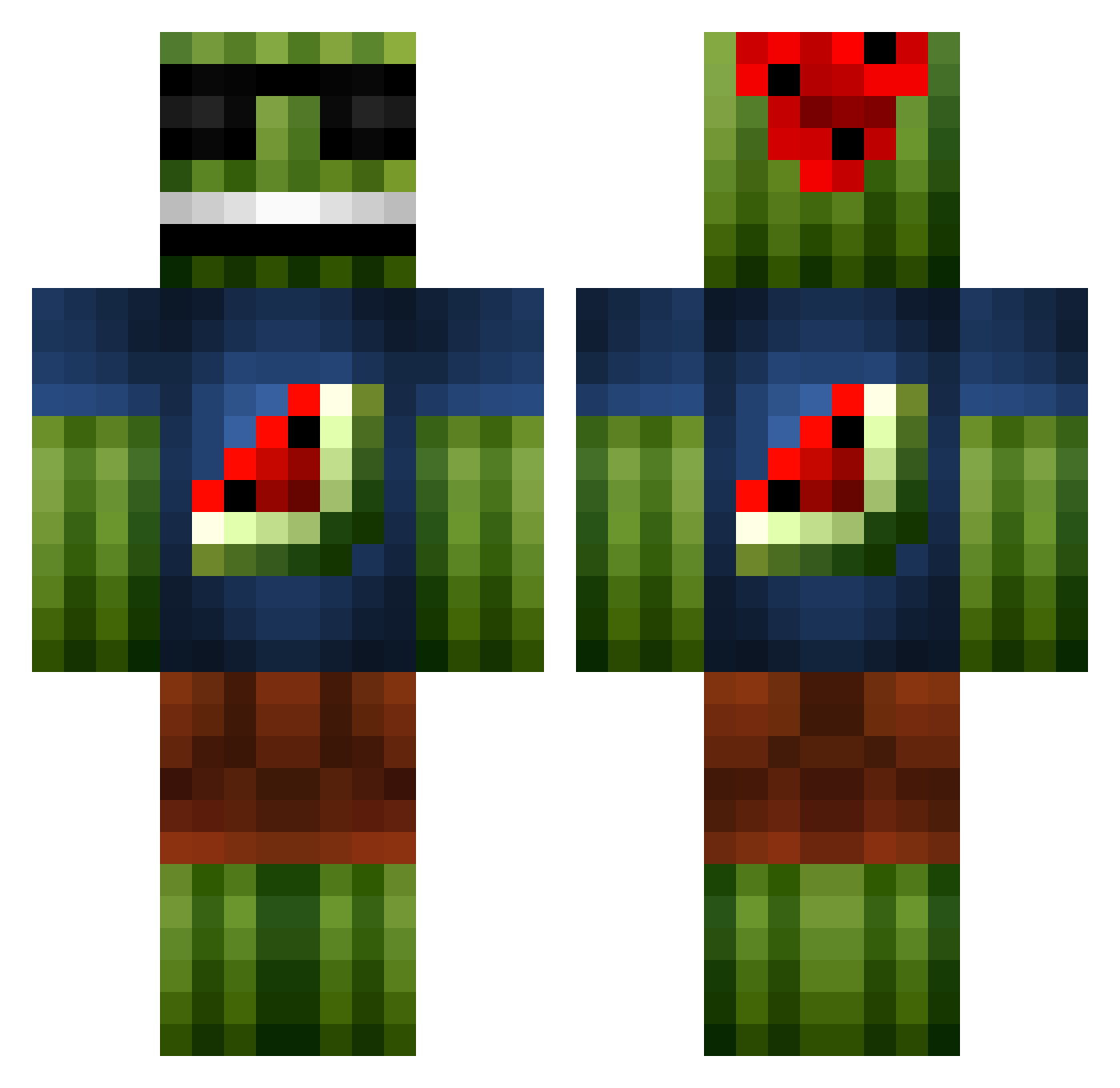
Current Minecraft skin of the player TonLangelaan, loaded from the official Mojang API. Rotate the 3D model with your mouse or finger, then download the skin as a PNG file and use it in Minecraft: Bedrock Edition or Java Edition for free. When TonLangelaan changes their skin, this page updates automatically and the old skin stays in the history below.
Other players with this skin (1100)
TonLangelaan was the 250th player we have seen with this skin, first spotted on 20.08.2026. The same skin was seen on these players. Open a nickname to see their current skin and skin history.
 Herr_Sternat Mbsvendsrud ZealzLz greenezio MrSecondary amg1103 positive00JH Devion12 kevinnivek28 The_Cool_Melon Kaotix06 CalleG99 _HoDEnKoBoLD_256 GoonieDad engyne09 jorgen1985 bananaRAMmobile benkillinit Ironshell1987 landermanta _TheBananaPhone_ Jason_Venom BEEFYtim Afr0Tech LittlePsychos diamonddude27 hbd3 tassimo340 Earo12 joseph88893 MelonenMoritz YounglSinatra theouistiti chuse_ colin860 Thomoist NiklasSting HecarimIsBeast Ferrox117 TreyBoss34 D3RPXELITE petergilmore13 Loo75 Anonym_06829 Teentom carz99 xXM4TTYXx mack280 Acenchuray topper2503 vgygg77 arsenalt matty788 jacksonew12 FuryCekcu Nogger202 TB_Blitz KingOfBelgium Thrush6 SirWalkalot125
More Watermelon Minecraft skins
How to install the TonLangelaan skin
- Press the Download button above to save the skin as a PNG file.
- Minecraft: Bedrock Edition (PE): open the Dressing Room from the main menu (or tap your character → Edit Character), go to Classic Skins → Owned, press the + (new skin) button, choose the downloaded PNG and pick the Classic (Steve) model. Works on PC and mobile; consoles cannot import custom skins.
- Minecraft: Java Edition: open the Minecraft Launcher, go to the Skins tab, click New Skin, load the PNG, pick the Classic (Steve) model and press Save & Use. You can also upload it at minecraft.net → Profile → Change Skin.
The skin does not show up after import - what should I do?
Restart Minecraft and open the Dressing Room again - imported skins sometimes appear only after a restart. Also make sure you selected the imported skin and picked the Classic (Steve) model.
Which model should I choose, Classic or Slim?
This skin is designed for the Classic (Steve) model. If you pick the wrong model, the arms of the skin will look stretched or squeezed.
Is the skin of TonLangelaan free to download?
Yes. Press Download, save the PNG file and use it in Minecraft: Bedrock Edition or Java Edition - no payment or registration needed. The skin also works on multiplayer servers and Realms.
More skins
Looking for more? Go back to all Minecraft skins and check the top skins of the week, month and all time, or find any player's skin by nickname.