
Tobafer1 - Minecraft Skins & Skin History
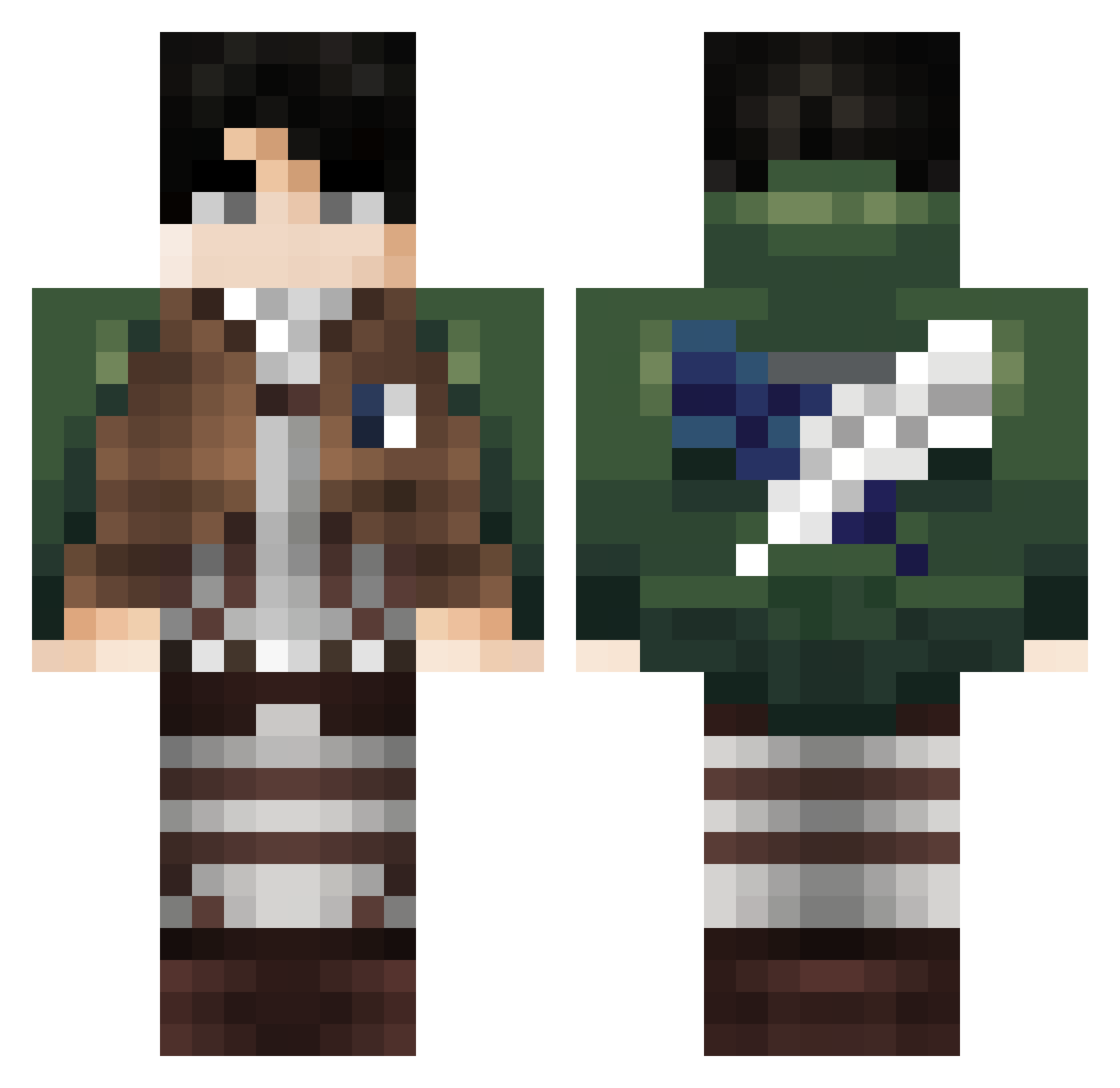
Current Minecraft skin of the player Tobafer1, loaded from the official Mojang API. Rotate the 3D model with your mouse or finger, then download the skin as a PNG file and use it in Minecraft: Bedrock Edition or Java Edition for free. When Tobafer1 changes their skin, this page updates automatically and the old skin stays in the history below.
Other players with this skin (375)
Tobafer1 was the 225th player we have seen with this skin, first spotted on 27.09.2026. The same skin was seen on these players. Open a nickname to see their current skin and skin history.
 TGZ7B ELXOXOLOCO69 Fuzion1107 Amigou02 hba04 Iluvliluzivert TommyVercetti328 ONI33 burnyourhomedown asianpersuasun Maxis935 Sburn0926 leeheon26 Anxiety1124 kissthefurr Pablosp05 MegaBoss121 wa1let Koozzar YAriKAme NotGeneral AttackFalcon howtolove315 Mayalles SonicTheMethhog Cy3hy hyunkyum_ Mr_TroxinhoMan Yuki78787 papamorsa SpoOnY02 Petermalad Aryutokintome Shuwiron NightmareKiller_ Shinobi974 slawitsch Mtlfsniper69 YAYA209 SmileyKillerSSK Masterppaly X_szymon_X Zarro7 NOO420 Nexuzzzzz royalstickman Levi2Ackerman meuzinbrs Elviscochoo yt_ratel Wizz205 _Fon1x_x _Livai_ soju1576 Shurikechan1 Lexarion91 ErenYeagher Chibbsyy torrecillas2 Carmo098
More Levi Ackerman Minecraft skins
See all 191 Levi Ackerman skins
How to install the Tobafer1 skin
- Press the Download button above to save the skin as a PNG file.
- Minecraft: Bedrock Edition (PE): open the Dressing Room from the main menu (or tap your character → Edit Character), go to Classic Skins → Owned, press the + (new skin) button, choose the downloaded PNG and pick the Classic (Steve) model. Works on PC and mobile; consoles cannot import custom skins.
- Minecraft: Java Edition: open the Minecraft Launcher, go to the Skins tab, click New Skin, load the PNG, pick the Classic (Steve) model and press Save & Use. You can also upload it at minecraft.net → Profile → Change Skin.
The skin does not show up after import - what should I do?
Restart Minecraft and open the Dressing Room again - imported skins sometimes appear only after a restart. Also make sure you selected the imported skin and picked the Classic (Steve) model.
Which model should I choose, Classic or Slim?
This skin is designed for the Classic (Steve) model. If you pick the wrong model, the arms of the skin will look stretched or squeezed.
Is the skin of Tobafer1 free to download?
Yes. Press Download, save the PNG file and use it in Minecraft: Bedrock Edition or Java Edition - no payment or registration needed. The skin also works on multiplayer servers and Realms.
More skins
Looking for more? Go back to all Minecraft skins and check the top skins of the week, month and all time, or find any player's skin by nickname.