
Tipple8 - Minecraft Skins & Skin History
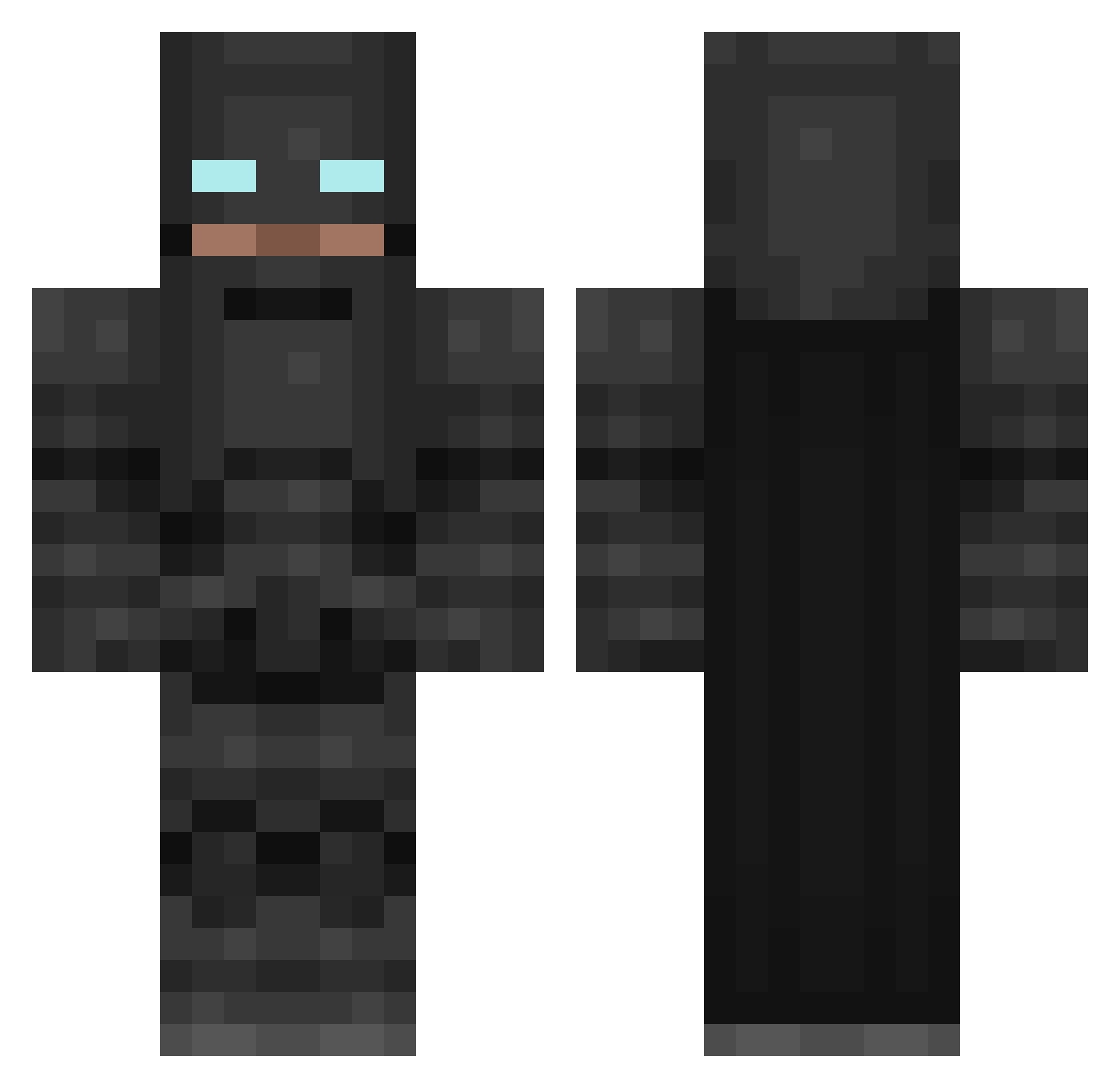
Current Minecraft skin of the player Tipple8, loaded from the official Mojang API. Rotate the 3D model with your mouse or finger, then download the skin as a PNG file and use it in Minecraft: Bedrock Edition or Java Edition for free. When Tipple8 changes their skin, this page updates automatically and the old skin stays in the history below.
Other players with this skin (265)
Tipple8 was the 153rd player we have seen with this skin, first spotted on 02.10.2026. The same skin was seen on these players. Open a nickname to see their current skin and skin history.
 CesarYair666 NoisyBoy4 Srporkijr ChrisRong Zarrp JsaltyC ianfct JohannesTHansen Obduracy SmashHammerHD25 Calcoric gurgone2000 Amamisu Tokermanz jlb3000 UnKnownNoise Wiztor AmateurVsPixels Keyd3n flaxsu SupremeGamez bakernatorz Deadguy1132 Tylerion James4736 DanMorty69 h1x LimVin mmyoji LongShlong699 SarcasticGuy154 BramBeetz BossGotGAME Ryryk12345 ThatGucci PabloAr010 DolanDuck215 emilthepro123 Buvier DolphinCake JackHamer2003 UrbanOrunge ghostman41804 Schweizzer Doomlord97 Alex_eidi nilaso GaryGu33 Splasherkey JonathanISdaDDY steviesok YearlingPotato cupofjoe12 BeautifulNight kepleryo Smash_sj AlienRosco Teskills2004 Hjortejeger maestro957
More Batman Minecraft skins
How to install the Tipple8 skin
- Press the Download button above to save the skin as a PNG file.
- Minecraft: Bedrock Edition (PE): open the Dressing Room from the main menu (or tap your character → Edit Character), go to Classic Skins → Owned, press the + (new skin) button, choose the downloaded PNG and pick the Classic (Steve) model. Works on PC and mobile; consoles cannot import custom skins.
- Minecraft: Java Edition: open the Minecraft Launcher, go to the Skins tab, click New Skin, load the PNG, pick the Classic (Steve) model and press Save & Use. You can also upload it at minecraft.net → Profile → Change Skin.
The skin does not show up after import - what should I do?
Restart Minecraft and open the Dressing Room again - imported skins sometimes appear only after a restart. Also make sure you selected the imported skin and picked the Classic (Steve) model.
Which model should I choose, Classic or Slim?
This skin is designed for the Classic (Steve) model. If you pick the wrong model, the arms of the skin will look stretched or squeezed.
Is the skin of Tipple8 free to download?
Yes. Press Download, save the PNG file and use it in Minecraft: Bedrock Edition or Java Edition - no payment or registration needed. The skin also works on multiplayer servers and Realms.
More skins
Looking for more? Go back to all Minecraft skins and check the top skins of the week, month and all time, or find any player's skin by nickname.