
Timflat - Minecraft Skins & Skin History
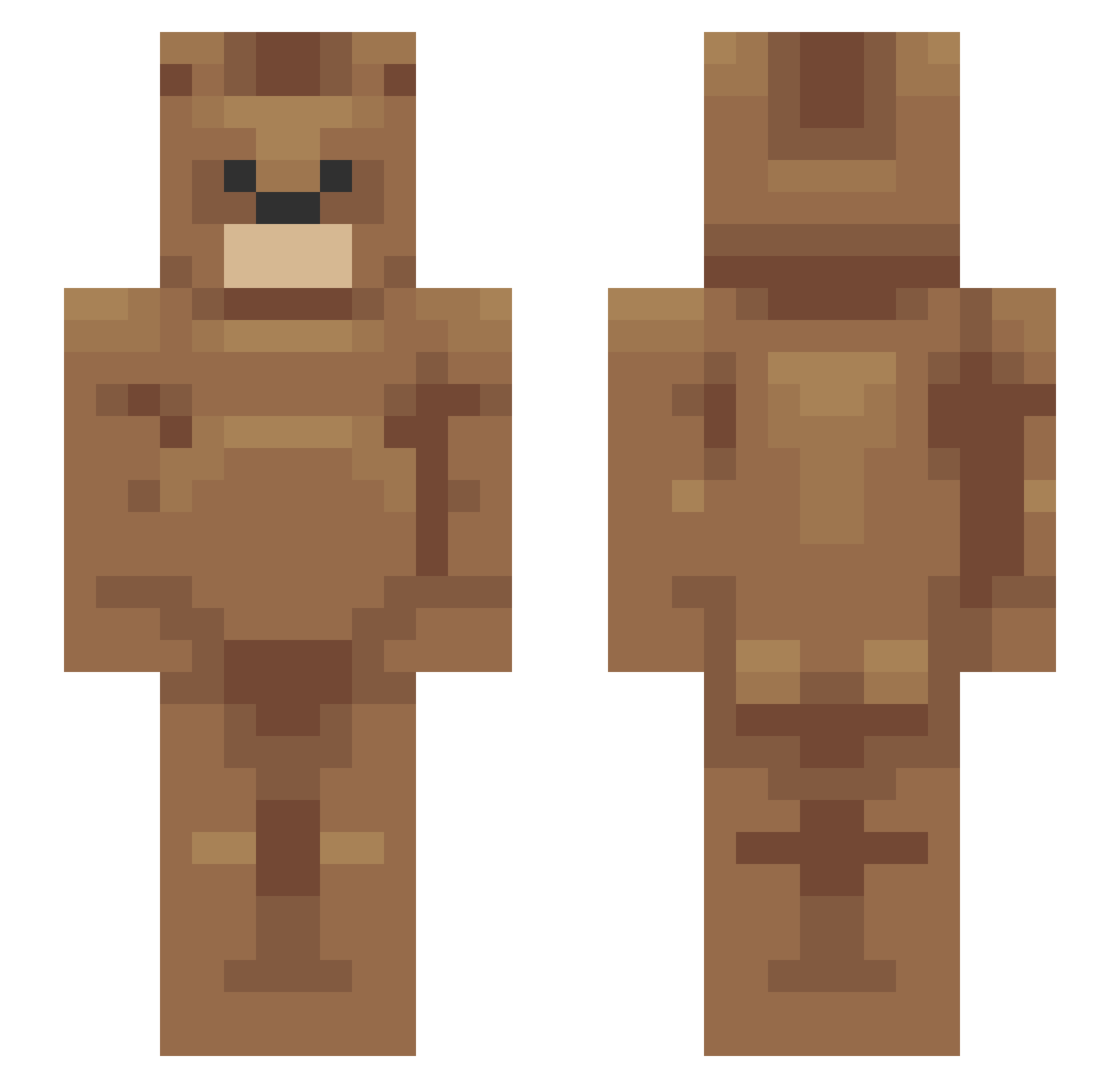
Current Minecraft skin of the player Timflat, loaded from the official Mojang API. Rotate the 3D model with your mouse or finger, then download the skin as a PNG file and use it in Minecraft: Bedrock Edition or Java Edition for free. When Timflat changes their skin, this page updates automatically and the old skin stays in the history below.
Other players with this skin (161)
Timflat was the 99th player we have seen with this skin, first spotted on 30.09.2026. The same skin was seen on these players. Open a nickname to see their current skin and skin history.
 filipekkkkkk _Thundershield_ kefirmk2 WillyFF Kreto999 dietfriet LureSlure Areguil KalleKanelKrok Realizd yourpalthom bigcisc Vajdaaj APPLE578 P0kary DUDUDUNG_ DAXSONER Chak_Ok Player4034 Egall MuhArit DrDriptastic MRxAPPLEZ kiyoshi_honda Yulygon BirdmanOeO Assgoblin87 Baybes BestSolja22 Bryandefilppi gronkytim MaddieCatt K4g4n Gau0110 Dr_Rotbear Clouded temavv diddythehird moratoz_00 Krozhin Odally Halsy_65 Hvboo_ ChocolateBear8 Miguelon87 Flosemite qudtls0724 N3RU Dlrjsdn_05 GoldPhone ItsMeKristof oomor Dadiogaosai20 Maladk menace20135 AgushTin 0x29 PosenMat NinjaGalaxyMax53 Bliry
More Bear Minecraft skins
How to install the Timflat skin
- Press the Download button above to save the skin as a PNG file.
- Minecraft: Bedrock Edition (PE): open the Dressing Room from the main menu (or tap your character → Edit Character), go to Classic Skins → Owned, press the + (new skin) button, choose the downloaded PNG and pick the Slim (Alex) model. Works on PC and mobile; consoles cannot import custom skins.
- Minecraft: Java Edition: open the Minecraft Launcher, go to the Skins tab, click New Skin, load the PNG, pick the Slim (Alex) model and press Save & Use. You can also upload it at minecraft.net → Profile → Change Skin.
The skin does not show up after import - what should I do?
Restart Minecraft and open the Dressing Room again - imported skins sometimes appear only after a restart. Also make sure you selected the imported skin and picked the Slim (Alex) model.
Which model should I choose, Classic or Slim?
This skin is designed for the Slim (Alex) model. If you pick the wrong model, the arms of the skin will look stretched or squeezed.
Is the skin of Timflat free to download?
Yes. Press Download, save the PNG file and use it in Minecraft: Bedrock Edition or Java Edition - no payment or registration needed. The skin also works on multiplayer servers and Realms.
More skins
Looking for more? Go back to all Minecraft skins and check the top skins of the week, month and all time, or find any player's skin by nickname.