
Tikygamer71 - Minecraft Skins & Skin History
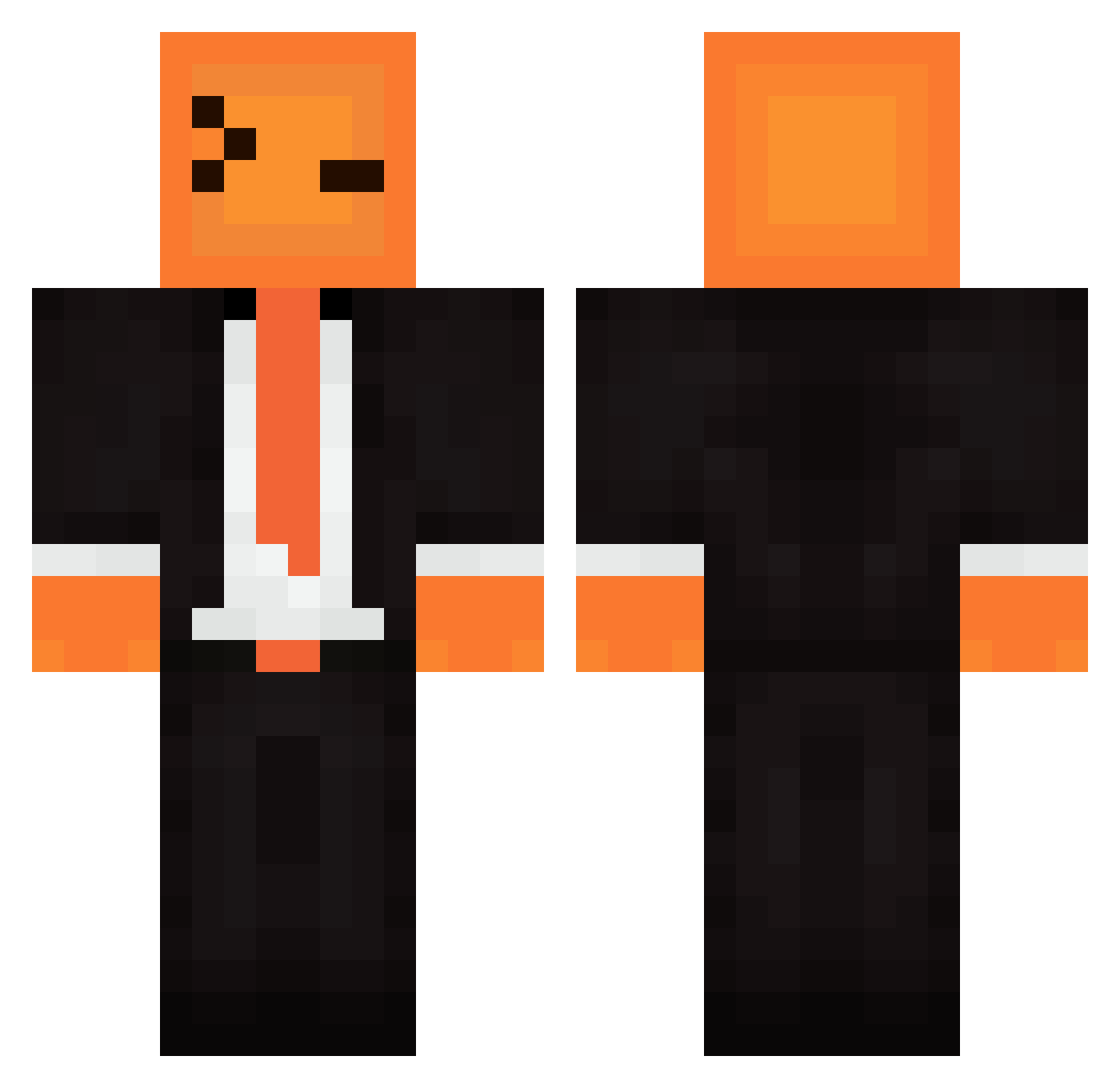
Current Minecraft skin of the player Tikygamer71, loaded from the official Mojang API. Rotate the 3D model with your mouse or finger, then download the skin as a PNG file and use it in Minecraft: Bedrock Edition or Java Edition for free. When Tikygamer71 changes their skin, this page updates automatically and the old skin stays in the history below.
Other players with this skin (416)
Tikygamer71 was the 102nd player we have seen with this skin, first spotted on 31.08.2026. The same skin was seen on these players. Open a nickname to see their current skin and skin history.
 Pathfinder17 MADDMAXX4092 ptCracken
 Elias_rahm Everett075 Erebusss
 CARTERTHEHAIR CFDE GreggoFuego KritikalStrikZ AllGalaxy Venja_St RoboticaX bedbi11 EmerySK RoYouTo Dew339 Minecrafter_scot dt307072
 CringeTirow123 mrgamer9000_2 Myrisek Maila2901 LPMN Tuhededjackel lavel321
 ikspeel arthursqn Kivoksal_03 Meister_David_Ku kdiewyd
 Inspector1212 9999aura Gelmmer ilikechicken22 kishboul CosmicRunnerr TheJournalistVR xX_TarrianTV_Xx JD186 Xomer06
 Her0br1ne2123 Dasiek18 Felp_69 Turkey_1993 Scrubini
 CAVILYON_BUBA caspase8 Catwizzle entiter303 TTVdingo22 Ashtalabista Castleby Willumm14 Sky2665 Skycron_TVinO_16 IA_Lloyd bartbakyt Kajus6189 Mariowww_
How to install the Tikygamer71 skin
- Press the Download button above to save the skin as a PNG file.
- Minecraft: Bedrock Edition (PE): open the Dressing Room from the main menu (or tap your character → Edit Character), go to Classic Skins → Owned, press the + (new skin) button, choose the downloaded PNG and pick the Classic (Steve) model. Works on PC and mobile; consoles cannot import custom skins.
- Minecraft: Java Edition: open the Minecraft Launcher, go to the Skins tab, click New Skin, load the PNG, pick the Classic (Steve) model and press Save & Use. You can also upload it at minecraft.net → Profile → Change Skin.
The skin does not show up after import - what should I do?
Restart Minecraft and open the Dressing Room again - imported skins sometimes appear only after a restart. Also make sure you selected the imported skin and picked the Classic (Steve) model.
Which model should I choose, Classic or Slim?
This skin is designed for the Classic (Steve) model. If you pick the wrong model, the arms of the skin will look stretched or squeezed.
Is the skin of Tikygamer71 free to download?
Yes. Press Download, save the PNG file and use it in Minecraft: Bedrock Edition or Java Edition - no payment or registration needed. The skin also works on multiplayer servers and Realms.
More skins
Looking for more? Go back to all Minecraft skins and check the top skins of the week, month and all time, or find any player's skin by nickname.