
Ticaro - Minecraft Skins & Skin History
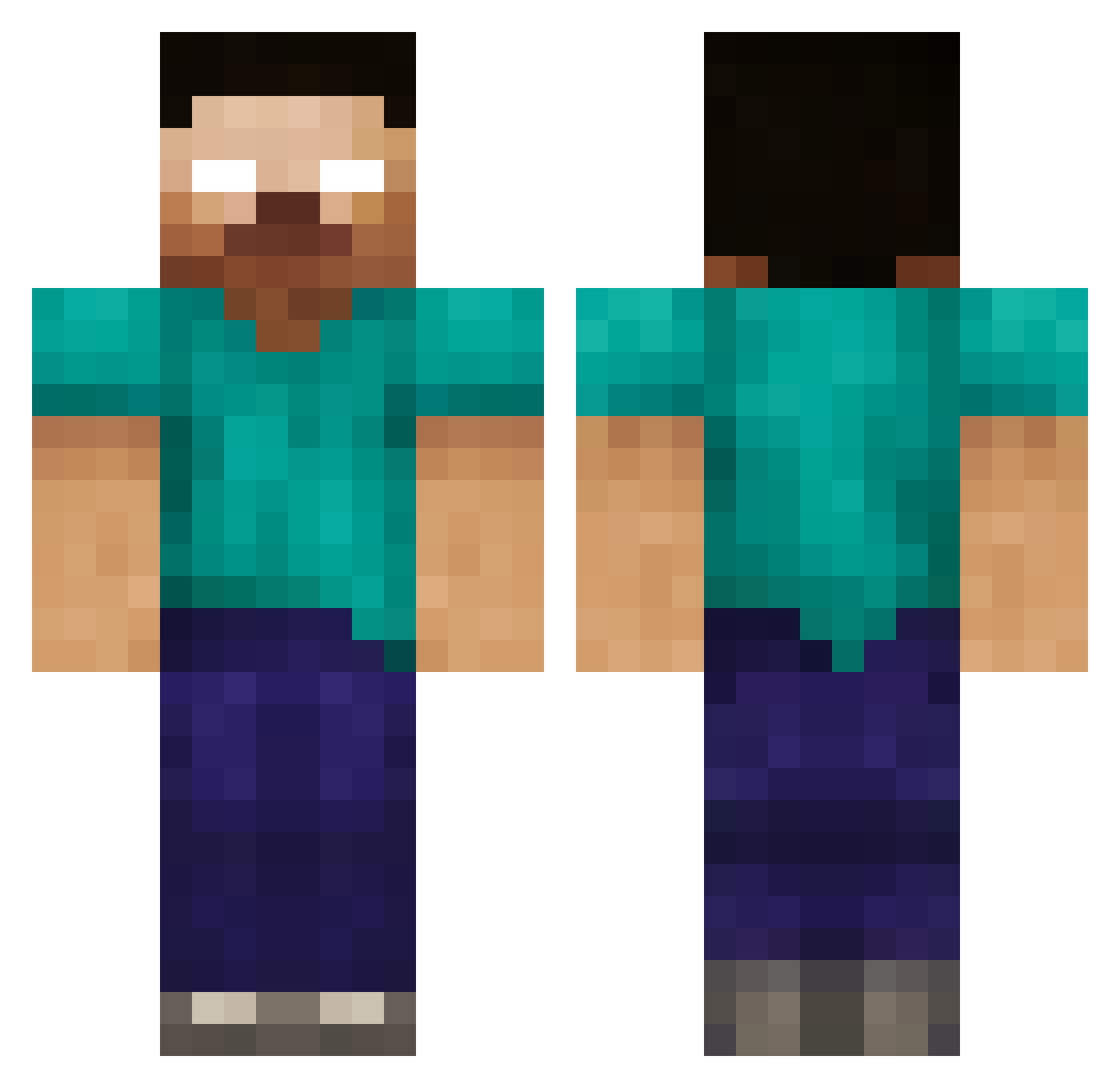
Current Minecraft skin of the player Ticaro, loaded from the official Mojang API. Rotate the 3D model with your mouse or finger, then download the skin as a PNG file and use it in Minecraft: Bedrock Edition or Java Edition for free. When Ticaro changes their skin, this page updates automatically and the old skin stays in the history below.
Other players with this skin (44)
Ticaro was the 18th player we have seen with this skin, first spotted on 22.09.2026. The same skin was seen on these players. Open a nickname to see their current skin and skin history.
 Potatlius nicfenton GurreMurre SuPra_Original mountainxxxdew Graydon_Campbell bqk5 heat1122 Ferris891 alexsf9 AUT0CL1CK3R CHICKENMAN4244 and1210 Luminous_Lupus Alisa_Yasha reonardpierce798 Watson55 cleveringham88 nrjminecraft ready30 craftingwiz101 nayan01 gwac23 thomasboy777 naduski dopetricks SonicWon abrahamvl Nicolas515 H3R0BRYNE jmurph512 maximillian10 AstralScientist mango312 Redhood600 Jaygee909 weirddude09 Wowster77 Shadow3275 abracatic MaxPuppy5 cece46 electric520 hoopster123
More Herobrine Minecraft skins
How to install the Ticaro skin
- Press the Download button above to save the skin as a PNG file.
- Minecraft: Bedrock Edition (PE): open the Dressing Room from the main menu (or tap your character → Edit Character), go to Classic Skins → Owned, press the + (new skin) button, choose the downloaded PNG and pick the Classic (Steve) model. Works on PC and mobile; consoles cannot import custom skins.
- Minecraft: Java Edition: open the Minecraft Launcher, go to the Skins tab, click New Skin, load the PNG, pick the Classic (Steve) model and press Save & Use. You can also upload it at minecraft.net → Profile → Change Skin.
The skin does not show up after import - what should I do?
Restart Minecraft and open the Dressing Room again - imported skins sometimes appear only after a restart. Also make sure you selected the imported skin and picked the Classic (Steve) model.
Which model should I choose, Classic or Slim?
This skin is designed for the Classic (Steve) model. If you pick the wrong model, the arms of the skin will look stretched or squeezed.
Is the skin of Ticaro free to download?
Yes. Press Download, save the PNG file and use it in Minecraft: Bedrock Edition or Java Edition - no payment or registration needed. The skin also works on multiplayer servers and Realms.
More skins
Looking for more? Go back to all Minecraft skins and check the top skins of the week, month and all time, or find any player's skin by nickname.