
The_johnno - Minecraft Skins & Skin History
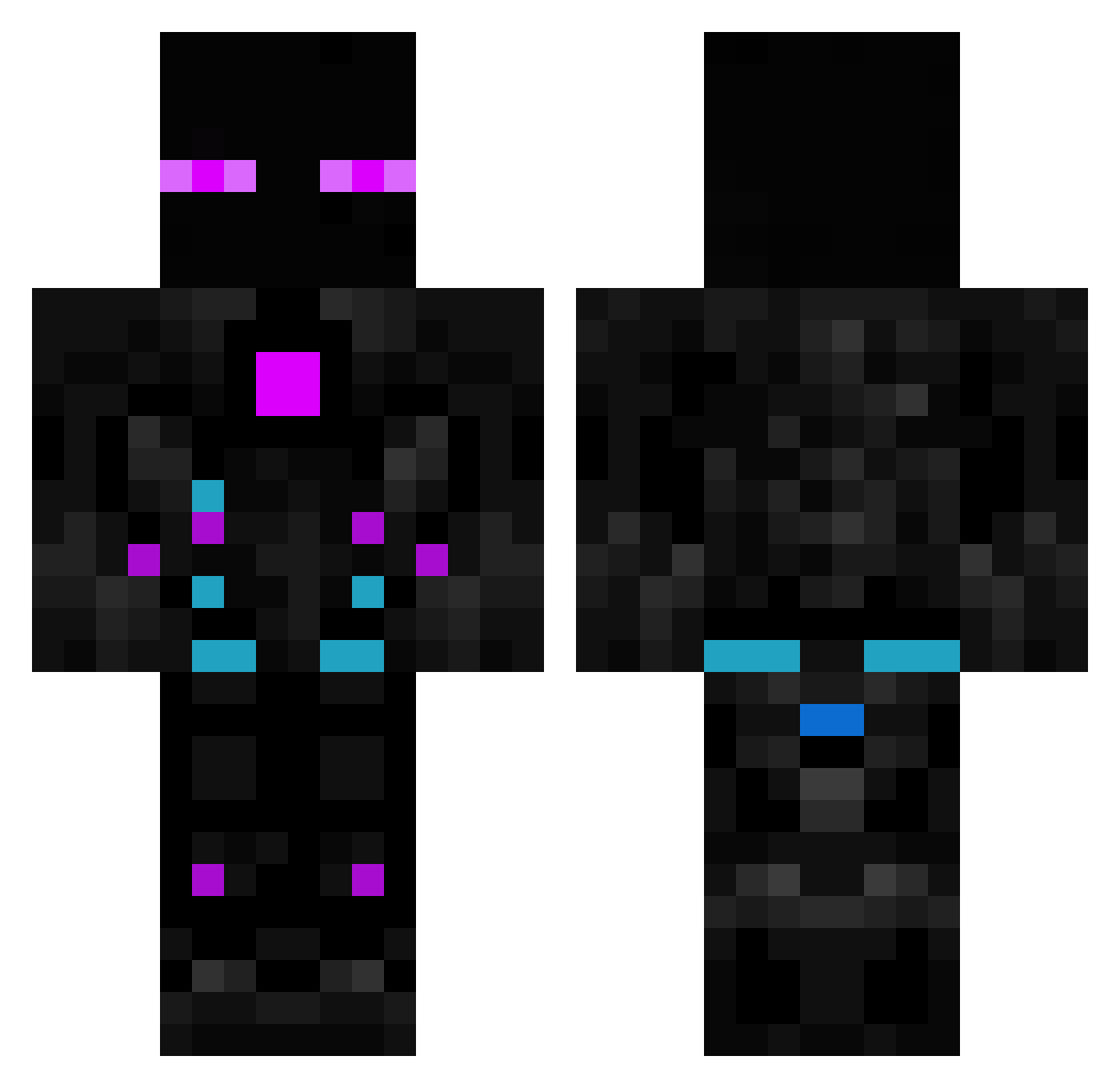
Current Minecraft skin of the player The_johnno, loaded from the official Mojang API. Rotate the 3D model with your mouse or finger, then download the skin as a PNG file and use it in Minecraft: Bedrock Edition or Java Edition for free. When The_johnno changes their skin, this page updates automatically and the old skin stays in the history below.
Other players with this skin (615)
The_johnno was the 319th player we have seen with this skin, first spotted on 26.09.2026. The same skin was seen on these players. Open a nickname to see their current skin and skin history.
 its_ellena NeoOwner XPro_1234 KaiyteeCho ItzJustChewie theeyefeye mare1809 DimitriusBR Daria_G EnderSupreme WAKAWAKARK Sibotura VeryLicense Rave_1988 ScatterXZ MSTommy666 Tomonfire demirsser Ian970212 Petryy Lord2game leviticus2004 GustaHZ santidnavarrete Kyuuuso darknesskw proze68 SJungmann yigithankol6178 Ar3s_123 MagnataPR Cagaloglu Lopinhoo RIO201207 LeParasite Rustiesh19 fliflaflu123 kokos011 Julibo284 Cheddabob_ igorfassina Linkera_ VolpeFX brainstorm1985 erionarexy U3W F3lapaBR Gajdy1234 Dodicer Darkuks mister_no_name18 Overlord707 kaylatampo Sant9029 smoker11122 __DontBeSalty__ tomas30018 Molcarcraft Wazowski01 CrypticFiend0
More Cyborg Minecraft skins
How to install the The_johnno skin
- Press the Download button above to save the skin as a PNG file.
- Minecraft: Bedrock Edition (PE): open the Dressing Room from the main menu (or tap your character → Edit Character), go to Classic Skins → Owned, press the + (new skin) button, choose the downloaded PNG and pick the Classic (Steve) model. Works on PC and mobile; consoles cannot import custom skins.
- Minecraft: Java Edition: open the Minecraft Launcher, go to the Skins tab, click New Skin, load the PNG, pick the Classic (Steve) model and press Save & Use. You can also upload it at minecraft.net → Profile → Change Skin.
The skin does not show up after import - what should I do?
Restart Minecraft and open the Dressing Room again - imported skins sometimes appear only after a restart. Also make sure you selected the imported skin and picked the Classic (Steve) model.
Which model should I choose, Classic or Slim?
This skin is designed for the Classic (Steve) model. If you pick the wrong model, the arms of the skin will look stretched or squeezed.
Is the skin of The_johnno free to download?
Yes. Press Download, save the PNG file and use it in Minecraft: Bedrock Edition or Java Edition - no payment or registration needed. The skin also works on multiplayer servers and Realms.
More skins
Looking for more? Go back to all Minecraft skins and check the top skins of the week, month and all time, or find any player's skin by nickname.