
The_Space_ - Minecraft Skins & Skin History
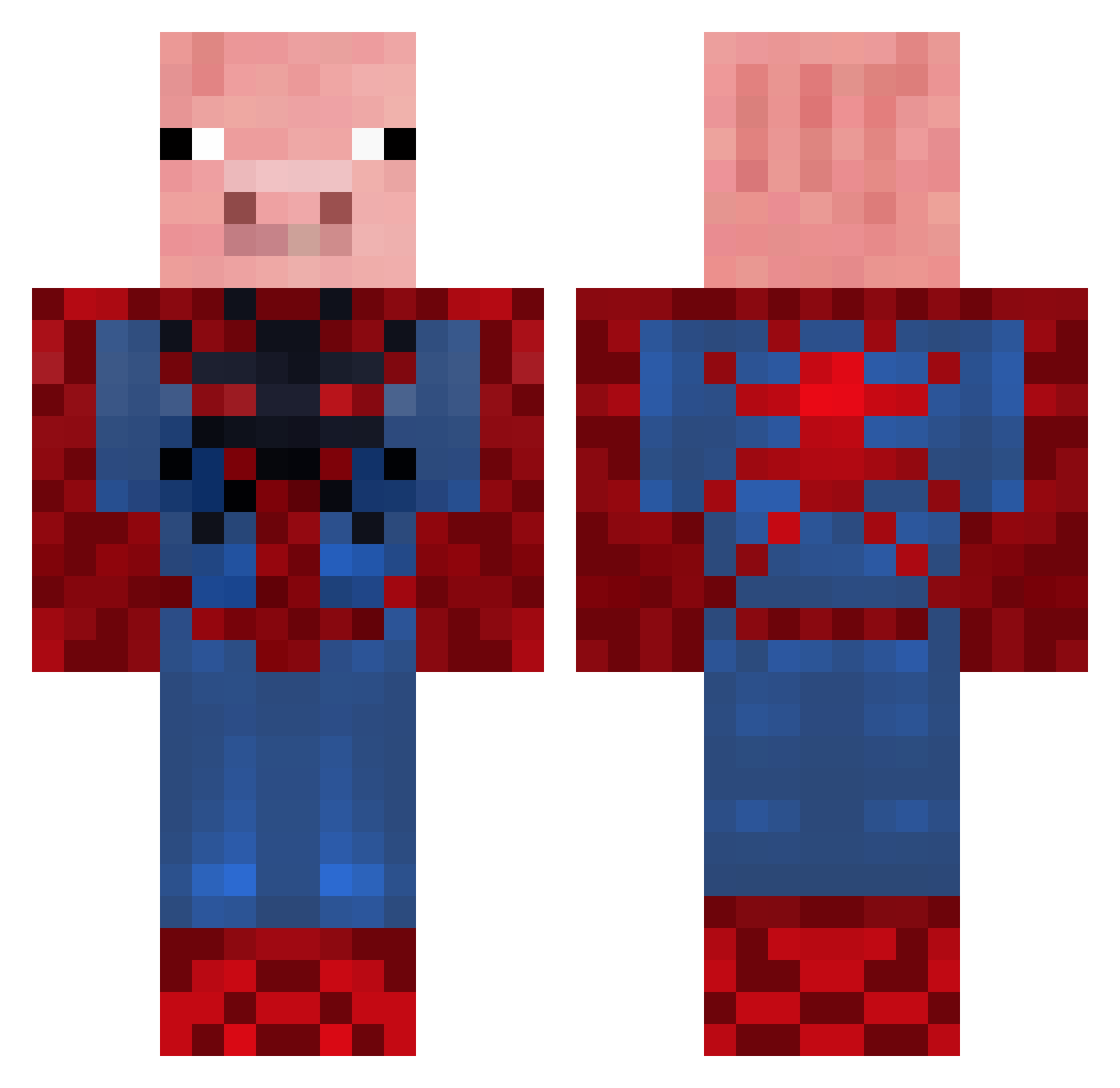
Current Minecraft skin of the player The_Space_, loaded from the official Mojang API. Rotate the 3D model with your mouse or finger, then download the skin as a PNG file and use it in Minecraft: Bedrock Edition or Java Edition for free. When The_Space_ changes their skin, this page updates automatically and the old skin stays in the history below.
Other players with this skin (655)
The_Space_ was the 129th player we have seen with this skin, first spotted on 17.08.2026. The same skin was seen on these players. Open a nickname to see their current skin and skin history.
 PrivatePies Bubba12d Awesome_Oscar03 FILIHANKAT5 FafaHD keithboy14 gadgetgeek101 Pigdude101 tristan0916 jeweetzelf0208 MrGoalie Icy9 agentpanda6 chogles fuzzy2468 Verschnupfter MrBiggs01 mike5210 xXxbeastboyxXx nastro pierre76150 belchersarah90 simbatiti Capajack33 MashedPotato44 Queensly coopmega mrethanmartin crescent5965 zig2002 fiddles_22 ThirdEye1 Dereol carolfreeman SlappyNYC66 bales2002 dominikfunke penguinman3655 SpoderPig101 MenacingBoot milar82 ath0410 Deidert Fosky29 Toderix TylerAshish123 Watson_EU eagle_slayer5 jakobsnusk sugarcube2 timtomtoes SharpyHD scunnybeast97 EmilGrubert canardsuicid Arpe12345 DrBlock111 Areteas siggisuper kiree02
More Pig Minecraft skins
How to install the The_Space_ skin
- Press the Download button above to save the skin as a PNG file.
- Minecraft: Bedrock Edition (PE): open the Dressing Room from the main menu (or tap your character → Edit Character), go to Classic Skins → Owned, press the + (new skin) button, choose the downloaded PNG and pick the Classic (Steve) model. Works on PC and mobile; consoles cannot import custom skins.
- Minecraft: Java Edition: open the Minecraft Launcher, go to the Skins tab, click New Skin, load the PNG, pick the Classic (Steve) model and press Save & Use. You can also upload it at minecraft.net → Profile → Change Skin.
The skin does not show up after import - what should I do?
Restart Minecraft and open the Dressing Room again - imported skins sometimes appear only after a restart. Also make sure you selected the imported skin and picked the Classic (Steve) model.
Which model should I choose, Classic or Slim?
This skin is designed for the Classic (Steve) model. If you pick the wrong model, the arms of the skin will look stretched or squeezed.
Is the skin of The_Space_ free to download?
Yes. Press Download, save the PNG file and use it in Minecraft: Bedrock Edition or Java Edition - no payment or registration needed. The skin also works on multiplayer servers and Realms.
More skins
Looking for more? Go back to all Minecraft skins and check the top skins of the week, month and all time, or find any player's skin by nickname.