
The_B1ggest_Bird - Minecraft Skins & Skin History
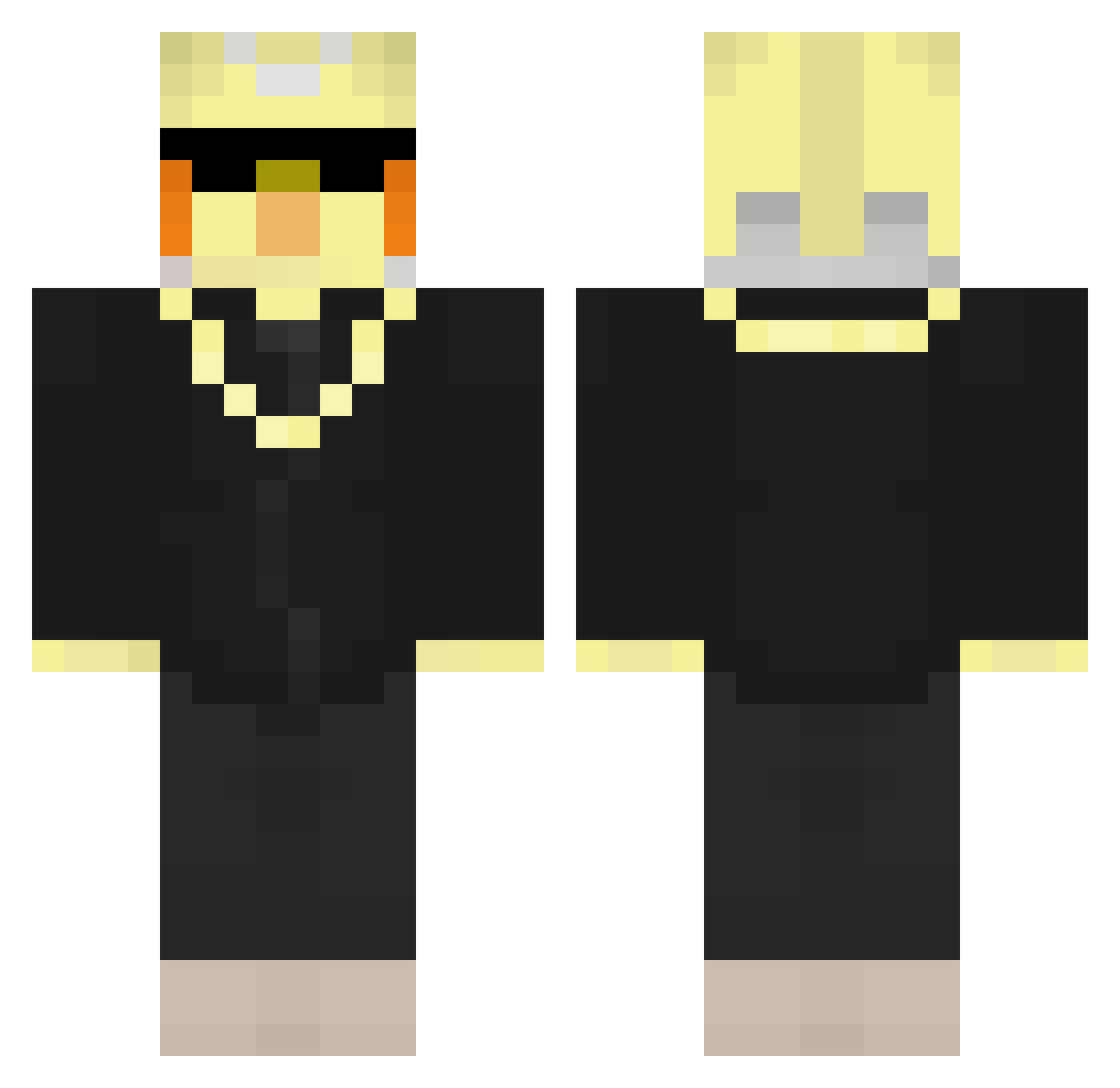
Current Minecraft skin of the player The_B1ggest_Bird, loaded from the official Mojang API. Rotate the 3D model with your mouse or finger, then download the skin as a PNG file and use it in Minecraft: Bedrock Edition or Java Edition for free. When The_B1ggest_Bird changes their skin, this page updates automatically and the old skin stays in the history below.
Other players with this skin (228)
The_B1ggest_Bird was the 188th player we have seen with this skin, first spotted on 13.10.2026. The same skin was seen on these players. Open a nickname to see their current skin and skin history.
 PRO_GUN Fillicity pvpguyandstuff Branik_ Lessha SahelPVP AloneInTokyo67 JonasbaldTheBird _ragnarokkr iDeurty BennyCrafter2 MagLusy Gingerninja932 roimagen58 Midnight_iQ_ monkeyboyasaf25 Simonegg64 suiamessi18 MWMMM fakefrags123 lukeywarden ThePolishBird Naranncia J4neks duztuusefu JudeBd fr4n3kbaldthebir DoodleDudeMe ItzNoobeStation tumulio22 OptimusPrme099 THE_REVENGER1 qxyzu1 astalavistam demon_slayer345 xXstafford213Xx Bloxyy_Faus muixom maxtraff1 R0BBBBB 3rd4lb3r4 Reninha2011 Danni771 ChopaChopa123 CCheeto99 giannis_ts7 JaroHandbal Why_MERCY biancabandini Invertvd xxXshadoww droXxXxXx bouolin kamfil123 rhash LukasLukas2008 TheoBaldTheKid theobaldthebirbs miri1121 playingsword
More Bird Minecraft skins
How to install the The_B1ggest_Bird skin
- Press the Download button above to save the skin as a PNG file.
- Minecraft: Bedrock Edition (PE): open the Dressing Room from the main menu (or tap your character → Edit Character), go to Classic Skins → Owned, press the + (new skin) button, choose the downloaded PNG and pick the Classic (Steve) model. Works on PC and mobile; consoles cannot import custom skins.
- Minecraft: Java Edition: open the Minecraft Launcher, go to the Skins tab, click New Skin, load the PNG, pick the Classic (Steve) model and press Save & Use. You can also upload it at minecraft.net → Profile → Change Skin.
The skin does not show up after import - what should I do?
Restart Minecraft and open the Dressing Room again - imported skins sometimes appear only after a restart. Also make sure you selected the imported skin and picked the Classic (Steve) model.
Which model should I choose, Classic or Slim?
This skin is designed for the Classic (Steve) model. If you pick the wrong model, the arms of the skin will look stretched or squeezed.
Is the skin of The_B1ggest_Bird free to download?
Yes. Press Download, save the PNG file and use it in Minecraft: Bedrock Edition or Java Edition - no payment or registration needed. The skin also works on multiplayer servers and Realms.
More skins
Looking for more? Go back to all Minecraft skins and check the top skins of the week, month and all time, or find any player's skin by nickname.