
TheYeat - Minecraft Skins & Skin History
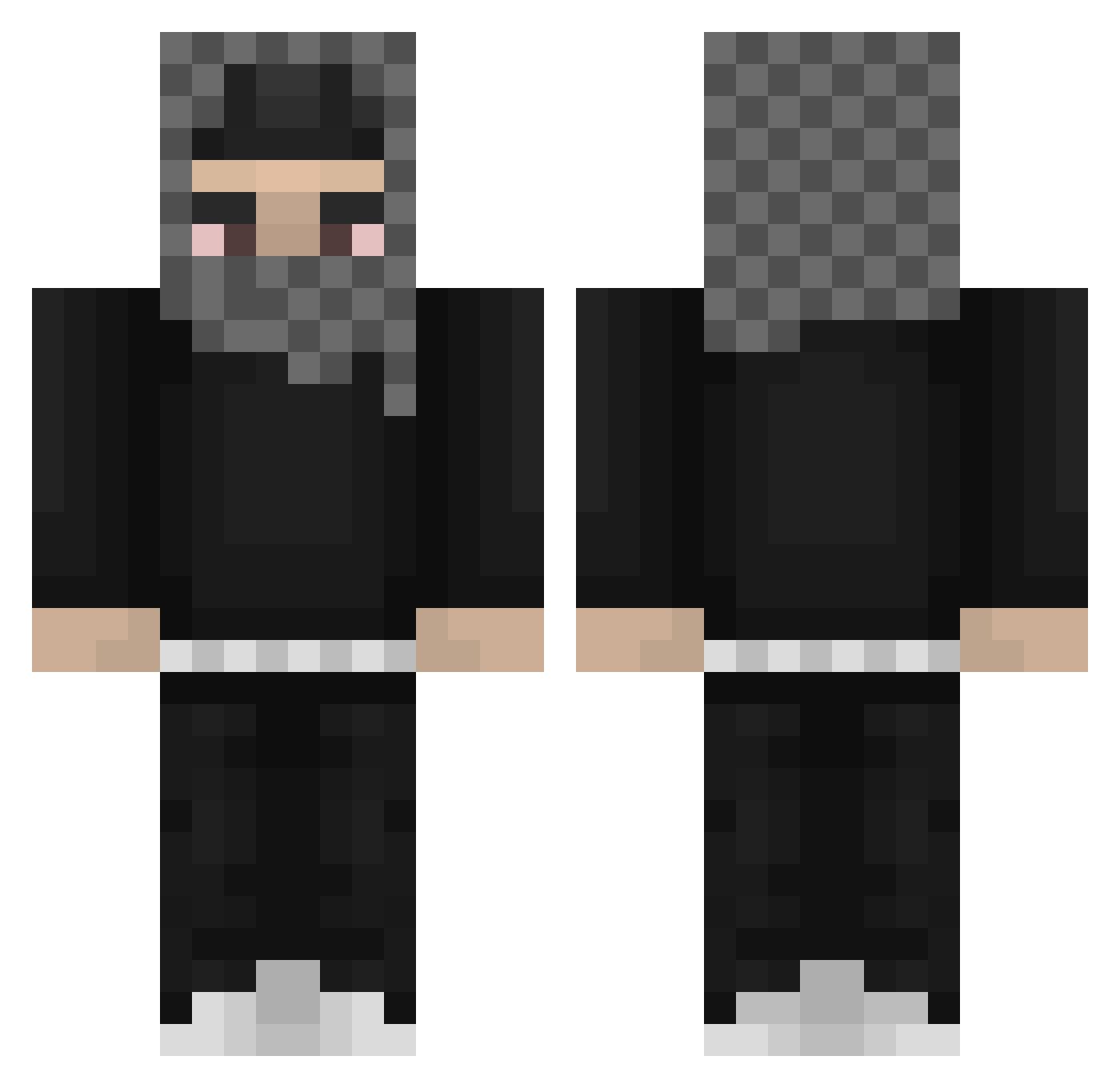
Current Minecraft skin of the player TheYeat, loaded from the official Mojang API. Rotate the 3D model with your mouse or finger, then download the skin as a PNG file and use it in Minecraft: Bedrock Edition or Java Edition for free. When TheYeat changes their skin, this page updates automatically and the old skin stays in the history below.
Other players with this skin (812)
TheYeat was the 546th player we have seen with this skin, first spotted on 06.10.2026. The same skin was seen on these players. Open a nickname to see their current skin and skin history.
 Nemtudomfos zhylozz yConda Wille8673 NOPLUXXX maslaq_ ItzM1xz razzy0456 siskichlen parallelpurple stuphu Cernucci 3stra TitaniumEXE Sami2360 SuckYaModda yivs Nedyak_01 alanekkz oaplen geekforbreakfast Fluxxxxxxxxxxx Agniesia_pvv PanzerNapalm wyjazdzchaty Nigel2020 ccameronnn Pandamoney17 cashhh0 finneman123 SeaS1x AnyoneStopUS fragmentize Szymexz Deluge_2_Foutre drovasek B1gShminky_ jbmu storrrrrr 1smt integrasxund GajahTerbang wydss Dr_Rootie on_jaah ADOLF_YEATLER LeGrease gxnjuu Shaidy_89 Nie_Pokonany dfxpng im2Alive TenZinStaff yeatfan213 Noble_Hotdog Sdzn xuxshoje heliiman Jeysfx SUBNNNN
More Streetwear Minecraft skins
How to install the TheYeat skin
- Press the Download button above to save the skin as a PNG file.
- Minecraft: Bedrock Edition (PE): open the Dressing Room from the main menu (or tap your character → Edit Character), go to Classic Skins → Owned, press the + (new skin) button, choose the downloaded PNG and pick the Classic (Steve) model. Works on PC and mobile; consoles cannot import custom skins.
- Minecraft: Java Edition: open the Minecraft Launcher, go to the Skins tab, click New Skin, load the PNG, pick the Classic (Steve) model and press Save & Use. You can also upload it at minecraft.net → Profile → Change Skin.
The skin does not show up after import - what should I do?
Restart Minecraft and open the Dressing Room again - imported skins sometimes appear only after a restart. Also make sure you selected the imported skin and picked the Classic (Steve) model.
Which model should I choose, Classic or Slim?
This skin is designed for the Classic (Steve) model. If you pick the wrong model, the arms of the skin will look stretched or squeezed.
Is the skin of TheYeat free to download?
Yes. Press Download, save the PNG file and use it in Minecraft: Bedrock Edition or Java Edition - no payment or registration needed. The skin also works on multiplayer servers and Realms.
More skins
Looking for more? Go back to all Minecraft skins and check the top skins of the week, month and all time, or find any player's skin by nickname.