
TheSilverHen - Minecraft Skins & Skin History
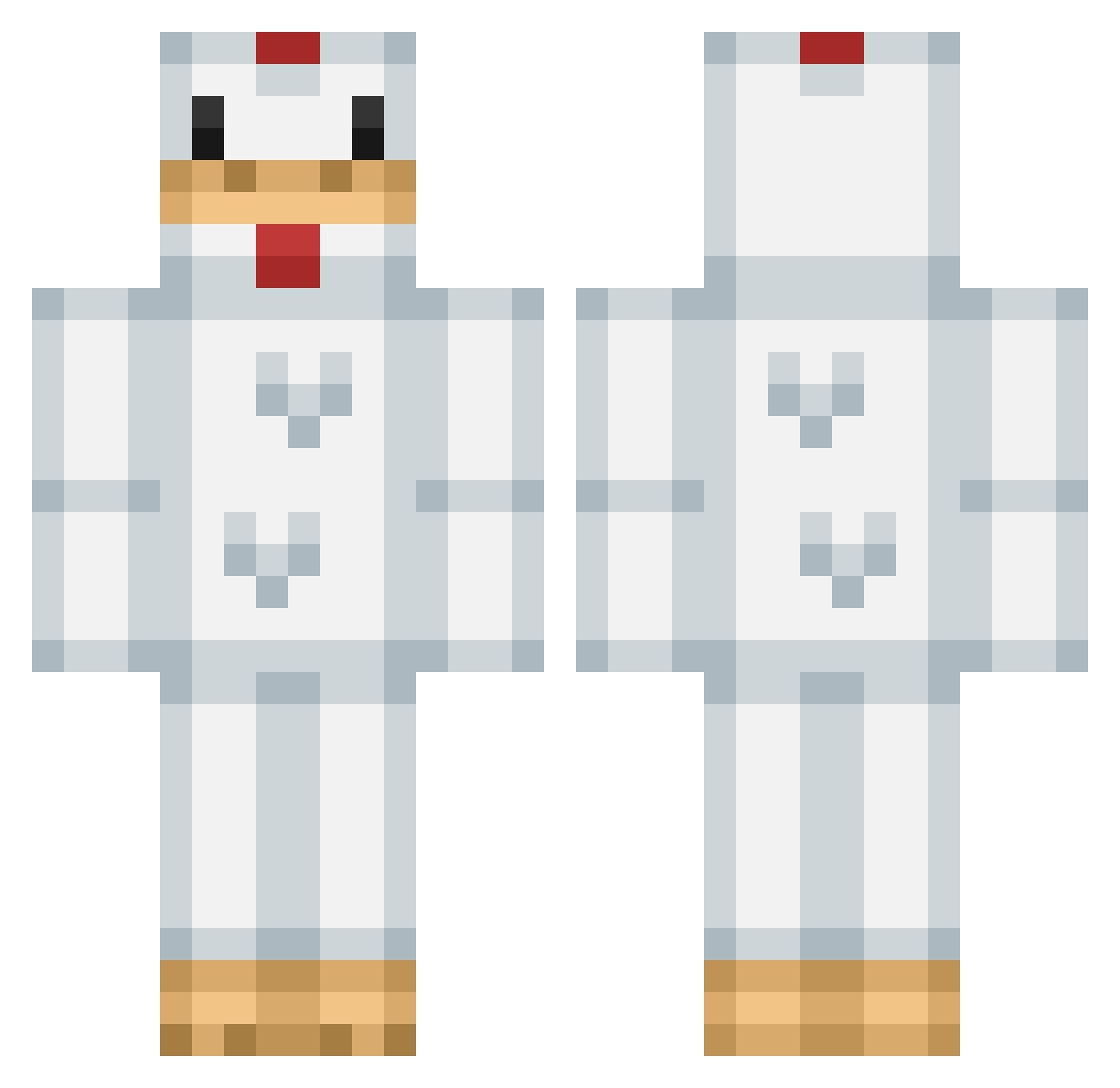
Current Minecraft skin of the player TheSilverHen, loaded from the official Mojang API. Rotate the 3D model with your mouse or finger, then download the skin as a PNG file and use it in Minecraft: Bedrock Edition or Java Edition for free. When TheSilverHen changes their skin, this page updates automatically and the old skin stays in the history below.
Other players with this skin (186)
TheSilverHen was the 41st player we have seen with this skin, first spotted on 24.08.2026. The same skin was seen on these players. Open a nickname to see their current skin and skin history.
 SadDuq IGORDOM10 suppbecc randumchicken Mamakita Luo_Mr pojazd Nomiunknown BooperDooper123 IMPRTNCE _CadetChicken_ KinqNado ccnimk
 SilentSeek Chicken_pokm markham2020 iron_cast_glass Eggdarr RijkH pinkunicorn4life Niklas_hat Savage1528 TICA2220 yysa1 Superchicken1000 Chickinjo CookedChicken24 Bradboy529 Solauri Kmon_v chickenwhisperr ojOl1v3 Isabellavc rcmaniachicken gfdwin77 Senor_Saguaro TakeIt003 Kenshin1213 lapaint Insane_King12
 FrannyBanana HK722 pilkalampinoppi CollinTheLegend MasagoSalmon LuminaLong HankHillxx lyu07 doo_nut meet247 abbyhenare missyohh Manity9 Keng_mang LouisJohannes egg_two alexhin228 soooooup_ michelle_vm CrispyNuggets97
More Chicken Minecraft skins
How to install the TheSilverHen skin
- Press the Download button above to save the skin as a PNG file.
- Minecraft: Bedrock Edition (PE): open the Dressing Room from the main menu (or tap your character → Edit Character), go to Classic Skins → Owned, press the + (new skin) button, choose the downloaded PNG and pick the Classic (Steve) model. Works on PC and mobile; consoles cannot import custom skins.
- Minecraft: Java Edition: open the Minecraft Launcher, go to the Skins tab, click New Skin, load the PNG, pick the Classic (Steve) model and press Save & Use. You can also upload it at minecraft.net → Profile → Change Skin.
The skin does not show up after import - what should I do?
Restart Minecraft and open the Dressing Room again - imported skins sometimes appear only after a restart. Also make sure you selected the imported skin and picked the Classic (Steve) model.
Which model should I choose, Classic or Slim?
This skin is designed for the Classic (Steve) model. If you pick the wrong model, the arms of the skin will look stretched or squeezed.
Is the skin of TheSilverHen free to download?
Yes. Press Download, save the PNG file and use it in Minecraft: Bedrock Edition or Java Edition - no payment or registration needed. The skin also works on multiplayer servers and Realms.
More skins
Looking for more? Go back to all Minecraft skins and check the top skins of the week, month and all time, or find any player's skin by nickname.