
TheKingGabry01 - Minecraft Skins & Skin History
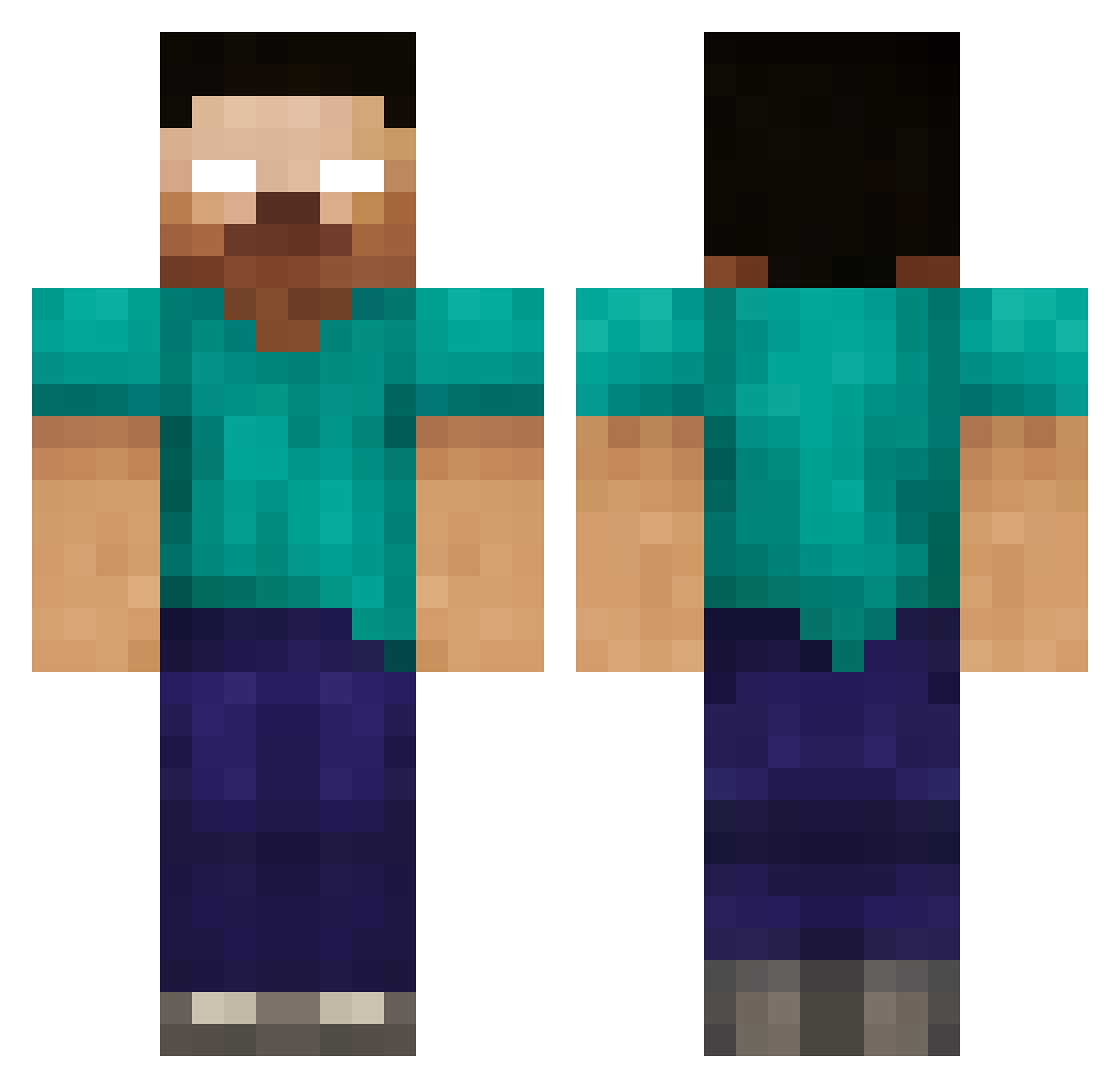
Current Minecraft skin of the player TheKingGabry01, loaded from the official Mojang API. Rotate the 3D model with your mouse or finger, then download the skin as a PNG file and use it in Minecraft: Bedrock Edition or Java Edition for free. When TheKingGabry01 changes their skin, this page updates automatically and the old skin stays in the history below.
Other players with this skin (235)
TheKingGabry01 was the 171st player we have seen with this skin, first spotted on 11.10.2026. The same skin was seen on these players. Open a nickname to see their current skin and skin history.
 Sebasti HerobrineFan625 Lord_Herobrine36 minecraftboy56 SwiggitySw00ty Squiderater dinosaur5335 Kro_Man pizarro04 bendoze jmcoyne Sliffix raverhs RSuzuki Dxff Toreymon LordH tambojensen chucheed patmc11 xSNODDYx samwrc1 Kiwib94 Andrewski2000 herobrine081408 TheStampex Mine_Tom garley47 bradmax1 dragon1875 jimjam626 HectorA380 DieGrille 3ziz012 Alexjanduia JackAttack1101 LESTERSWAGMAN Passicall1 EvCanney supermario116 08ljm anthonycoolk Mythbusters13 stupiter SCHWARZENEGGER69 LegoBoy518 xrpmx6900 YourboiWigs coruptedlink joeycraft06 willv7 dcuuuu sillygirl118 UBsHoward QKcN Lighteningbolt22 dreamturtle210 Elijah90 jordanhosang Felixtillman
More Herobrine Minecraft skins
How to install the TheKingGabry01 skin
- Press the Download button above to save the skin as a PNG file.
- Minecraft: Bedrock Edition (PE): open the Dressing Room from the main menu (or tap your character → Edit Character), go to Classic Skins → Owned, press the + (new skin) button, choose the downloaded PNG and pick the Classic (Steve) model. Works on PC and mobile; consoles cannot import custom skins.
- Minecraft: Java Edition: open the Minecraft Launcher, go to the Skins tab, click New Skin, load the PNG, pick the Classic (Steve) model and press Save & Use. You can also upload it at minecraft.net → Profile → Change Skin.
The skin does not show up after import - what should I do?
Restart Minecraft and open the Dressing Room again - imported skins sometimes appear only after a restart. Also make sure you selected the imported skin and picked the Classic (Steve) model.
Which model should I choose, Classic or Slim?
This skin is designed for the Classic (Steve) model. If you pick the wrong model, the arms of the skin will look stretched or squeezed.
Is the skin of TheKingGabry01 free to download?
Yes. Press Download, save the PNG file and use it in Minecraft: Bedrock Edition or Java Edition - no payment or registration needed. The skin also works on multiplayer servers and Realms.
More skins
Looking for more? Go back to all Minecraft skins and check the top skins of the week, month and all time, or find any player's skin by nickname.