
TheGigginox - Minecraft Skins & Skin History
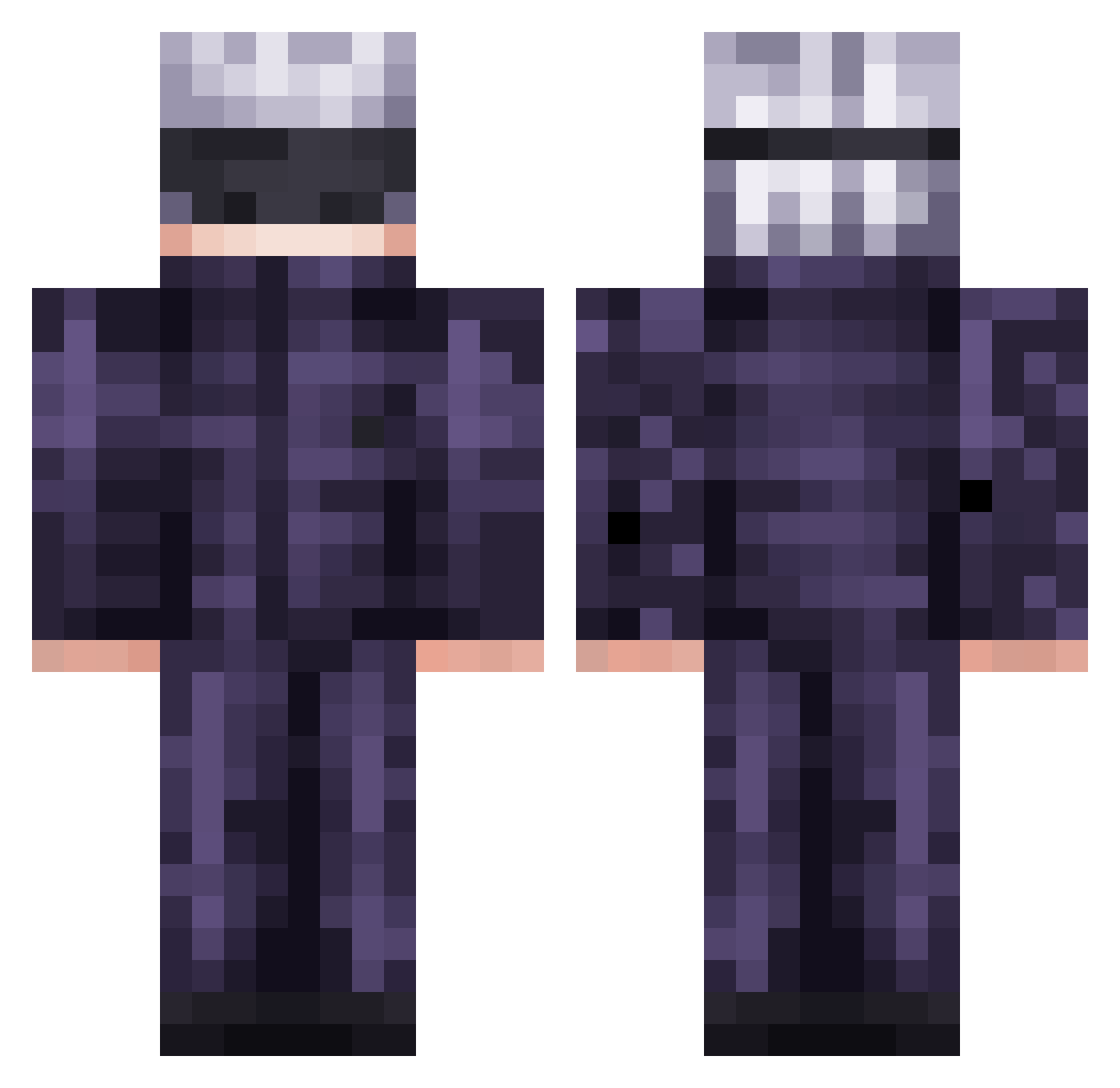
Current Minecraft skin of the player TheGigginox, loaded from the official Mojang API. Rotate the 3D model with your mouse or finger, then download the skin as a PNG file and use it in Minecraft: Bedrock Edition or Java Edition for free. When TheGigginox changes their skin, this page updates automatically and the old skin stays in the history below.
Other players with this skin (474)
TheGigginox was the 316th player we have seen with this skin, first spotted on 26.09.2026. The same skin was seen on these players. Open a nickname to see their current skin and skin history.
 Nervure V1CTOR12 Dry_Markini gojosatoruuuu S3UL EnviousMud Jamlexx Nuclear222 Taikuza entoni__ im_abramon woodenart xFallere CrazyFrog_MLG_ DuckNutOnSquire SFlakko Tiagop1212 yourdadgay Basilsunny11 Lopy0y 00val SuperSpaghetti9 HUMANPAPER2016 yukkri_reimu Pady2009 littlerorro patynha SpencerMoose1 Stamele Mustafarah NayT_SabeS HulkPS Danken12 Rat_Trapper I_WHM MostlyDelusional mr01kakka Killz12x teambro___ nah_id_winn ZeussDark Hidden_Auraa Tocci1 80erOxn Aliyah055 Unkn0wnGG YanKarlo Dethue carti_fan08 TysonMaeda Miguel7w7_X tylerturtlehead IDoggz Battle_Tendency MilkTw_5012 AnthonyBR007 BigJu1ceThaSip OptimusEli Akira_menai Akane69
More Satoru Gojo Minecraft skins
See all 1222 Satoru Gojo skins
How to install the TheGigginox skin
- Press the Download button above to save the skin as a PNG file.
- Minecraft: Bedrock Edition (PE): open the Dressing Room from the main menu (or tap your character → Edit Character), go to Classic Skins → Owned, press the + (new skin) button, choose the downloaded PNG and pick the Classic (Steve) model. Works on PC and mobile; consoles cannot import custom skins.
- Minecraft: Java Edition: open the Minecraft Launcher, go to the Skins tab, click New Skin, load the PNG, pick the Classic (Steve) model and press Save & Use. You can also upload it at minecraft.net → Profile → Change Skin.
The skin does not show up after import - what should I do?
Restart Minecraft and open the Dressing Room again - imported skins sometimes appear only after a restart. Also make sure you selected the imported skin and picked the Classic (Steve) model.
Which model should I choose, Classic or Slim?
This skin is designed for the Classic (Steve) model. If you pick the wrong model, the arms of the skin will look stretched or squeezed.
Is the skin of TheGigginox free to download?
Yes. Press Download, save the PNG file and use it in Minecraft: Bedrock Edition or Java Edition - no payment or registration needed. The skin also works on multiplayer servers and Realms.
More skins
Looking for more? Go back to all Minecraft skins and check the top skins of the week, month and all time, or find any player's skin by nickname.