
Thaay_ - Minecraft Skins & Skin History
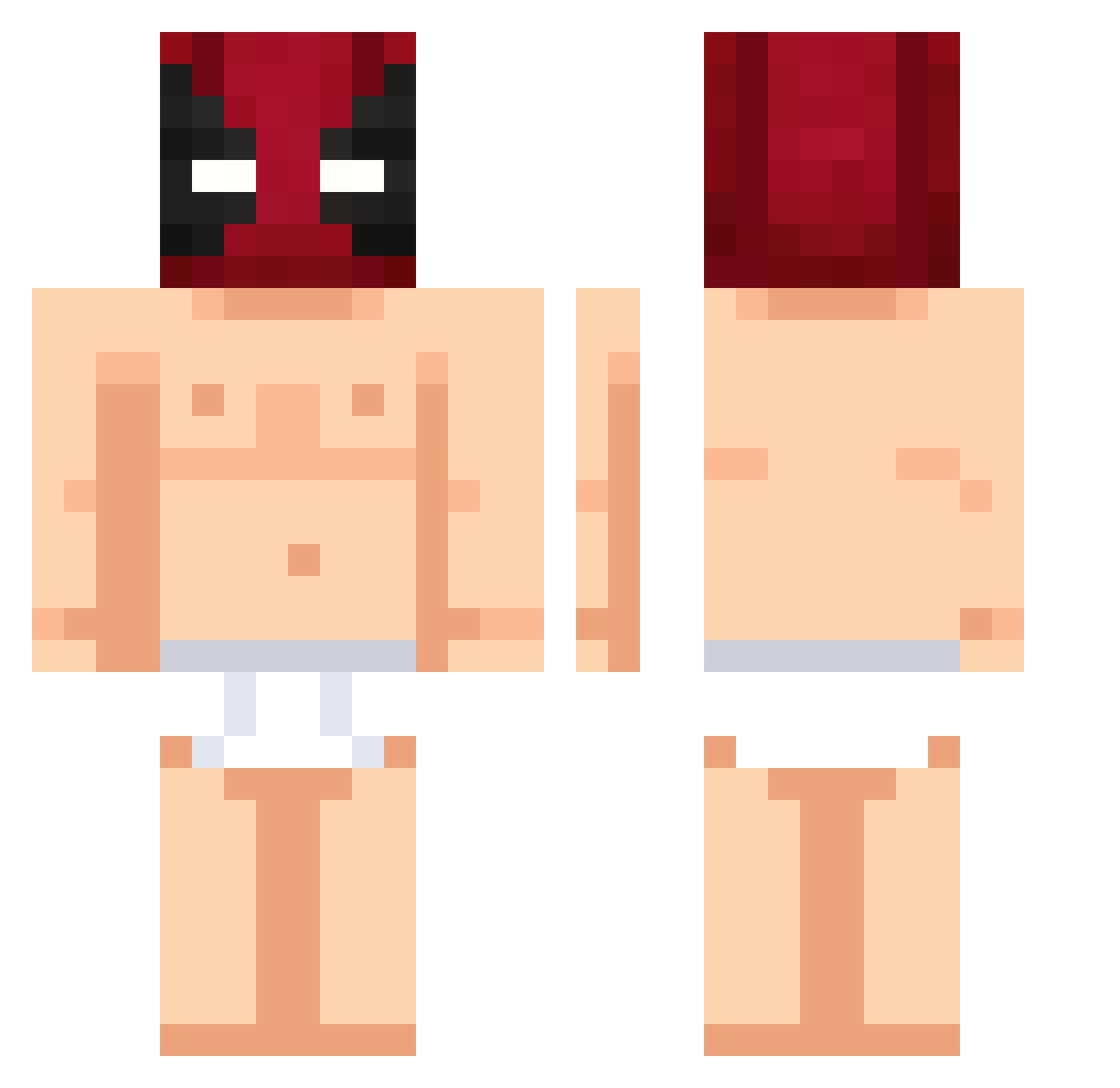
Current Minecraft skin of the player Thaay_, loaded from the official Mojang API. Rotate the 3D model with your mouse or finger, then download the skin as a PNG file and use it in Minecraft: Bedrock Edition or Java Edition for free. When Thaay_ changes their skin, this page updates automatically and the old skin stays in the history below.
Other players with this skin (501)
Thaay_ was the 372nd player we have seen with this skin, first spotted on 10.10.2026. The same skin was seen on these players. Open a nickname to see their current skin and skin history.
 _Krezi_ HeppchenHepp MONSI710 xxose Louis8076 soracrab666 theo63436 dhj666 Lelecoapelaum nagibaterminator Omitrion James_The_Dino ragefps DEADFRENCHFRIEOG eoGaboo DavidMC111 DANT44 woodol1 Greentea0311 Pfaelzer98 pommipoika26 HENKK0 JJoacoMZZ Yuki_Nijimura RomanCho matous77 Lactis_l Smurfi2002 gabbyaddictive losuus kaiiii26 ANneeeeeee2001 Azulix0111 Fish1595 Ravci EazyD_ Das_Mysterium_ T1Bakcode 990_ funnymannnnn alfredeke0324 s77y matiasgalan Killerpro_001 Lilmonkiii _diabelek990_ SoyRaptoor blxckiinggpupek imdym SantiestebanTv MarshMellow79 Dirtiestplum098 wjn555555 RektByAlpha ItzR3aper_ Cannis NetinhoSantos a40412093 MR__PINEAPPLE_ NeonHD69
More Deadpool Minecraft skins
How to install the Thaay_ skin
- Press the Download button above to save the skin as a PNG file.
- Minecraft: Bedrock Edition (PE): open the Dressing Room from the main menu (or tap your character → Edit Character), go to Classic Skins → Owned, press the + (new skin) button, choose the downloaded PNG and pick the Classic (Steve) model. Works on PC and mobile; consoles cannot import custom skins.
- Minecraft: Java Edition: open the Minecraft Launcher, go to the Skins tab, click New Skin, load the PNG, pick the Classic (Steve) model and press Save & Use. You can also upload it at minecraft.net → Profile → Change Skin.
The skin does not show up after import - what should I do?
Restart Minecraft and open the Dressing Room again - imported skins sometimes appear only after a restart. Also make sure you selected the imported skin and picked the Classic (Steve) model.
Which model should I choose, Classic or Slim?
This skin is designed for the Classic (Steve) model. If you pick the wrong model, the arms of the skin will look stretched or squeezed.
Is the skin of Thaay_ free to download?
Yes. Press Download, save the PNG file and use it in Minecraft: Bedrock Edition or Java Edition - no payment or registration needed. The skin also works on multiplayer servers and Realms.
More skins
Looking for more? Go back to all Minecraft skins and check the top skins of the week, month and all time, or find any player's skin by nickname.