
Tevutuss - Minecraft Skins & Skin History
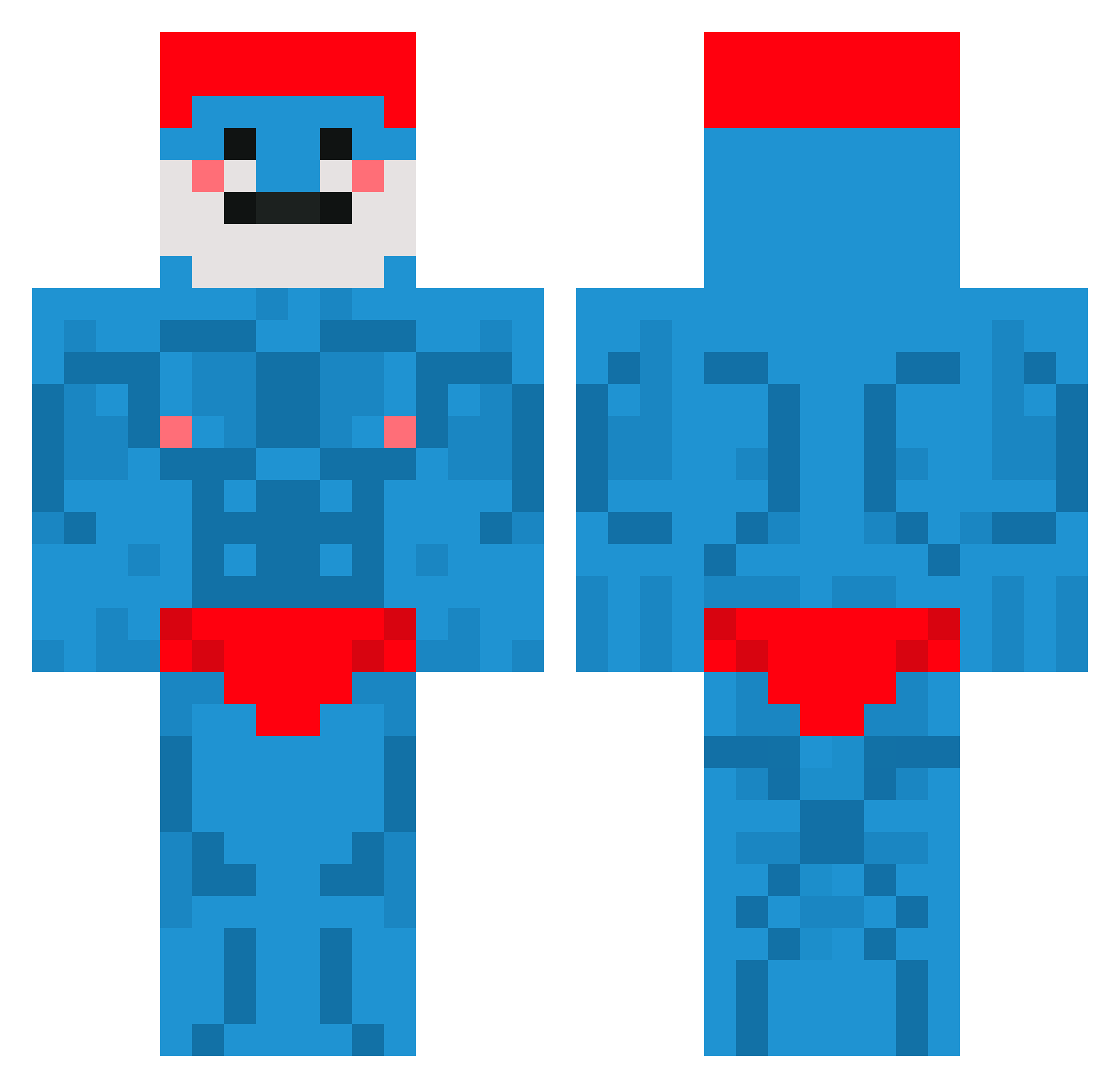
Current Minecraft skin of the player Tevutuss, loaded from the official Mojang API. Rotate the 3D model with your mouse or finger, then download the skin as a PNG file and use it in Minecraft: Bedrock Edition or Java Edition for free. When Tevutuss changes their skin, this page updates automatically and the old skin stays in the history below.
Other players with this skin (682)
Tevutuss was the 371st player we have seen with this skin, first spotted on 23.09.2026. The same skin was seen on these players. Open a nickname to see their current skin and skin history.
 Zzunami_ chexyiscool nekema_ FlyingWolfski Alkashofa01 jade1302 Oeba SoulmaticMilk LeBRV_ Oakpompano AcidDani susa14 SammyRammy73 1HeisenBurgEr voidnuggets AlibabaG gio99io Jerry_mayne TobiasNi youngmxnu LauRoenN Orszul88 asmca Nikoskoo Alpihan wduffer Sigma_Yang ariel_0519 wakdu_ shivadabutterfly Yannickd2003 MomoRockefeller hBurrner 1lazztazz1 Pscdo shadowgul CH4NGMO Jasperrnl Lupfidupfi Sebax83 Simonleboss LenfyNoo HawkGoesBrrrr MattsButter1 flyingzigun TimoTtt Chokedsmurf pusidestroyer96 dukszera24 VanishingVortex Dama_1907 Waterloo diascata RJParky OnkelEmil bombfrog KristaKremeDonut spiiinkk Shosh Liwia20
More Bodybuilder Minecraft skins
See all 1190 Bodybuilder skins
How to install the Tevutuss skin
- Press the Download button above to save the skin as a PNG file.
- Minecraft: Bedrock Edition (PE): open the Dressing Room from the main menu (or tap your character → Edit Character), go to Classic Skins → Owned, press the + (new skin) button, choose the downloaded PNG and pick the Classic (Steve) model. Works on PC and mobile; consoles cannot import custom skins.
- Minecraft: Java Edition: open the Minecraft Launcher, go to the Skins tab, click New Skin, load the PNG, pick the Classic (Steve) model and press Save & Use. You can also upload it at minecraft.net → Profile → Change Skin.
The skin does not show up after import - what should I do?
Restart Minecraft and open the Dressing Room again - imported skins sometimes appear only after a restart. Also make sure you selected the imported skin and picked the Classic (Steve) model.
Which model should I choose, Classic or Slim?
This skin is designed for the Classic (Steve) model. If you pick the wrong model, the arms of the skin will look stretched or squeezed.
Is the skin of Tevutuss free to download?
Yes. Press Download, save the PNG file and use it in Minecraft: Bedrock Edition or Java Edition - no payment or registration needed. The skin also works on multiplayer servers and Realms.
More skins
Looking for more? Go back to all Minecraft skins and check the top skins of the week, month and all time, or find any player's skin by nickname.