
Teothegreat99 - Minecraft Skins & Skin History
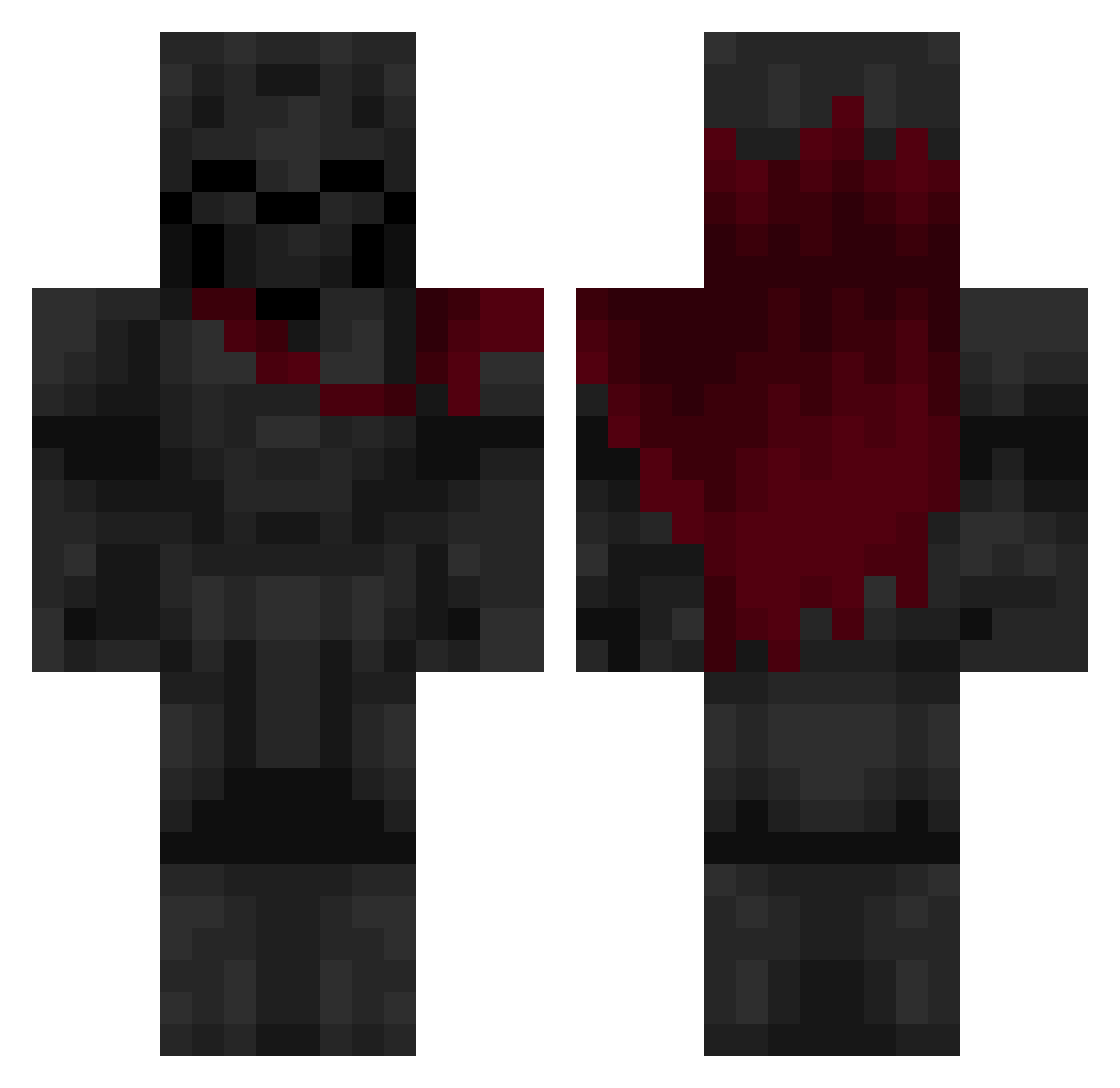
Current Minecraft skin of the player Teothegreat99, loaded from the official Mojang API. Rotate the 3D model with your mouse or finger, then download the skin as a PNG file and use it in Minecraft: Bedrock Edition or Java Edition for free. When Teothegreat99 changes their skin, this page updates automatically and the old skin stays in the history below.
Other players with this skin (582)
Teothegreat99 was the 461st player we have seen with this skin, first spotted on 12.10.2026. The same skin was seen on these players. Open a nickname to see their current skin and skin history.
 INFIX_NX Dogtan3 Calvin_Masterson SuperJaviii BobCasual Emadon_ Seavankerr Rezoii TRSOFLY Only1Axel_ FR0STY_14 Beauceant YGHubre Hades_ThomasB DOFKITAS Zeprem Kart420 Iscariote231 Elcozu Heilver ItzAtrex JE4NN Someone00923 elcaminanteee RussianTheSaber Dionisos35 SupremeTimbs Bobthebuilder695 Ganjababa Oschi88 ESZBE juuand laocs Amiral34 schultzdude111 aryouss peppe07809 SiRoHk SrXiko qsmioPL Ang3lock NinjaHuesitos Stanislas06 FriendlyClash1 Kakttuusss frosbxt softmi Bob47336 Gamer_4402 ScoredPanic24 DragonBuilder7 disenable1 Camtaro3 jhon1910 Dark19ss SmokingR3D vladian666 Terminator3752 KarasGX srleozin
More Knight Minecraft skins
How to install the Teothegreat99 skin
- Press the Download button above to save the skin as a PNG file.
- Minecraft: Bedrock Edition (PE): open the Dressing Room from the main menu (or tap your character → Edit Character), go to Classic Skins → Owned, press the + (new skin) button, choose the downloaded PNG and pick the Classic (Steve) model. Works on PC and mobile; consoles cannot import custom skins.
- Minecraft: Java Edition: open the Minecraft Launcher, go to the Skins tab, click New Skin, load the PNG, pick the Classic (Steve) model and press Save & Use. You can also upload it at minecraft.net → Profile → Change Skin.
The skin does not show up after import - what should I do?
Restart Minecraft and open the Dressing Room again - imported skins sometimes appear only after a restart. Also make sure you selected the imported skin and picked the Classic (Steve) model.
Which model should I choose, Classic or Slim?
This skin is designed for the Classic (Steve) model. If you pick the wrong model, the arms of the skin will look stretched or squeezed.
Is the skin of Teothegreat99 free to download?
Yes. Press Download, save the PNG file and use it in Minecraft: Bedrock Edition or Java Edition - no payment or registration needed. The skin also works on multiplayer servers and Realms.
More skins
Looking for more? Go back to all Minecraft skins and check the top skins of the week, month and all time, or find any player's skin by nickname.