
TengoFimosis - Minecraft Skins & Skin History
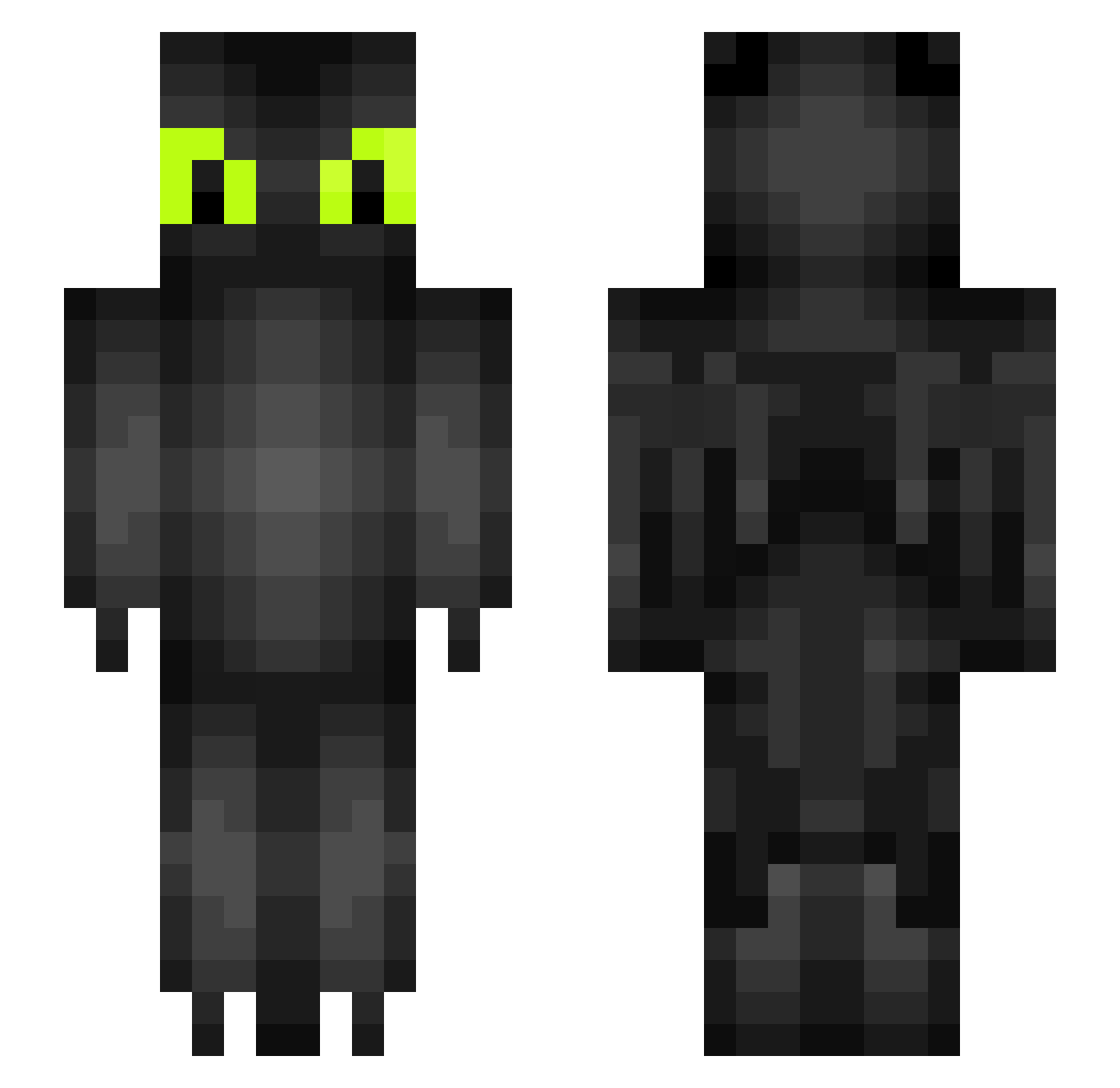
Current Minecraft skin of the player TengoFimosis, loaded from the official Mojang API. Rotate the 3D model with your mouse or finger, then download the skin as a PNG file and use it in Minecraft: Bedrock Edition or Java Edition for free. When TengoFimosis changes their skin, this page updates automatically and the old skin stays in the history below.
Other players with this skin (234)
TengoFimosis was the 35th player we have seen with this skin, first spotted on 15.08.2026. The same skin was seen on these players. Open a nickname to see their current skin and skin history.
 Kreato_ OutlawedDreams Hampehare666 GHOSTFR69 sloththeunicorn Goddess2005 enderlight3336 Chilippino LaCarte123 HingeBeast Tsuu21 NyteSlayer1
 baby_shark77 SCP0000000001 The_Viv Reine27 Vuckex SteelFTP
 TheXiuZZZ Watsits_1999 suueedd Babaccc onionionionioni ntasi dileloco15 BeautifulElsa MarvinRobot Efex07_ SoberGandalf LTonks Kamo731 rafaasn Dachini Dayyyyy TheCaptainCooke yourmom831 MotorBasilisk steviewevie96 lollorina01 S4MYYD Nick_dinucci chrismneuer SeaJear Takenbythekraken SeasickChair370 CapitalTokyo Headcrash potatoo23 CrossEyeCupcake charliethemisfit orlito0305 MermaidHunter SikoraRose Boostos Toothlessrider9 _slas06_ KMKZWolf Smillaz2 imbuildingit gligzly
More Toothless Minecraft skins
How to install the TengoFimosis skin
- Press the Download button above to save the skin as a PNG file.
- Minecraft: Bedrock Edition (PE): open the Dressing Room from the main menu (or tap your character → Edit Character), go to Classic Skins → Owned, press the + (new skin) button, choose the downloaded PNG and pick the Slim (Alex) model. Works on PC and mobile; consoles cannot import custom skins.
- Minecraft: Java Edition: open the Minecraft Launcher, go to the Skins tab, click New Skin, load the PNG, pick the Slim (Alex) model and press Save & Use. You can also upload it at minecraft.net → Profile → Change Skin.
The skin does not show up after import - what should I do?
Restart Minecraft and open the Dressing Room again - imported skins sometimes appear only after a restart. Also make sure you selected the imported skin and picked the Slim (Alex) model.
Which model should I choose, Classic or Slim?
This skin is designed for the Slim (Alex) model. If you pick the wrong model, the arms of the skin will look stretched or squeezed.
Is the skin of TengoFimosis free to download?
Yes. Press Download, save the PNG file and use it in Minecraft: Bedrock Edition or Java Edition - no payment or registration needed. The skin also works on multiplayer servers and Realms.
More skins
Looking for more? Go back to all Minecraft skins and check the top skins of the week, month and all time, or find any player's skin by nickname.