
TemmyMicky18 - Minecraft Skins & Skin History
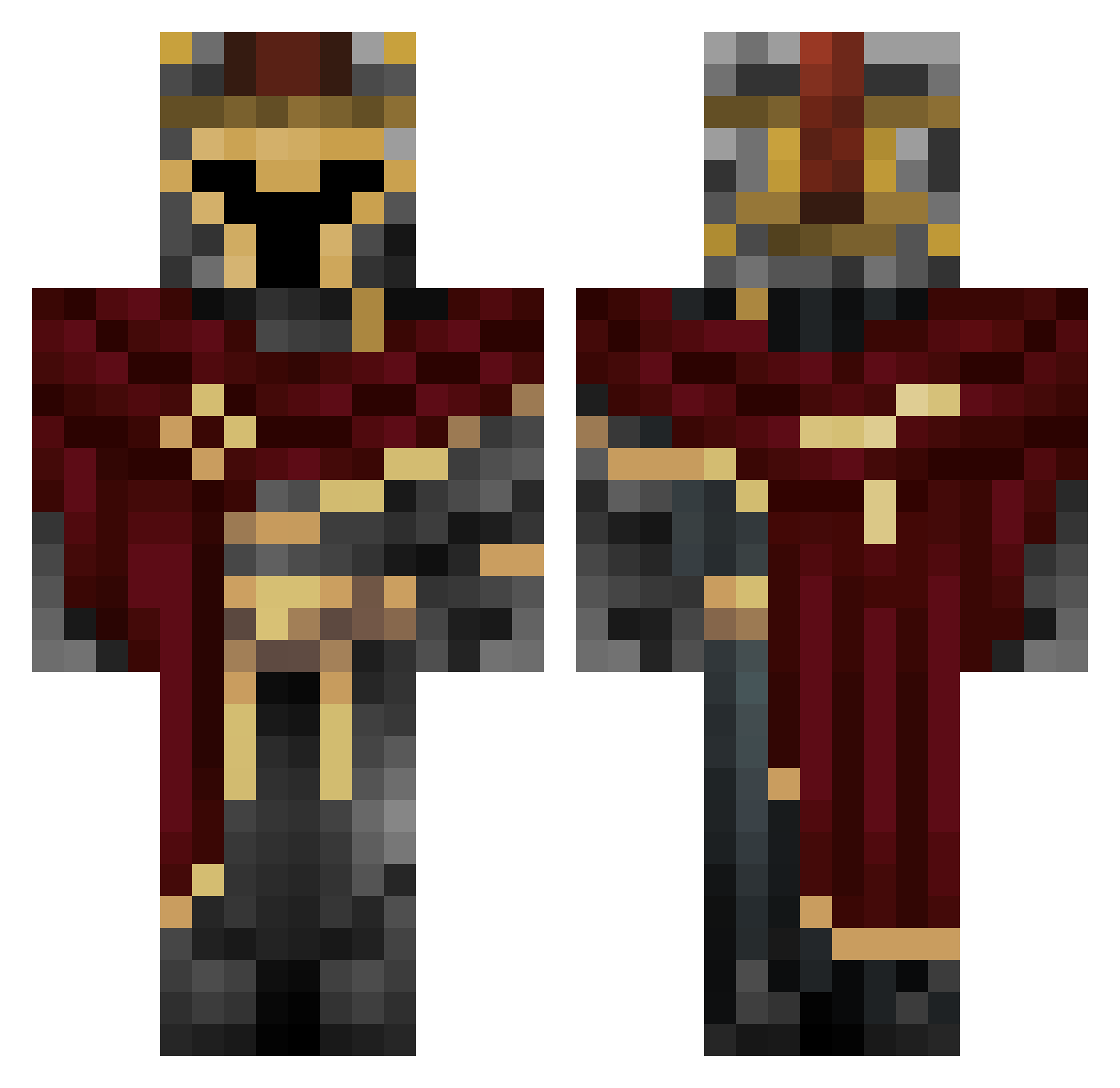
Current Minecraft skin of the player TemmyMicky18, loaded from the official Mojang API. Rotate the 3D model with your mouse or finger, then download the skin as a PNG file and use it in Minecraft: Bedrock Edition or Java Edition for free. When TemmyMicky18 changes their skin, this page updates automatically and the old skin stays in the history below.
Other players with this skin (454)
TemmyMicky18 was the 267th player we have seen with this skin, first spotted on 27.09.2026. The same skin was seen on these players. Open a nickname to see their current skin and skin history.
 Zacharyy463 Wierzbek01 VelvetDawg BobertReborn MasterMalteGHG Williwomms Chiteadinho EpicsauseJake TheEndersEye s0ul_dark soccerblaster45 NOxStream DR3MHQ8 D3rlord__3 vinestrike playnickos Perkowitsch_ nononoyesyesyes willixxt Slomy730 BronzeChalice66 MrFroggie_ Scooper120609 Pandemonium007 BruuninZziika JustPlayThis1 Valkiriann stormageddon0706 jackandjones JustChrollo Beam9018 CoolUnique_Name MrotsDnasedurad Buridak RobertoTheThirdo DeathStrategaOfi XMAS_Cookie parunyu WallTable Identty BrokenHaloSC0 calamar909 SNSbsc2024 IronTeJus oli_2346 tilltheendz Zan7539021 KVolf S133pi ScorpioV2 hoodviper MinusTheZ locusdeus S_H_1_F_T EnZ3ni GainzMaster kirill_quartz hug372 alioz6830 thekombat
More Spartan Minecraft skins
How to install the TemmyMicky18 skin
- Press the Download button above to save the skin as a PNG file.
- Minecraft: Bedrock Edition (PE): open the Dressing Room from the main menu (or tap your character → Edit Character), go to Classic Skins → Owned, press the + (new skin) button, choose the downloaded PNG and pick the Classic (Steve) model. Works on PC and mobile; consoles cannot import custom skins.
- Minecraft: Java Edition: open the Minecraft Launcher, go to the Skins tab, click New Skin, load the PNG, pick the Classic (Steve) model and press Save & Use. You can also upload it at minecraft.net → Profile → Change Skin.
The skin does not show up after import - what should I do?
Restart Minecraft and open the Dressing Room again - imported skins sometimes appear only after a restart. Also make sure you selected the imported skin and picked the Classic (Steve) model.
Which model should I choose, Classic or Slim?
This skin is designed for the Classic (Steve) model. If you pick the wrong model, the arms of the skin will look stretched or squeezed.
Is the skin of TemmyMicky18 free to download?
Yes. Press Download, save the PNG file and use it in Minecraft: Bedrock Edition or Java Edition - no payment or registration needed. The skin also works on multiplayer servers and Realms.
More skins
Looking for more? Go back to all Minecraft skins and check the top skins of the week, month and all time, or find any player's skin by nickname.