
Tej_ - Minecraft Skins & Skin History
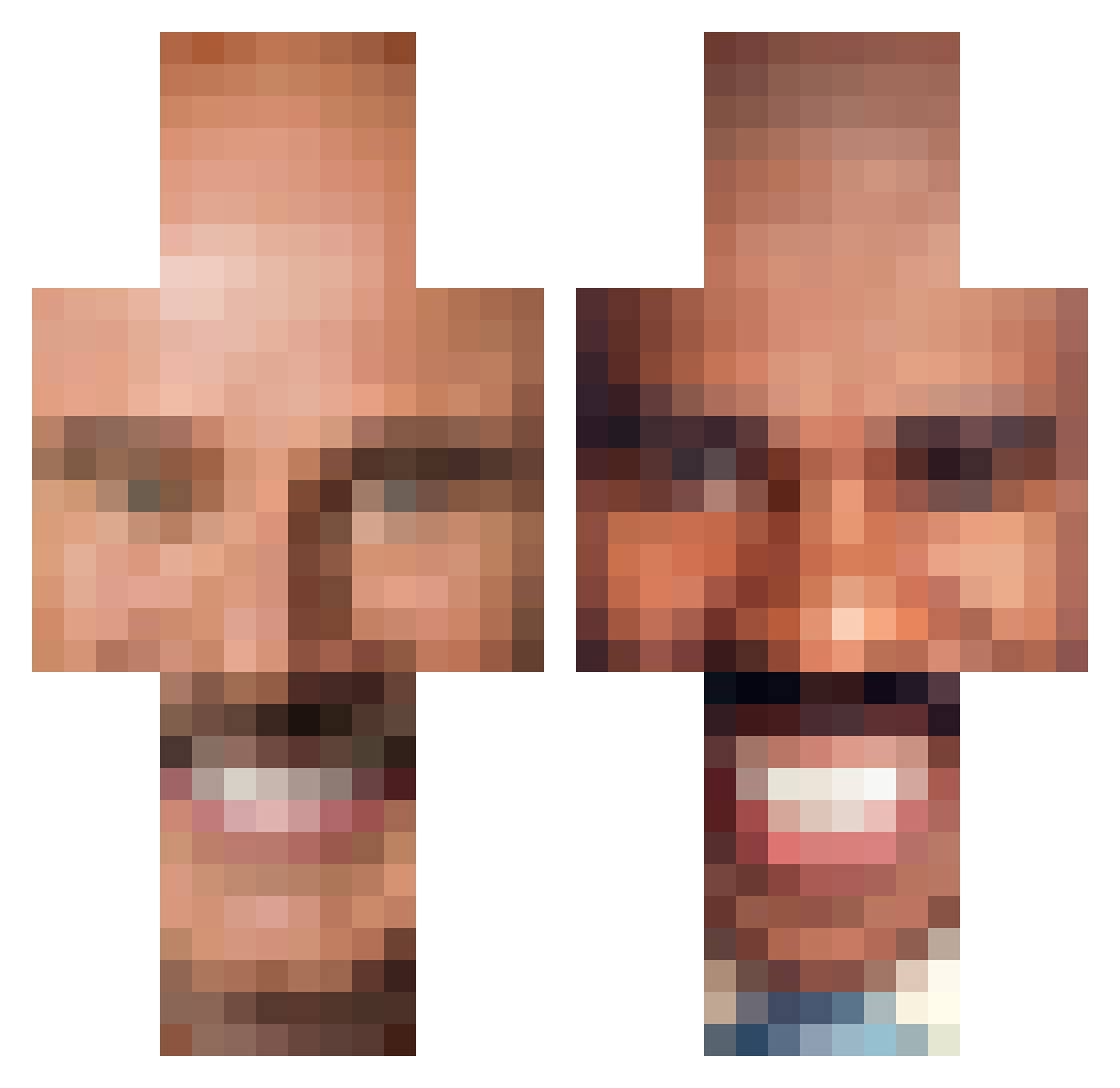
Current Minecraft skin of the player Tej_, loaded from the official Mojang API. Rotate the 3D model with your mouse or finger, then download the skin as a PNG file and use it in Minecraft: Bedrock Edition or Java Edition for free. When Tej_ changes their skin, this page updates automatically and the old skin stays in the history below.
Other players with this skin (250)
Tej_ was the 20th player we have seen with this skin, first spotted on 30.07.2026. The same skin was seen on these players. Open a nickname to see their current skin and skin history.
 jjjamie__ mustybutter Loo_G Gearlan92 1NV13NC3_xD Roz_Is_Watching MemezXDD DomoDarkness DiabeticDude26 SaltyDoggers ecdc3 Ketchub__ SweetCheeks49 Milkman_George moreoverrr DeBaron332 L3WYSS Jamz_Altum spukri 69_GREG KoalBurna Thiccybub TorbanSattler _Plutoski _RaisinBrand Chou_Kyle Kuck_Fids Redfalcong JunkBoy76 SixUnit P4N04 grahm69 HeyImMatl AyeSell Nico_las_ stringerr ArschBear PotatoBetterWork kevioli_ravioli CaptainSauce6012 monkeych0w sofawashere michaeldaddy51 jackwaggon8342 dinomike1 KidGamer04 thebigbrilly Raoul617 jsberg3 SoullessKekys Maximus_Crafter1 lmacias Tymon5254 FIZZYFIZZZ Pinez1 totalingcorgi98 3rny10 THC_Enthusiast69 Sneapeterdelux Ryhams
More Steve Harvey Minecraft skins
How to install the Tej_ skin
- Press the Download button above to save the skin as a PNG file.
- Minecraft: Bedrock Edition (PE): open the Dressing Room from the main menu (or tap your character → Edit Character), go to Classic Skins → Owned, press the + (new skin) button, choose the downloaded PNG and pick the Classic (Steve) model. Works on PC and mobile; consoles cannot import custom skins.
- Minecraft: Java Edition: open the Minecraft Launcher, go to the Skins tab, click New Skin, load the PNG, pick the Classic (Steve) model and press Save & Use. You can also upload it at minecraft.net → Profile → Change Skin.
The skin does not show up after import - what should I do?
Restart Minecraft and open the Dressing Room again - imported skins sometimes appear only after a restart. Also make sure you selected the imported skin and picked the Classic (Steve) model.
Which model should I choose, Classic or Slim?
This skin is designed for the Classic (Steve) model. If you pick the wrong model, the arms of the skin will look stretched or squeezed.
Is the skin of Tej_ free to download?
Yes. Press Download, save the PNG file and use it in Minecraft: Bedrock Edition or Java Edition - no payment or registration needed. The skin also works on multiplayer servers and Realms.
More skins
Looking for more? Go back to all Minecraft skins and check the top skins of the week, month and all time, or find any player's skin by nickname.