
Teddythe14 - Minecraft Skins & Skin History
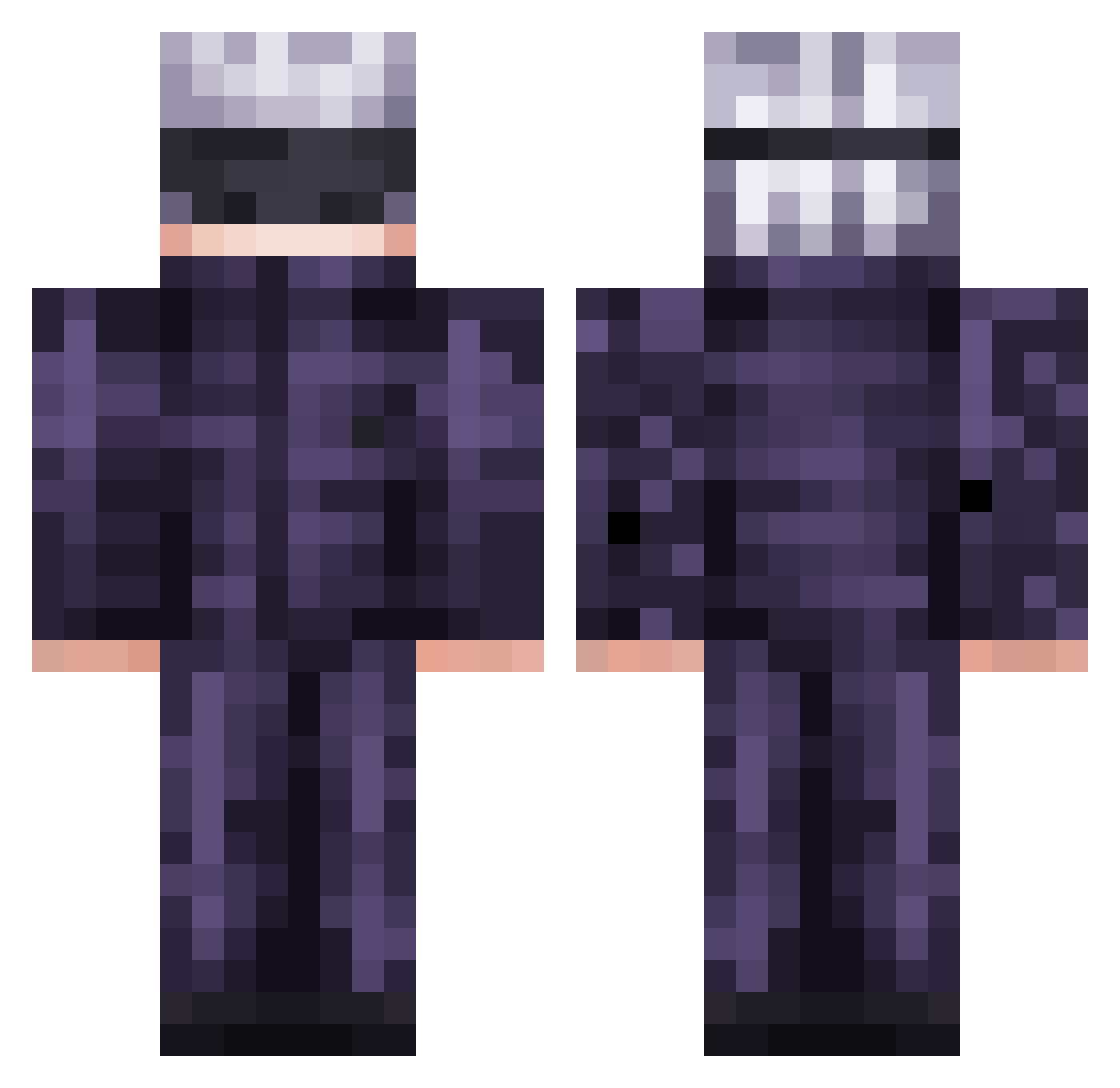
Current Minecraft skin of the player Teddythe14, loaded from the official Mojang API. Rotate the 3D model with your mouse or finger, then download the skin as a PNG file and use it in Minecraft: Bedrock Edition or Java Edition for free. When Teddythe14 changes their skin, this page updates automatically and the old skin stays in the history below.
Other players with this skin (638)
Teddythe14 was the 612th player we have seen with this skin, first spotted on 14.11.2026. The same skin was seen on these players. Open a nickname to see their current skin and skin history.
 mrwhiskers80 bigboss77x game_heart93 JOSIMO_2004 MASAMUN3 sidestepper19 Vowlixz UmCaraSemNome Carrow_X Foxy_Darknesss Chinokamii its_lyyfty ZtreZ69 Pachucho2000 KESZKESZKESZ ilypeanutt K4NJ1 ZensusT Tartanard WhiteMartinix3 Kapipapi10423 Caterpuppy raimond23 jesusmtztj CebollaRaton Gon136 Saddyva NIckPremium Goonleader22 iAMKINNG KCWok ahmetyd DomscheXD TheMaddos Ododo_Cyclops Razg27 John1110MMV miglovi777 CarbonDioxid2 Lingwapz ianmccallion1112 ProdThaGuy Andarilhoz MinecraftEmber25 hoe66 Kloz1505 dok_msmc_01c 5kywa1ker2 Zontar24 Muladzhikov jojojo777 Wradatad gabbddj WetWipes McDuckOp MrSunnn823 ObsidianSkyLight ThousandsTime hermannho Amogus_Fard
More Satoru Gojo Minecraft skins
See all 1484 Satoru Gojo skins
How to install the Teddythe14 skin
- Press the Download button above to save the skin as a PNG file.
- Minecraft: Bedrock Edition (PE): open the Dressing Room from the main menu (or tap your character → Edit Character), go to Classic Skins → Owned, press the + (new skin) button, choose the downloaded PNG and pick the Classic (Steve) model. Works on PC and mobile; consoles cannot import custom skins.
- Minecraft: Java Edition: open the Minecraft Launcher, go to the Skins tab, click New Skin, load the PNG, pick the Classic (Steve) model and press Save & Use. You can also upload it at minecraft.net → Profile → Change Skin.
The skin does not show up after import - what should I do?
Restart Minecraft and open the Dressing Room again - imported skins sometimes appear only after a restart. Also make sure you selected the imported skin and picked the Classic (Steve) model.
Which model should I choose, Classic or Slim?
This skin is designed for the Classic (Steve) model. If you pick the wrong model, the arms of the skin will look stretched or squeezed.
Is the skin of Teddythe14 free to download?
Yes. Press Download, save the PNG file and use it in Minecraft: Bedrock Edition or Java Edition - no payment or registration needed. The skin also works on multiplayer servers and Realms.
More skins
Looking for more? Go back to all Minecraft skins and check the top skins of the week, month and all time, or find any player's skin by nickname.