
Tanjiro2507 - Minecraft Skins & Skin History
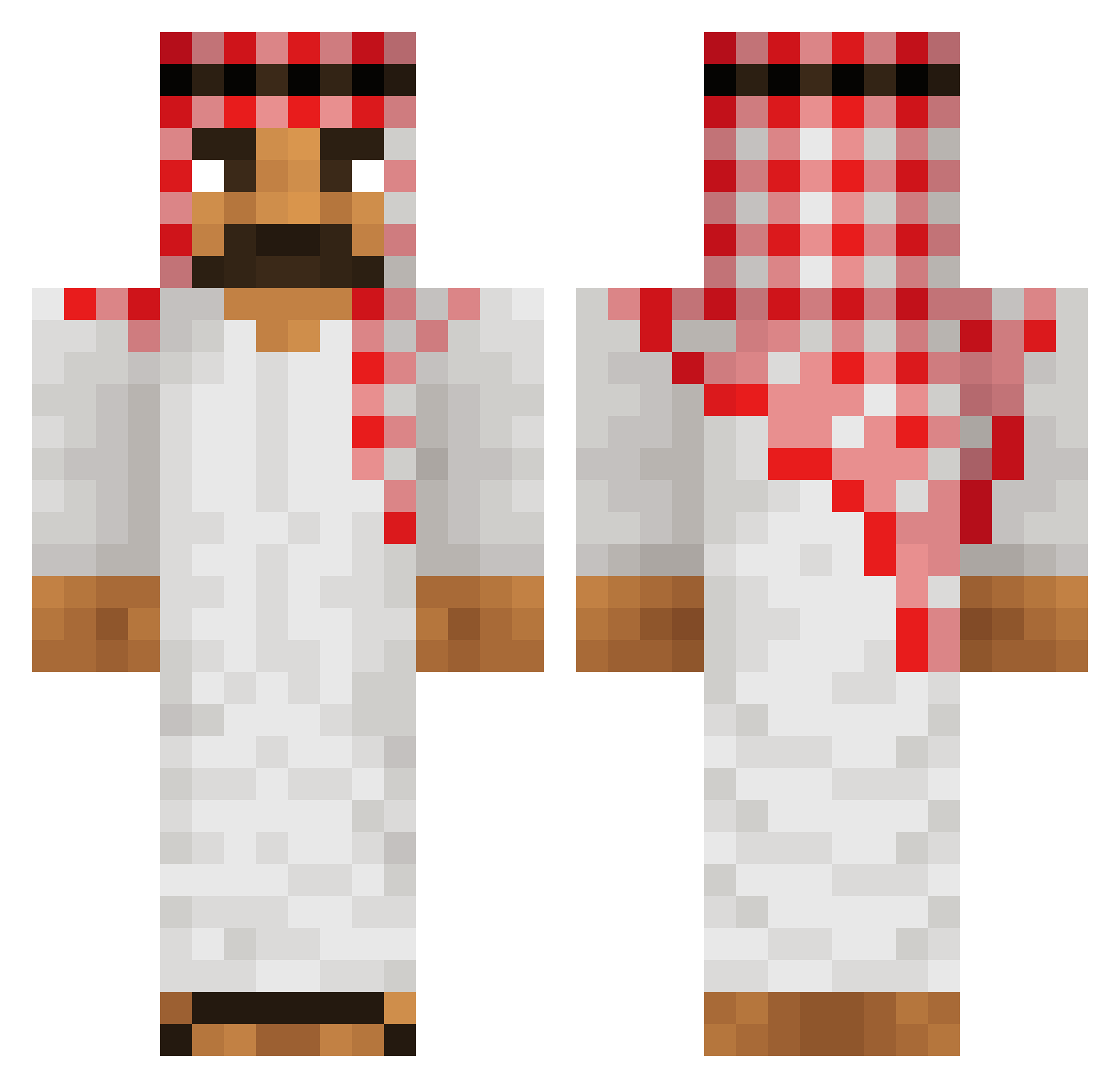
Current Minecraft skin of the player Tanjiro2507, loaded from the official Mojang API. Rotate the 3D model with your mouse or finger, then download the skin as a PNG file and use it in Minecraft: Bedrock Edition or Java Edition for free. When Tanjiro2507 changes their skin, this page updates automatically and the old skin stays in the history below.
Other players with this skin (518)
Tanjiro2507 was the 477th player we have seen with this skin, first spotted on 25.10.2026. The same skin was seen on these players. Open a nickname to see their current skin and skin history.
 Fdk1fdl3 Iduvia 47qy Scheeezy jageniusz2490 Hamazons FourLogic nacotacoiscool LermaBoi_YT Uwe_35_ dnsextension zxcMombo SpiritsHabib Space333 HayatiLover69 Kawakinn 007McLovin Cuddlefuq DwightFan15 kimetz23 shilee0901 Suefff JoyBoy213 NukedPirate burgiicho69 Countar_ nouby jw0s kaidhum Extendedclip13 _ASH21_ viniel06 Allahakbar000 Schrapp capinirk JustSensitive EiSchowSchpihd Silveriiing Castaway64 TRIDAC EZANTON Flyxz_ MungTaengEi bujbara6 gefy2 GooseMonkeyDuck Mahmoodurrehman2 boms3od Emilio_RZ afganistalainen Father_Russia001 Vladimir_Annikov InfoOdBogaa oarm elpichonazo mandemfcleader ruptured_spine47 Peeter_griffen Just_Woopie T8ysvr
More Sheikh Minecraft skins
How to install the Tanjiro2507 skin
- Press the Download button above to save the skin as a PNG file.
- Minecraft: Bedrock Edition (PE): open the Dressing Room from the main menu (or tap your character → Edit Character), go to Classic Skins → Owned, press the + (new skin) button, choose the downloaded PNG and pick the Classic (Steve) model. Works on PC and mobile; consoles cannot import custom skins.
- Minecraft: Java Edition: open the Minecraft Launcher, go to the Skins tab, click New Skin, load the PNG, pick the Classic (Steve) model and press Save & Use. You can also upload it at minecraft.net → Profile → Change Skin.
The skin does not show up after import - what should I do?
Restart Minecraft and open the Dressing Room again - imported skins sometimes appear only after a restart. Also make sure you selected the imported skin and picked the Classic (Steve) model.
Which model should I choose, Classic or Slim?
This skin is designed for the Classic (Steve) model. If you pick the wrong model, the arms of the skin will look stretched or squeezed.
Is the skin of Tanjiro2507 free to download?
Yes. Press Download, save the PNG file and use it in Minecraft: Bedrock Edition or Java Edition - no payment or registration needed. The skin also works on multiplayer servers and Realms.
More skins
Looking for more? Go back to all Minecraft skins and check the top skins of the week, month and all time, or find any player's skin by nickname.