
TR4CER - Minecraft Skins & Skin History
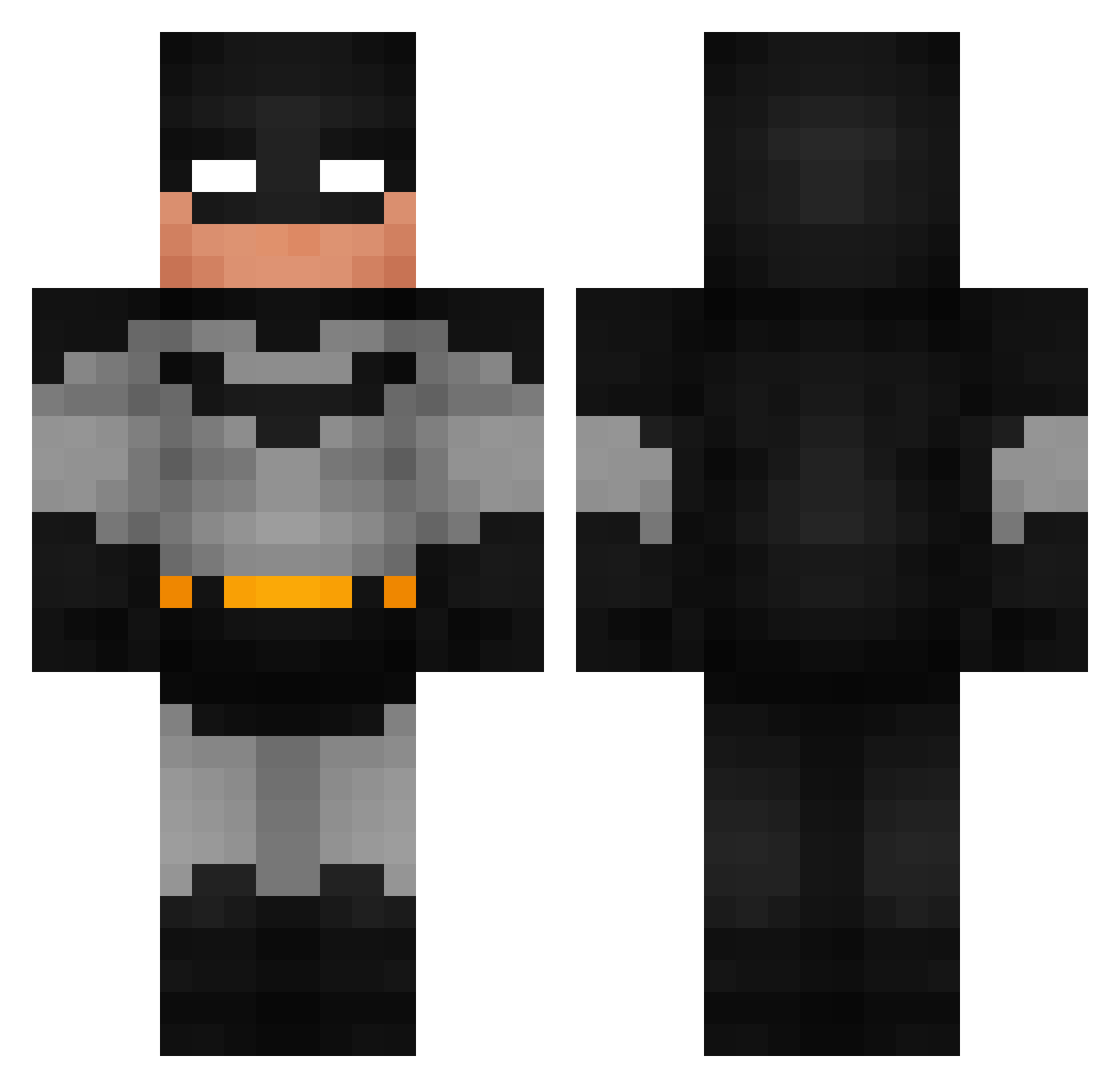
Current Minecraft skin of the player TR4CER, loaded from the official Mojang API. Rotate the 3D model with your mouse or finger, then download the skin as a PNG file and use it in Minecraft: Bedrock Edition or Java Edition for free. When TR4CER changes their skin, this page updates automatically and the old skin stays in the history below.
Other players with this skin (946)
TR4CER was the 262nd player we have seen with this skin, first spotted on 25.08.2026. The same skin was seen on these players. Open a nickname to see their current skin and skin history.
 SneakGeek Fluxxii69 Ciastko321
 Mr_Limbo icedani_ ValiPhil BigMeatMia Lotterys OompaLoompaSlay Haistakukkaa CompAsaf RickJames069 Glaten thattaper 0ZenX0 Fightingman_2000 Manan07 Prix640 Xknight07 BuSH7AB KingKinomba GuiBarcelos Mankii98 buraktok LakePowell14 Tomozaki23 fehlupkid Stavdaddy LebronJames6929 Ringo54 Ytsejammer8 therealnoskill mumla50 Reemtzu Jayheffa Shooshiro11 Kapcan_1 raze_bobby_brown Tim5034 eller8542 chysss ClaqueTonBoulax xHashy TonyElLocoSierra N1GH7MARExD Brave_King WhiteBoyAwesome TheRealCowen razorblahd Twimix_x Grosse_Gallette ss4rc4sm Sebastian4564 Serailz Stefanel124 KP27 Boro103 babysigmarizz MrBram51 kingpotato363
More Batman Minecraft skins
How to install the TR4CER skin
- Press the Download button above to save the skin as a PNG file.
- Minecraft: Bedrock Edition (PE): open the Dressing Room from the main menu (or tap your character → Edit Character), go to Classic Skins → Owned, press the + (new skin) button, choose the downloaded PNG and pick the Classic (Steve) model. Works on PC and mobile; consoles cannot import custom skins.
- Minecraft: Java Edition: open the Minecraft Launcher, go to the Skins tab, click New Skin, load the PNG, pick the Classic (Steve) model and press Save & Use. You can also upload it at minecraft.net → Profile → Change Skin.
The skin does not show up after import - what should I do?
Restart Minecraft and open the Dressing Room again - imported skins sometimes appear only after a restart. Also make sure you selected the imported skin and picked the Classic (Steve) model.
Which model should I choose, Classic or Slim?
This skin is designed for the Classic (Steve) model. If you pick the wrong model, the arms of the skin will look stretched or squeezed.
Is the skin of TR4CER free to download?
Yes. Press Download, save the PNG file and use it in Minecraft: Bedrock Edition or Java Edition - no payment or registration needed. The skin also works on multiplayer servers and Realms.
More skins
Looking for more? Go back to all Minecraft skins and check the top skins of the week, month and all time, or find any player's skin by nickname.