
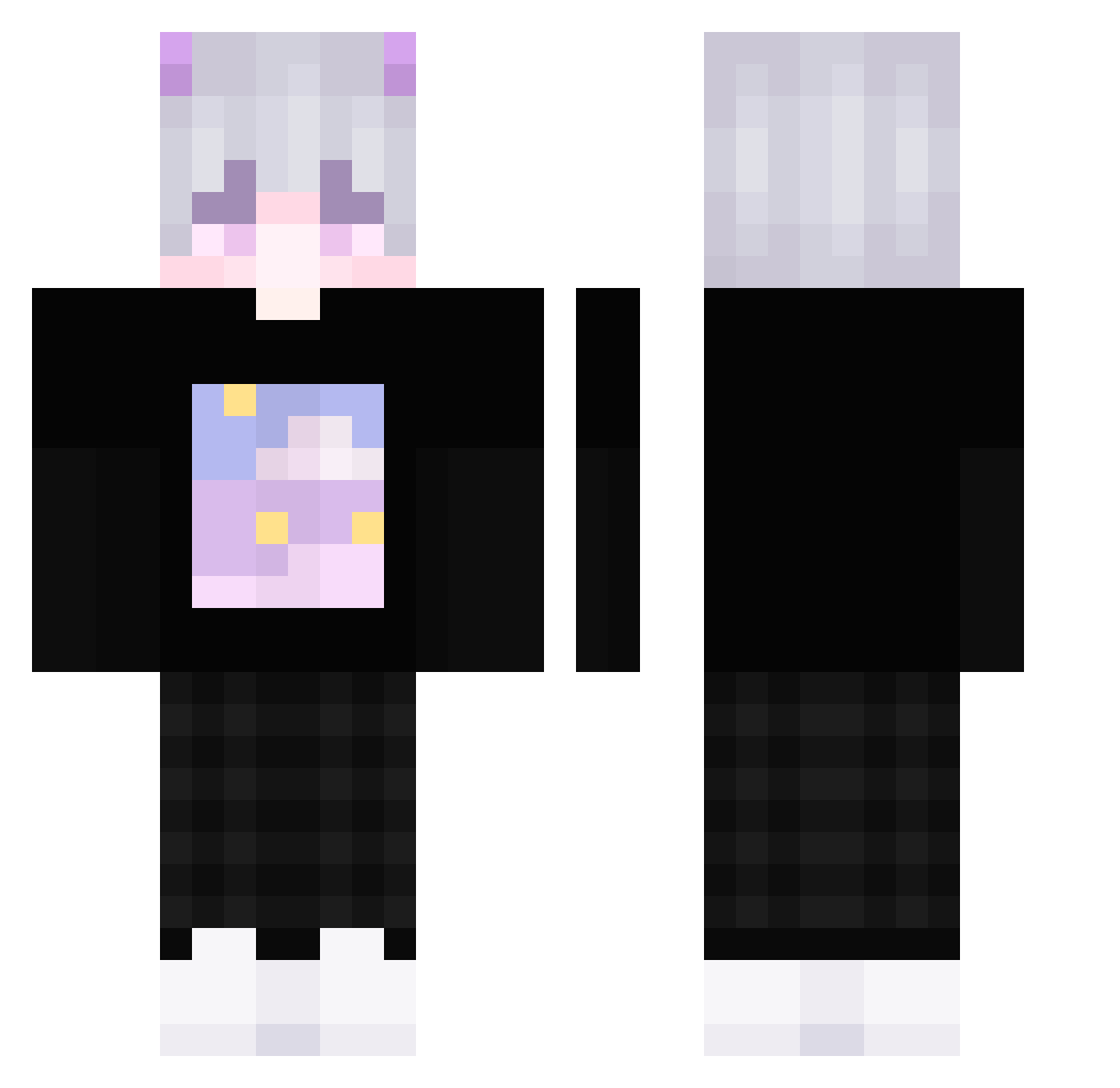
Current Minecraft skin of the player TLark, loaded from the official Mojang API. Rotate the 3D model with your mouse or finger, then download the skin as a PNG file and use it in Minecraft: Bedrock Edition or Java Edition for free. When TLark changes their skin, this page updates automatically and the old skin stays in the history below.
Other players with this skin (278)
TLark was the 87th player we have seen with this skin, first spotted on 24.08.2026. The same skin was seen on these players. Open a nickname to see their current skin and skin history.
 Elshadmv iNeverFlowz reWoqq en02 Pyeonku TheLegend_11 SevenLing7 SketchyJq 0937 LIGHT2007 IUOVO xXxLuxPlayerxXx FoPPi OO00O0OO00O0 Myst_Dragon onlylegacy Mrminedanila skam23 wandapon FreshFaerd D4rknight720 _WYSO ThonoSama BigUruguayo BeyonZ I_Love_You_Bro pyssysas Sawaawa bvabe SsaKkamoto IJ0I fajeczki_ XLYZYYDS rennnnn0127 flyeliofly Morasiek Ky_mi0s CNYoung XFuxy Makikei VIPeterBruh ConfusedKebap Snwillow zyagariko000 btwww Kristin_2057 SonicSiamang281 Zyturon STONE59876 gamingdani iagily 15aled flkmall2006 Kaiiiserrr vSandHawk counter007 Begunmantis starquie nak2019 Abbew123v2
More Horns Minecraft skins
How to install the TLark skin
- Press the Download button above to save the skin as a PNG file.
- Minecraft: Bedrock Edition (PE): open the Dressing Room from the main menu (or tap your character → Edit Character), go to Classic Skins → Owned, press the + (new skin) button, choose the downloaded PNG and pick the Classic (Steve) model. Works on PC and mobile; consoles cannot import custom skins.
- Minecraft: Java Edition: open the Minecraft Launcher, go to the Skins tab, click New Skin, load the PNG, pick the Classic (Steve) model and press Save & Use. You can also upload it at minecraft.net → Profile → Change Skin.
The skin does not show up after import - what should I do?
Restart Minecraft and open the Dressing Room again - imported skins sometimes appear only after a restart. Also make sure you selected the imported skin and picked the Classic (Steve) model.
Which model should I choose, Classic or Slim?
This skin is designed for the Classic (Steve) model. If you pick the wrong model, the arms of the skin will look stretched or squeezed.
Is the skin of TLark free to download?
Yes. Press Download, save the PNG file and use it in Minecraft: Bedrock Edition or Java Edition - no payment or registration needed. The skin also works on multiplayer servers and Realms.
More skins
Looking for more? Go back to all Minecraft skins and check the top skins of the week, month and all time, or find any player's skin by nickname.