
THREEFIRE3 - Minecraft Skins & Skin History
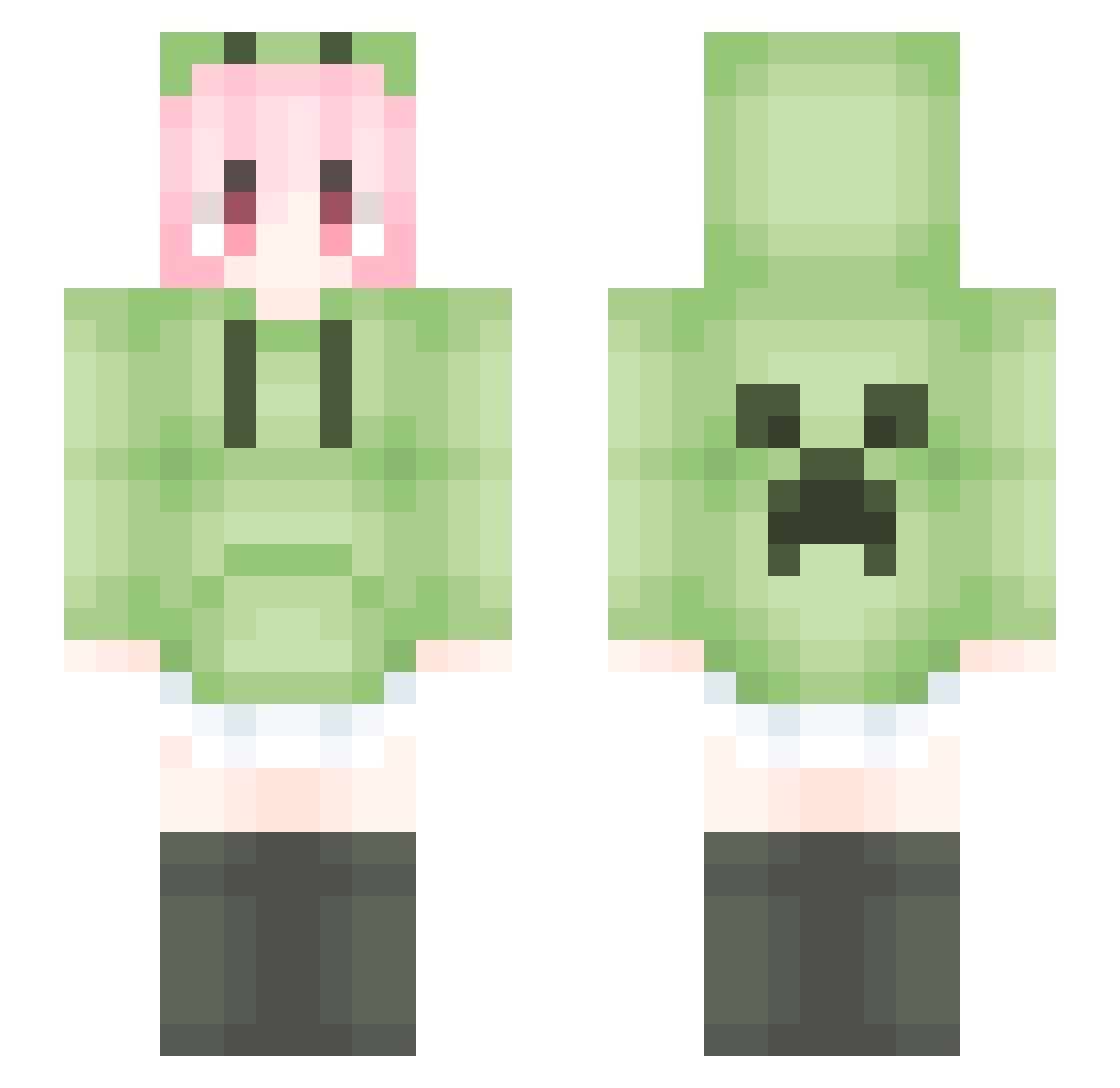
Current Minecraft skin of the player THREEFIRE3, loaded from the official Mojang API. Rotate the 3D model with your mouse or finger, then download the skin as a PNG file and use it in Minecraft: Bedrock Edition or Java Edition for free. When THREEFIRE3 changes their skin, this page updates automatically and the old skin stays in the history below.
Other players with this skin (1755)
THREEFIRE3 was the 537th player we have seen with this skin, first spotted on 29.08.2026. The same skin was seen on these players. Open a nickname to see their current skin and skin history.
 TXFXMX crosscraft99 beafeather xiaomei102 LIFEnpc Haiid Super_Arui CAIZIHAN slimelite9527 Mzly_ yjtn54 ppwq_lige Lidyee 03c6doi GONGLIUYING AutoCAD2005 JEFFREY1122 HWK678 GeminiShuangzi Huaimu666 MaiKecp Troy0304 HeftyCamp qmy___ youmu2333 killer968810 moliyuan chipsZzzz
 Dreamnofound yuezaiYA Taffy_DXL aojiaoyyy AWBK201 wy667 9WKK FireGunboy WeRez2Z huanyan434 jdahfgfgj white_t86 JiaMei_ zzz931 gugu_5017 Nimahaoshuai133_ kele9999 Xiao_Yu_JiangQwQ Foxyalive W1ND0221 paopaoo_ ccharless AKsain RayXXy1 FU___FU AliciaPro LiquidBounceB115 QinHan0626 Jin99
 Dearzsy Liang0417 Ghost_1027
More Anime Girl Minecraft skins
See all 13497 Anime Girl skins
How to install the THREEFIRE3 skin
- Press the Download button above to save the skin as a PNG file.
- Minecraft: Bedrock Edition (PE): open the Dressing Room from the main menu (or tap your character → Edit Character), go to Classic Skins → Owned, press the + (new skin) button, choose the downloaded PNG and pick the Slim (Alex) model. Works on PC and mobile; consoles cannot import custom skins.
- Minecraft: Java Edition: open the Minecraft Launcher, go to the Skins tab, click New Skin, load the PNG, pick the Slim (Alex) model and press Save & Use. You can also upload it at minecraft.net → Profile → Change Skin.
The skin does not show up after import - what should I do?
Restart Minecraft and open the Dressing Room again - imported skins sometimes appear only after a restart. Also make sure you selected the imported skin and picked the Slim (Alex) model.
Which model should I choose, Classic or Slim?
This skin is designed for the Slim (Alex) model. If you pick the wrong model, the arms of the skin will look stretched or squeezed.
Is the skin of THREEFIRE3 free to download?
Yes. Press Download, save the PNG file and use it in Minecraft: Bedrock Edition or Java Edition - no payment or registration needed. The skin also works on multiplayer servers and Realms.
More skins
Looking for more? Go back to all Minecraft skins and check the top skins of the week, month and all time, or find any player's skin by nickname.