
TEAP35 - Minecraft Skins & Skin History
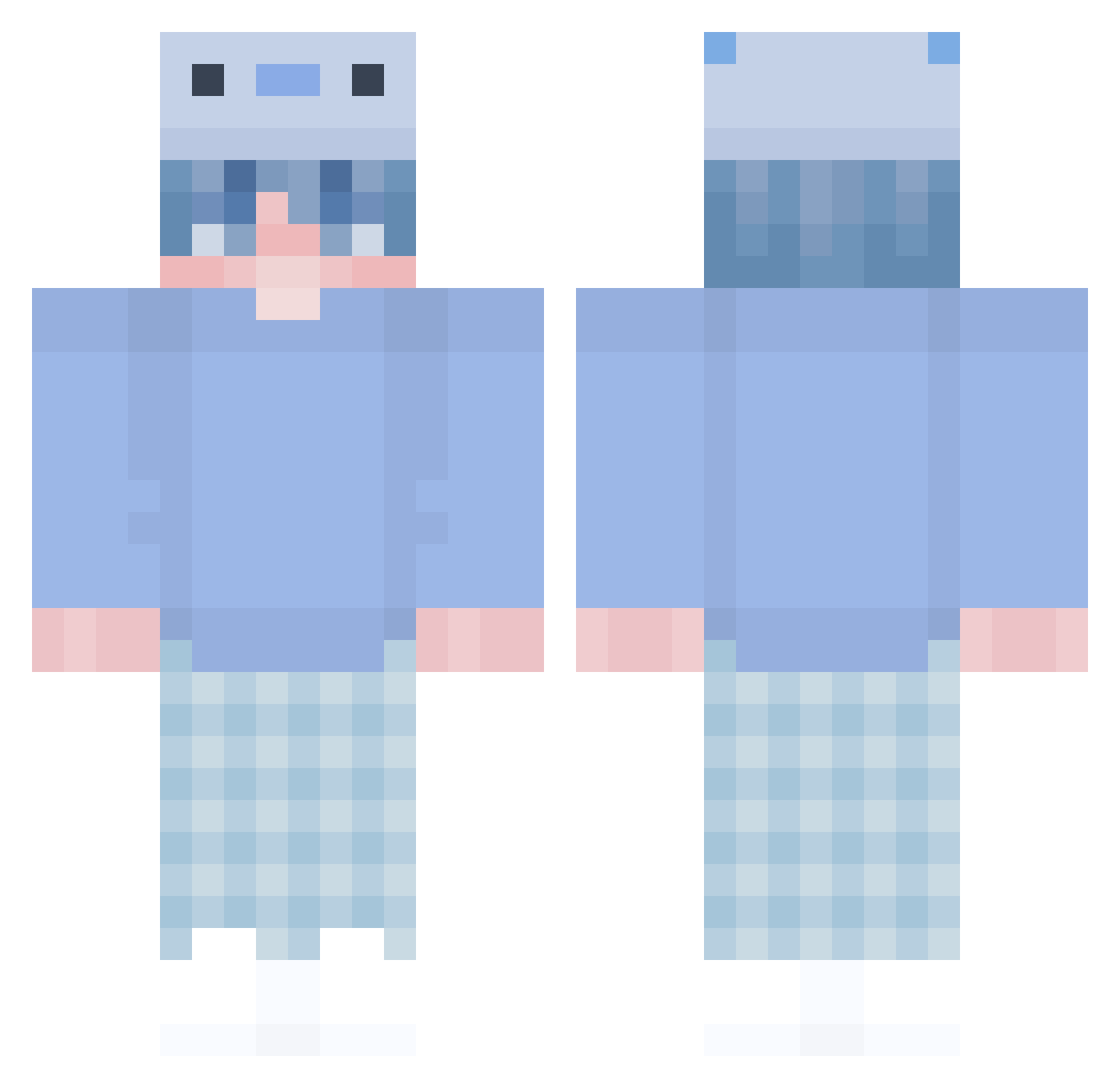
Current Minecraft skin of the player TEAP35, loaded from the official Mojang API. Rotate the 3D model with your mouse or finger, then download the skin as a PNG file and use it in Minecraft: Bedrock Edition or Java Edition for free. When TEAP35 changes their skin, this page updates automatically and the old skin stays in the history below.
Other players with this skin (346)
TEAP35 was the 176th player we have seen with this skin, first spotted on 24.09.2026. The same skin was seen on these players. Open a nickname to see their current skin and skin history.
 Nutskato ChromaApple DuskDuckling317 Natesuuu Colt4on KelpKidYT luvcolin Le_S76 JustBlazinFire sandia_sandia ice123545 HerrIchwarsnicht Shin__Woloford ZkXXkZ mirec390 Gp7543 bluetoast_x Okatta L1VN marceloyag TheHuerta aleks201145 bini16 DANI_Pro_4 HokaiLeVrai _Ktzz Esmurmelt OGRG oBelt spayoo Jadontop_Z Kidoe_VN PorchX2 GillesSimps Da1cy
 TheLoxelMC open_stev Serarrris CuddlesMaster DogeyCake FIIIIX SquanchyV dorachan345 SCHISCHU_BSR TSpier7 YukiMikan325 ArcherWolf33 Cookie012345 LittleLotl PP_Smuckler XDMars Enolerat TiSanNy Langtucodern CrownJoestare TheBestChristian Memdali0 BlochBusterlol C4GL4R mikeozbr
More Axolotl Minecraft skins
How to install the TEAP35 skin
- Press the Download button above to save the skin as a PNG file.
- Minecraft: Bedrock Edition (PE): open the Dressing Room from the main menu (or tap your character → Edit Character), go to Classic Skins → Owned, press the + (new skin) button, choose the downloaded PNG and pick the Classic (Steve) model. Works on PC and mobile; consoles cannot import custom skins.
- Minecraft: Java Edition: open the Minecraft Launcher, go to the Skins tab, click New Skin, load the PNG, pick the Classic (Steve) model and press Save & Use. You can also upload it at minecraft.net → Profile → Change Skin.
The skin does not show up after import - what should I do?
Restart Minecraft and open the Dressing Room again - imported skins sometimes appear only after a restart. Also make sure you selected the imported skin and picked the Classic (Steve) model.
Which model should I choose, Classic or Slim?
This skin is designed for the Classic (Steve) model. If you pick the wrong model, the arms of the skin will look stretched or squeezed.
Is the skin of TEAP35 free to download?
Yes. Press Download, save the PNG file and use it in Minecraft: Bedrock Edition or Java Edition - no payment or registration needed. The skin also works on multiplayer servers and Realms.
More skins
Looking for more? Go back to all Minecraft skins and check the top skins of the week, month and all time, or find any player's skin by nickname.