
SynchroSonicHD - Minecraft Skins & Skin History
Current Minecraft skin of the player SynchroSonicHD, loaded from the official Mojang API. Rotate the 3D model with your mouse or finger, then download the skin as a PNG file and use it in Minecraft: Bedrock Edition or Java Edition for free. When SynchroSonicHD changes their skin, this page updates automatically and the old skin stays in the history below.
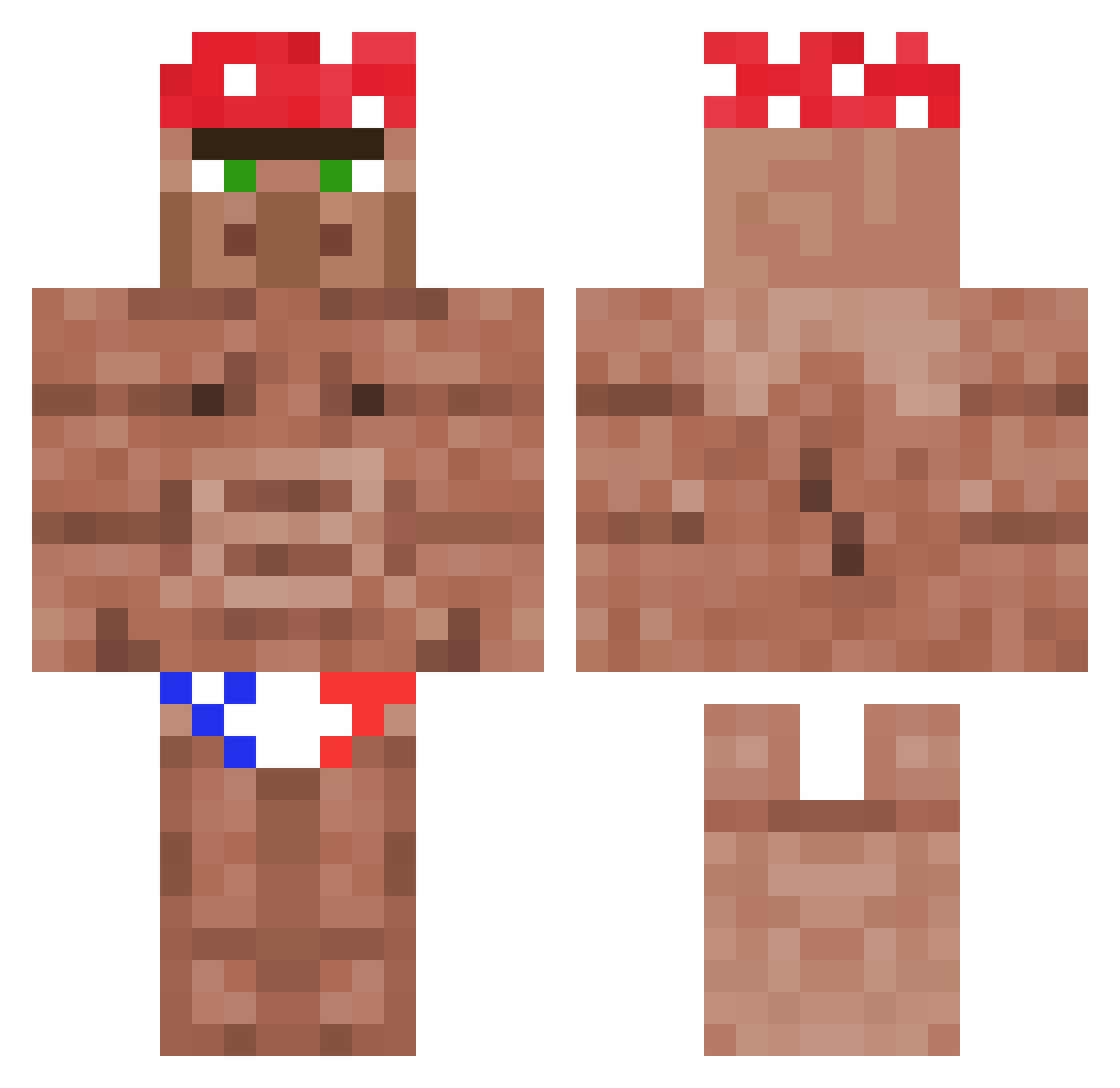
Other players with this skin (1116)
SynchroSonicHD was the 1039th player we have seen with this skin, first spotted on 25.10.2026. The same skin was seen on these players. Open a nickname to see their current skin and skin history.
 jaBoi_ Aldrarth myk050204 ELGOBERNADORGUAY sekzin BeauvR_ Vascoppi Reseek Plutiak22 shaheenn FlargonDargon sebukka06 3_12 potatobear FNfisherman Sebczakk Dark0ride whemsy CraftDatAss Kezzieeee Rivedoom awes1 ezKiller72 AlwaysMeta Swimcylinder GDogChip gcebol rannielaquino GRIMREEKER GoodSniff Mixerdon CoolaGrabben1234 Terroriser_rex gayruna42069 Daansmurf Riceindv FungusAmongus65 carinabean122 podge69 And_143 pog146 bebotemaincra Foxy546pl Arm0ers Mattingo BrownBugz OaScHlOcH_88 SAWCONmyBALLS pickaxechisel Hubcioo21 BlitzyKujo mac_davey frederik123 MAXIMZALUPA stouch_ Zackxkx Dragonik07 DLCONE Rexditz _Julianb_
More Ricardo Milos Minecraft skins
See all 96 Ricardo Milos skins
How to install the SynchroSonicHD skin
- Press the Download button above to save the skin as a PNG file.
- Minecraft: Bedrock Edition (PE): open the Dressing Room from the main menu (or tap your character → Edit Character), go to Classic Skins → Owned, press the + (new skin) button, choose the downloaded PNG and pick the Classic (Steve) model. Works on PC and mobile; consoles cannot import custom skins.
- Minecraft: Java Edition: open the Minecraft Launcher, go to the Skins tab, click New Skin, load the PNG, pick the Classic (Steve) model and press Save & Use. You can also upload it at minecraft.net → Profile → Change Skin.
The skin does not show up after import - what should I do?
Restart Minecraft and open the Dressing Room again - imported skins sometimes appear only after a restart. Also make sure you selected the imported skin and picked the Classic (Steve) model.
Which model should I choose, Classic or Slim?
This skin is designed for the Classic (Steve) model. If you pick the wrong model, the arms of the skin will look stretched or squeezed.
Is the skin of SynchroSonicHD free to download?
Yes. Press Download, save the PNG file and use it in Minecraft: Bedrock Edition or Java Edition - no payment or registration needed. The skin also works on multiplayer servers and Realms.
More skins
Looking for more? Go back to all Minecraft skins and check the top skins of the week, month and all time, or find any player's skin by nickname.