
Swifty_Shadow182 - Minecraft Skins & Skin History
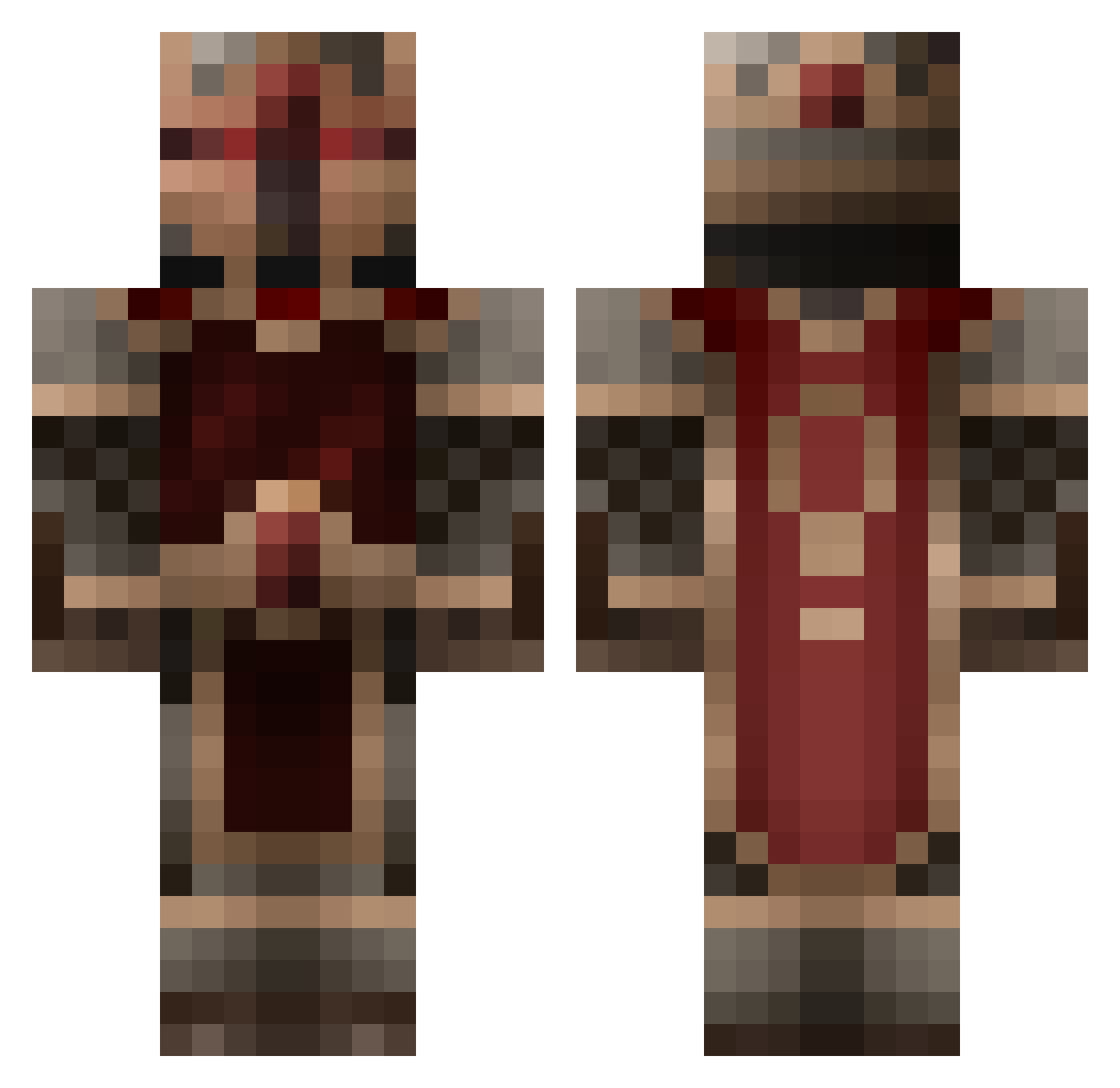
Current Minecraft skin of the player Swifty_Shadow182, loaded from the official Mojang API. Rotate the 3D model with your mouse or finger, then download the skin as a PNG file and use it in Minecraft: Bedrock Edition or Java Edition for free. When Swifty_Shadow182 changes their skin, this page updates automatically and the old skin stays in the history below.
Other players with this skin (261)
Swifty_Shadow182 was the 57th player we have seen with this skin, first spotted on 22.08.2026. The same skin was seen on these players. Open a nickname to see their current skin and skin history.
 CtrlLeo Tuppertopf Klolarion Rohdas MerekGrim Maksio71 Dessert_Claw sam741951 mahmut4200 realFreaz DJEnzyme Toners999 Bimmoo Soloade Duke_eddie Skaborr bauerjonny Mistrustful Interlocutor Kelsier Datawrecker Vprtoo alextoontown2 oxicleaned OfficialSneezy Brendanator888 VxKhamulxV KingAlvin Faraknights mtspro00 Pathosama Ig0reczek gshen RoterrBaron Kolas111 ShiranuiKami CompromisedOwl meinshaftxd WeirdJackey ItsKnightmare tutesomo_ jclark1995 TapLogic bayermayer Arawigum Argosax Hatemed PshycoVoid hotdimi CoreSyndicate Dayto43 2GMFV3 yoursebas FendaSweetOrange SirGuren uaireanta TornAgenda I_LOVE_MAMA_T Alheor VectorRac
More King Minecraft skins
How to install the Swifty_Shadow182 skin
- Press the Download button above to save the skin as a PNG file.
- Minecraft: Bedrock Edition (PE): open the Dressing Room from the main menu (or tap your character → Edit Character), go to Classic Skins → Owned, press the + (new skin) button, choose the downloaded PNG and pick the Classic (Steve) model. Works on PC and mobile; consoles cannot import custom skins.
- Minecraft: Java Edition: open the Minecraft Launcher, go to the Skins tab, click New Skin, load the PNG, pick the Classic (Steve) model and press Save & Use. You can also upload it at minecraft.net → Profile → Change Skin.
The skin does not show up after import - what should I do?
Restart Minecraft and open the Dressing Room again - imported skins sometimes appear only after a restart. Also make sure you selected the imported skin and picked the Classic (Steve) model.
Which model should I choose, Classic or Slim?
This skin is designed for the Classic (Steve) model. If you pick the wrong model, the arms of the skin will look stretched or squeezed.
Is the skin of Swifty_Shadow182 free to download?
Yes. Press Download, save the PNG file and use it in Minecraft: Bedrock Edition or Java Edition - no payment or registration needed. The skin also works on multiplayer servers and Realms.
More skins
Looking for more? Go back to all Minecraft skins and check the top skins of the week, month and all time, or find any player's skin by nickname.