
SwiftCoconut - Minecraft Skins & Skin History
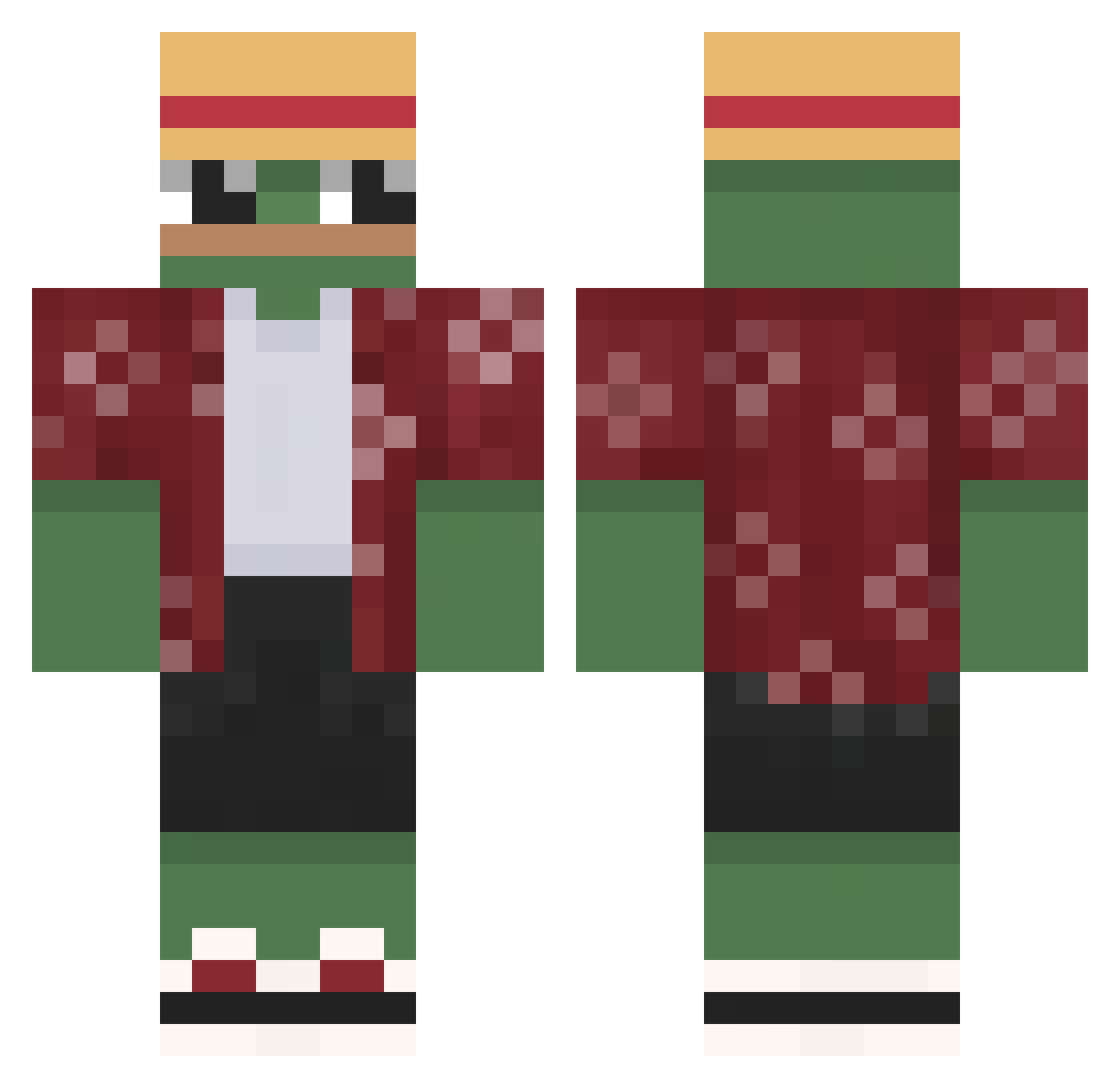
Current Minecraft skin of the player SwiftCoconut, loaded from the official Mojang API. Rotate the 3D model with your mouse or finger, then download the skin as a PNG file and use it in Minecraft: Bedrock Edition or Java Edition for free. When SwiftCoconut changes their skin, this page updates automatically and the old skin stays in the history below.
Other players with this skin (786)
SwiftCoconut was the 652nd player we have seen with this skin, first spotted on 03.11.2026. The same skin was seen on these players. Open a nickname to see their current skin and skin history.
 RedJayp Demasdemfas23 nuker55 Tipaul nuuutzz badboll1 BlueTheGOD ItsLuxid Jookogac Kastenkuchen minchae1391 R1chard_17 DanCzGamer Sasaki_0_0 HossBoss35 Victor_BR04 TheGamingDrez MIKASA556 Licho1714 ItsMrda_ Kyokingg Fraud111 solth43 klimczukk sm0t0 Jyden10 Hndan Stega_ Coelho_1927 Mulm_2222 lENESl06 FawnSilver Tevziiii __Fabled__ VK75 DrScurvy Egggoz Bukees KimLatte BustyChicksFTW Mabirco Soyachi xKerr20x Gordost Tweaka2 Occultista Venus_Optical RipSean1224 Brunorii _samol Joaco1078 N0sferatu0303 NoveKeen keisanthe Zombie412 Kitsune9880 Rabbit_SOLO _Maduro Pandadrox mooingvoid
More Monkey D Luffy Minecraft skins
See all 1046 Monkey D Luffy skins
How to install the SwiftCoconut skin
- Press the Download button above to save the skin as a PNG file.
- Minecraft: Bedrock Edition (PE): open the Dressing Room from the main menu (or tap your character → Edit Character), go to Classic Skins → Owned, press the + (new skin) button, choose the downloaded PNG and pick the Classic (Steve) model. Works on PC and mobile; consoles cannot import custom skins.
- Minecraft: Java Edition: open the Minecraft Launcher, go to the Skins tab, click New Skin, load the PNG, pick the Classic (Steve) model and press Save & Use. You can also upload it at minecraft.net → Profile → Change Skin.
The skin does not show up after import - what should I do?
Restart Minecraft and open the Dressing Room again - imported skins sometimes appear only after a restart. Also make sure you selected the imported skin and picked the Classic (Steve) model.
Which model should I choose, Classic or Slim?
This skin is designed for the Classic (Steve) model. If you pick the wrong model, the arms of the skin will look stretched or squeezed.
Is the skin of SwiftCoconut free to download?
Yes. Press Download, save the PNG file and use it in Minecraft: Bedrock Edition or Java Edition - no payment or registration needed. The skin also works on multiplayer servers and Realms.
More skins
Looking for more? Go back to all Minecraft skins and check the top skins of the week, month and all time, or find any player's skin by nickname.