
Svannon - Minecraft Skins & Skin History
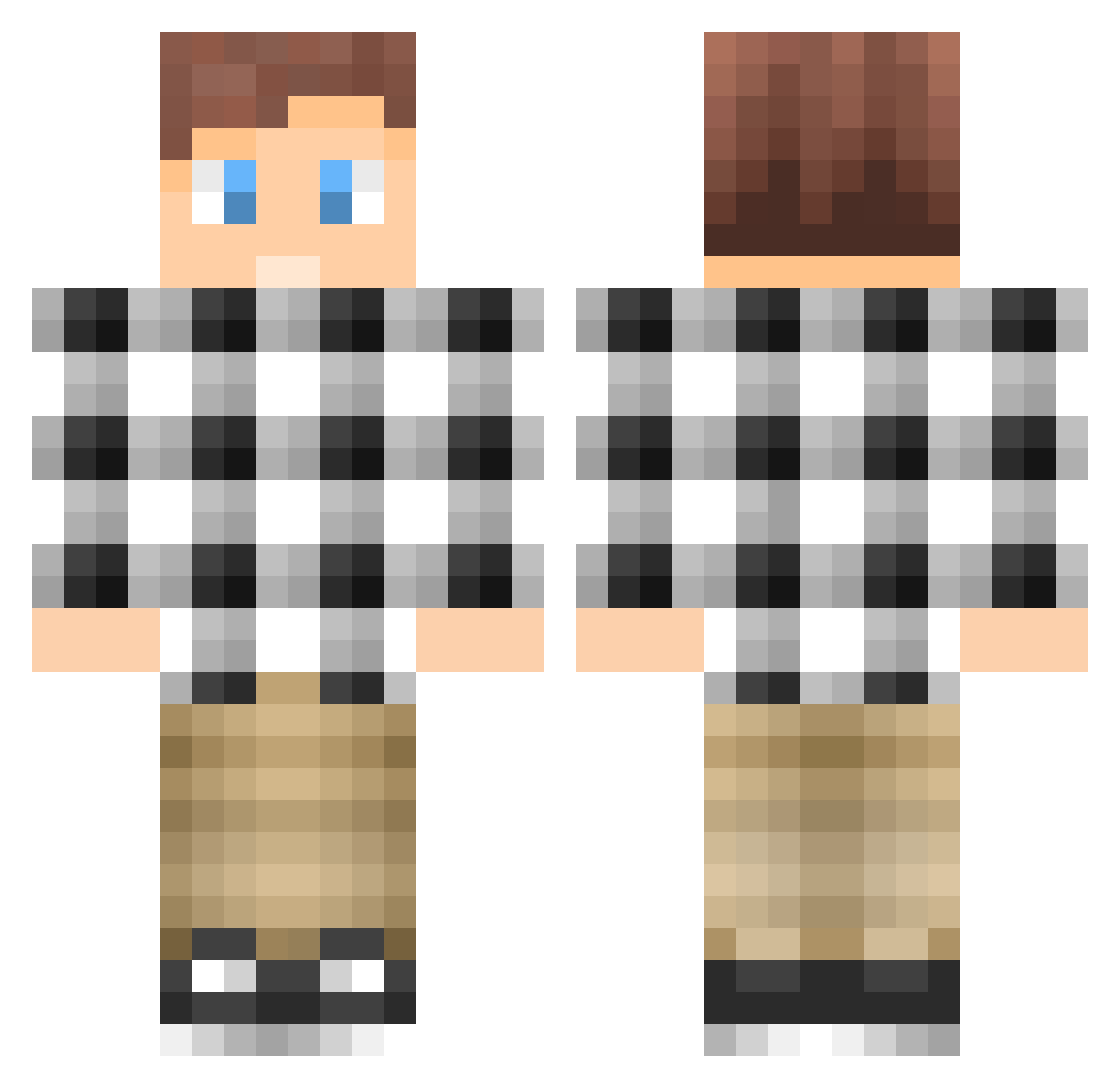
Current Minecraft skin of the player Svannon, loaded from the official Mojang API. Rotate the 3D model with your mouse or finger, then download the skin as a PNG file and use it in Minecraft: Bedrock Edition or Java Edition for free. When Svannon changes their skin, this page updates automatically and the old skin stays in the history below.
Other players with this skin (85)
Svannon was the 50th player we have seen with this skin, first spotted on 04.10.2026. The same skin was seen on these players. Open a nickname to see their current skin and skin history.
 HansHomo sven1103 Stretch762 josh_Gan1 Faciliteit LizardOHG yYa_LTkUD5_05_29 _Massimo ATLuis youheli Reneclausen98 DysaniaZ Tracie193 Noak_Nuo LevySG_ Player_Tchu greesedmonkey cfbleach Tidal_Hui PanicAndRun wwwcf LXiaoAn GW12580 jinyang3366 Ryokooooo JameserCZ snus_Strix83 ent0Nlb hetensaus GhostSTI Combustion_fuel Edwardxlf Lynxtex Ratzinger EvgenBu Lukas__D Rockstockmac Brianlee9418 Zzurn7 MechE7777 YingBei7 ttsx_ttcd AleeHauu KevinHolm MOSFUL waterwelly kuangwu1119 AndrianEquestria sambit06 Mxfq markustrollet1 JanK852 contingency40 GavinYU R2D2artist SecretSergey balakado SkinniBrakas Magica247 WhitePretzel
How to install the Svannon skin
- Press the Download button above to save the skin as a PNG file.
- Minecraft: Bedrock Edition (PE): open the Dressing Room from the main menu (or tap your character → Edit Character), go to Classic Skins → Owned, press the + (new skin) button, choose the downloaded PNG and pick the Classic (Steve) model. Works on PC and mobile; consoles cannot import custom skins.
- Minecraft: Java Edition: open the Minecraft Launcher, go to the Skins tab, click New Skin, load the PNG, pick the Classic (Steve) model and press Save & Use. You can also upload it at minecraft.net → Profile → Change Skin.
The skin does not show up after import - what should I do?
Restart Minecraft and open the Dressing Room again - imported skins sometimes appear only after a restart. Also make sure you selected the imported skin and picked the Classic (Steve) model.
Which model should I choose, Classic or Slim?
This skin is designed for the Classic (Steve) model. If you pick the wrong model, the arms of the skin will look stretched or squeezed.
Is the skin of Svannon free to download?
Yes. Press Download, save the PNG file and use it in Minecraft: Bedrock Edition or Java Edition - no payment or registration needed. The skin also works on multiplayer servers and Realms.
More skins
Looking for more? Go back to all Minecraft skins and check the top skins of the week, month and all time, or find any player's skin by nickname.