
StrzelMi - Minecraft Skins & Skin History
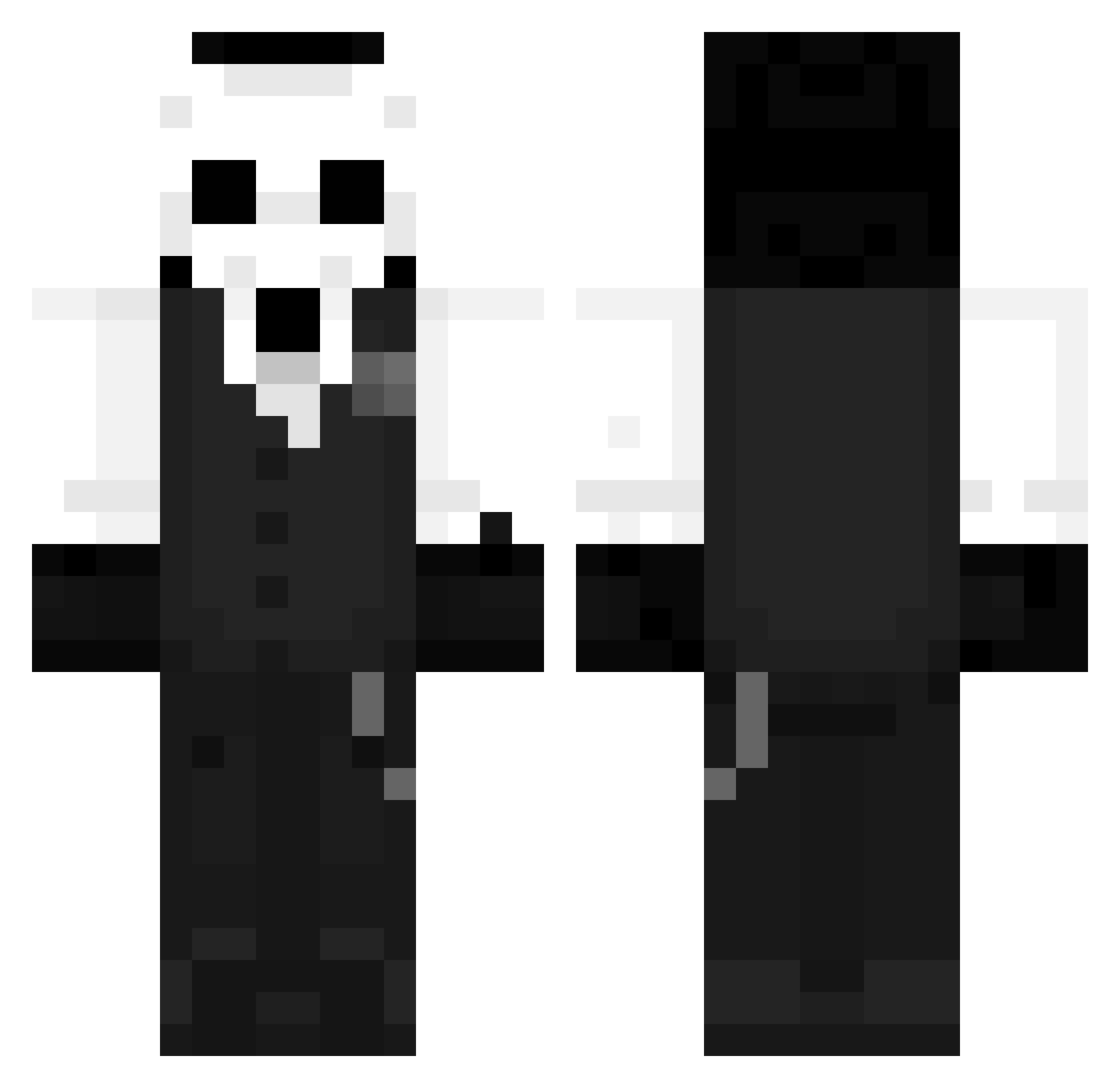
Current Minecraft skin of the player StrzelMi, loaded from the official Mojang API. Rotate the 3D model with your mouse or finger, then download the skin as a PNG file and use it in Minecraft: Bedrock Edition or Java Edition for free. When StrzelMi changes their skin, this page updates automatically and the old skin stays in the history below.
Other players with this skin (1273)
StrzelMi was the 418th player we have seen with this skin, first spotted on 01.09.2026. The same skin was seen on these players. Open a nickname to see their current skin and skin history.
 mycJUN kirogani theoweber makelenzo_ Kair0n_ Alexbalex47 _Goroshek_ Retwisting overflint BatTrip Lmrmusic _Salonous_ ComboSlayers Sha099 Shlong512 Chinayzl Ssxiaoyi blackcr0w22 _SHD3
 Gustaf2010
 HerzSteine mc_608 Jiyu1316 Nightins Mournfulglass Netunoxz Nakraza ItsWasabiiii xDuelan_BR 3ternalqz HASJC M66kk Roxveil charlietu86 LinBF04 _Maxaman_ KazezZ03 MocatKT lanxiaoan IOOIOOIOOI
 Fastkilleur72 skstone Rose333X CodyCampbell baileychillin ARCMarvolo Drakochu junyoung6889 jun1104 CoCci0 LlipePlays elmaxixdd Cosmopolitann Laoka78 Tiny_bug Logan005 avocadobaum SuggarHunter NanHai1 ShawarmaEater
More Sans Minecraft skins
How to install the StrzelMi skin
- Press the Download button above to save the skin as a PNG file.
- Minecraft: Bedrock Edition (PE): open the Dressing Room from the main menu (or tap your character → Edit Character), go to Classic Skins → Owned, press the + (new skin) button, choose the downloaded PNG and pick the Classic (Steve) model. Works on PC and mobile; consoles cannot import custom skins.
- Minecraft: Java Edition: open the Minecraft Launcher, go to the Skins tab, click New Skin, load the PNG, pick the Classic (Steve) model and press Save & Use. You can also upload it at minecraft.net → Profile → Change Skin.
The skin does not show up after import - what should I do?
Restart Minecraft and open the Dressing Room again - imported skins sometimes appear only after a restart. Also make sure you selected the imported skin and picked the Classic (Steve) model.
Which model should I choose, Classic or Slim?
This skin is designed for the Classic (Steve) model. If you pick the wrong model, the arms of the skin will look stretched or squeezed.
Is the skin of StrzelMi free to download?
Yes. Press Download, save the PNG file and use it in Minecraft: Bedrock Edition or Java Edition - no payment or registration needed. The skin also works on multiplayer servers and Realms.
More skins
Looking for more? Go back to all Minecraft skins and check the top skins of the week, month and all time, or find any player's skin by nickname.