
StormBlackZ - Minecraft Skins & Skin History
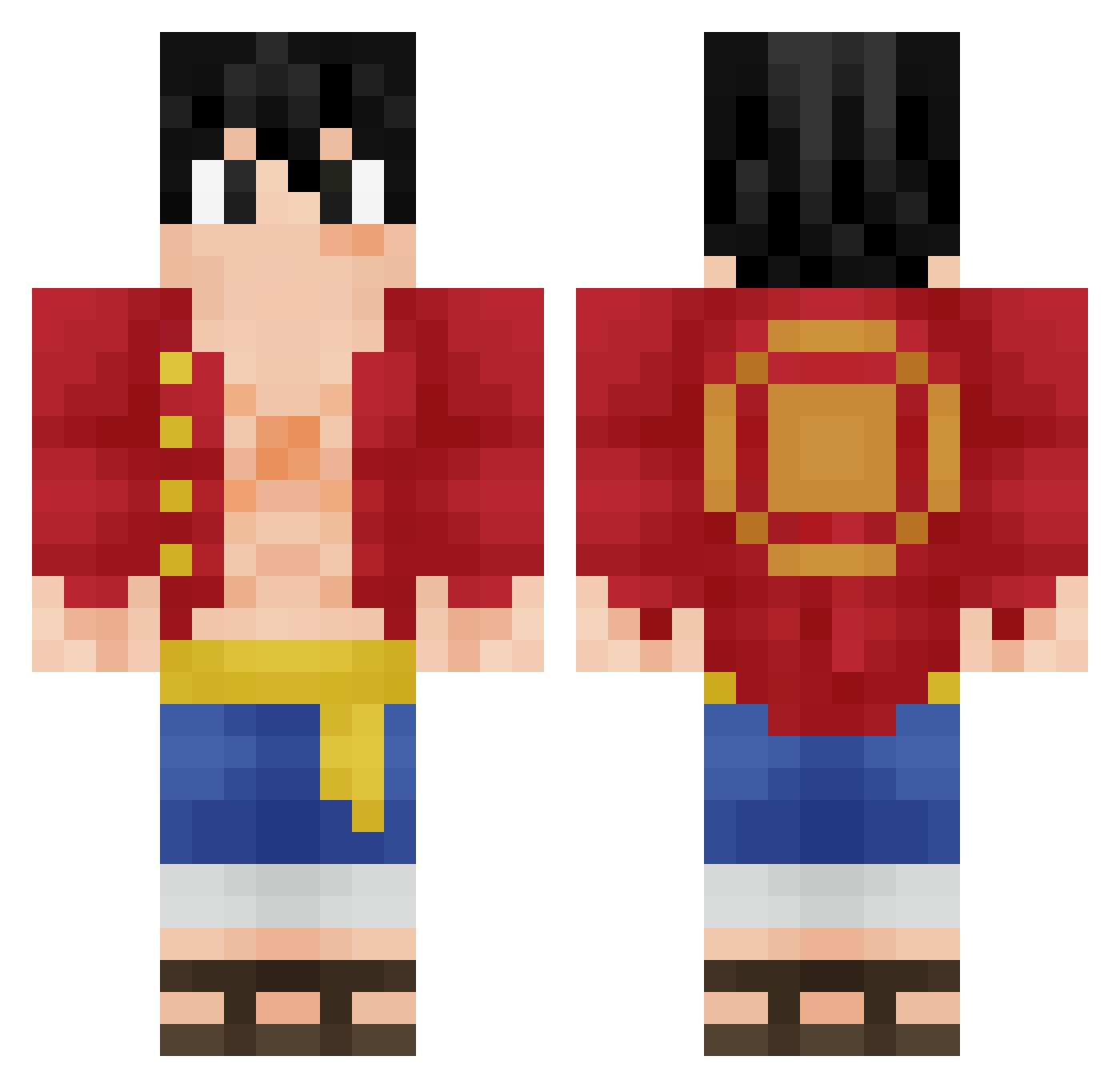
Current Minecraft skin of the player StormBlackZ, loaded from the official Mojang API. Rotate the 3D model with your mouse or finger, then download the skin as a PNG file and use it in Minecraft: Bedrock Edition or Java Edition for free. When StormBlackZ changes their skin, this page updates automatically and the old skin stays in the history below.
Other players with this skin (418)
StormBlackZ was the 380th player we have seen with this skin, first spotted on 09.11.2026. The same skin was seen on these players. Open a nickname to see their current skin and skin history.
 LuckY_Luca5 luffy_1334 Firejah Midian67 SostenesApollo MrPotatoes58 ImSeb ZioVal Marzahh JulioZa RUFF_yy Kipp_Turret masters106 Crogamer03 BlueShark62 FaNutNut Ch0pex GhostMaster4777 GildTesoro_ CEODORACISMO XDerbyx A49B man2143 EnriqueGts mercyyxz baxkpaxk JEmilioHA sLegends FLOFLOHAHA notDelai FugoSimp Blitzerk nixusthe woodstok85 masagaki zBlacky_ lugeyu RuDi_07 alonsopistola SH_Jasen smock__13 NhUtPk1 Ired525 g4bsasuke Lauzinhu LuffyBR13 SeaAreKay Adri_ssb falling_player zZanzador_tw DJprofessorK _markk_921 nvseie Tebiston wormy421 azuresquid Oppikana Yuzsrsf Prepare4Troubles hitmen3000
More Monkey D Luffy Minecraft skins
See all 1046 Monkey D Luffy skins
How to install the StormBlackZ skin
- Press the Download button above to save the skin as a PNG file.
- Minecraft: Bedrock Edition (PE): open the Dressing Room from the main menu (or tap your character → Edit Character), go to Classic Skins → Owned, press the + (new skin) button, choose the downloaded PNG and pick the Classic (Steve) model. Works on PC and mobile; consoles cannot import custom skins.
- Minecraft: Java Edition: open the Minecraft Launcher, go to the Skins tab, click New Skin, load the PNG, pick the Classic (Steve) model and press Save & Use. You can also upload it at minecraft.net → Profile → Change Skin.
The skin does not show up after import - what should I do?
Restart Minecraft and open the Dressing Room again - imported skins sometimes appear only after a restart. Also make sure you selected the imported skin and picked the Classic (Steve) model.
Which model should I choose, Classic or Slim?
This skin is designed for the Classic (Steve) model. If you pick the wrong model, the arms of the skin will look stretched or squeezed.
Is the skin of StormBlackZ free to download?
Yes. Press Download, save the PNG file and use it in Minecraft: Bedrock Edition or Java Edition - no payment or registration needed. The skin also works on multiplayer servers and Realms.
More skins
Looking for more? Go back to all Minecraft skins and check the top skins of the week, month and all time, or find any player's skin by nickname.