
Stefl1504 - Minecraft Skins & Skin History
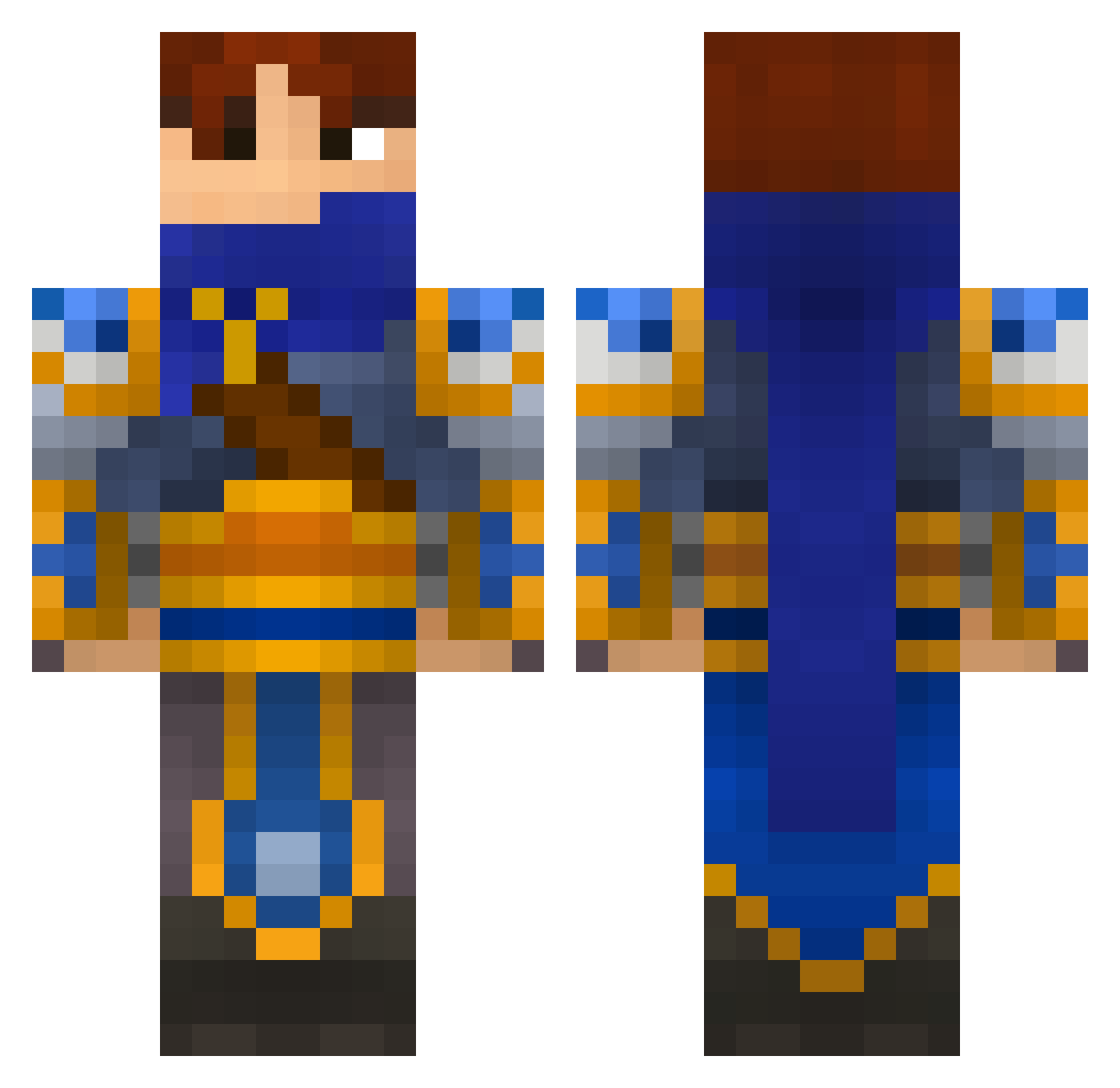
Current Minecraft skin of the player Stefl1504, loaded from the official Mojang API. Rotate the 3D model with your mouse or finger, then download the skin as a PNG file and use it in Minecraft: Bedrock Edition or Java Edition for free. When Stefl1504 changes their skin, this page updates automatically and the old skin stays in the history below.
Other players with this skin (696)
Stefl1504 was the 320th player we have seen with this skin, first spotted on 23.09.2026. The same skin was seen on these players. Open a nickname to see their current skin and skin history.
 Sheeplorden Lentax Mirakelbananen Meiafurada shawnee777 Relloz Triayak BlarghMuffin TheDarkBeyond rschwarz96 DoubleMilkk St0l0S pleein123 xXAlnubisXx Jiggawatts elitekeys_user_1 STrATOSGAMING thetantan08 Archeedas daemiion Recon_Ghost LucasR90 Ycoh8 xRaibx LukeLads groip admjtpjmw WillOWisp18 baman254 T1M4L1V3 VinSso funnysun m4xR RaryTasik milo7879000 phoenix_fr promoted16 DGriffy15 zerkesh merricko Contero ujfujf Dunclos Si6 Oregnoll jonatard CrazyNounours bbbbb899 red_dude12321 MegaManKane BroItsAPrank drekistas1 awding awsomerocker3000 terrariaplayer57 N4MRU Joenmasa14 Hang_On_A_Second Cellron LittleKaspersio
More Warrior Minecraft skins
How to install the Stefl1504 skin
- Press the Download button above to save the skin as a PNG file.
- Minecraft: Bedrock Edition (PE): open the Dressing Room from the main menu (or tap your character → Edit Character), go to Classic Skins → Owned, press the + (new skin) button, choose the downloaded PNG and pick the Classic (Steve) model. Works on PC and mobile; consoles cannot import custom skins.
- Minecraft: Java Edition: open the Minecraft Launcher, go to the Skins tab, click New Skin, load the PNG, pick the Classic (Steve) model and press Save & Use. You can also upload it at minecraft.net → Profile → Change Skin.
The skin does not show up after import - what should I do?
Restart Minecraft and open the Dressing Room again - imported skins sometimes appear only after a restart. Also make sure you selected the imported skin and picked the Classic (Steve) model.
Which model should I choose, Classic or Slim?
This skin is designed for the Classic (Steve) model. If you pick the wrong model, the arms of the skin will look stretched or squeezed.
Is the skin of Stefl1504 free to download?
Yes. Press Download, save the PNG file and use it in Minecraft: Bedrock Edition or Java Edition - no payment or registration needed. The skin also works on multiplayer servers and Realms.
More skins
Looking for more? Go back to all Minecraft skins and check the top skins of the week, month and all time, or find any player's skin by nickname.