
Spiffyice22 - Minecraft Skins & Skin History
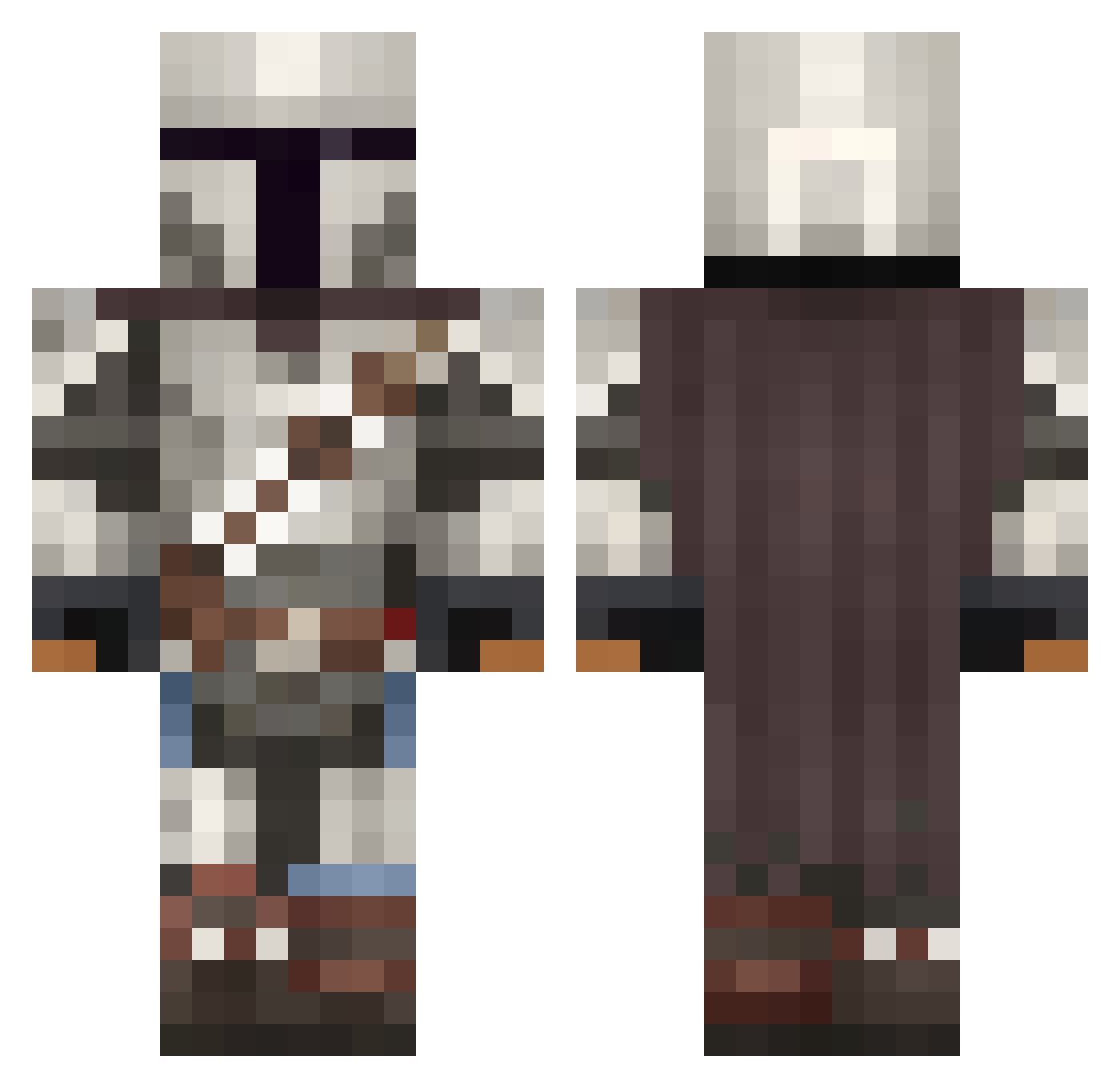
Current Minecraft skin of the player Spiffyice22, loaded from the official Mojang API. Rotate the 3D model with your mouse or finger, then download the skin as a PNG file and use it in Minecraft: Bedrock Edition or Java Edition for free. When Spiffyice22 changes their skin, this page updates automatically and the old skin stays in the history below.
Other players with this skin (1092)
Spiffyice22 was the 804th player we have seen with this skin, first spotted on 13.10.2026. The same skin was seen on these players. Open a nickname to see their current skin and skin history.
 SebaOS gmike_ XLBuddha Bralme Skoot340 LMCskywalker Sindrakk Theandrin1 ncc1711d Unfassbier84 quirkyburky CoktomasPrime wifri169 Mazlata ysos3rious Gm0nster26 SciChronic MatticusFinch97 Walker_Play clxpzOnHotelWifi DruidFlame Thryntax A_Devildancer AkinaWins seththecowboy Strikerarl ThinkMarkThink22 pilootje777 ConvictJim YoungDagger02 Mannyboo GeneralScott11 jaredpateman DogChild2012 TP14 Statix66 Jaggerfrost ItsFakedtiger ArturHaller AlNavarro Kazzer1 EDDI3 48sharks Beekeeper_uwu foxking5000 Zlinkly ninjedi127 KatiS89 Heisengreg Albin031 DahcLee Stine2008 DerQuoc AtomT huseyinurasekici BoostBen JdApocalypse RMPNRK2 Deathscrims General_GON
More The Mandalorian Minecraft skins
See all 620 The Mandalorian skins
How to install the Spiffyice22 skin
- Press the Download button above to save the skin as a PNG file.
- Minecraft: Bedrock Edition (PE): open the Dressing Room from the main menu (or tap your character → Edit Character), go to Classic Skins → Owned, press the + (new skin) button, choose the downloaded PNG and pick the Classic (Steve) model. Works on PC and mobile; consoles cannot import custom skins.
- Minecraft: Java Edition: open the Minecraft Launcher, go to the Skins tab, click New Skin, load the PNG, pick the Classic (Steve) model and press Save & Use. You can also upload it at minecraft.net → Profile → Change Skin.
The skin does not show up after import - what should I do?
Restart Minecraft and open the Dressing Room again - imported skins sometimes appear only after a restart. Also make sure you selected the imported skin and picked the Classic (Steve) model.
Which model should I choose, Classic or Slim?
This skin is designed for the Classic (Steve) model. If you pick the wrong model, the arms of the skin will look stretched or squeezed.
Is the skin of Spiffyice22 free to download?
Yes. Press Download, save the PNG file and use it in Minecraft: Bedrock Edition or Java Edition - no payment or registration needed. The skin also works on multiplayer servers and Realms.
More skins
Looking for more? Go back to all Minecraft skins and check the top skins of the week, month and all time, or find any player's skin by nickname.