
Spidramoon - Minecraft Skins & Skin History
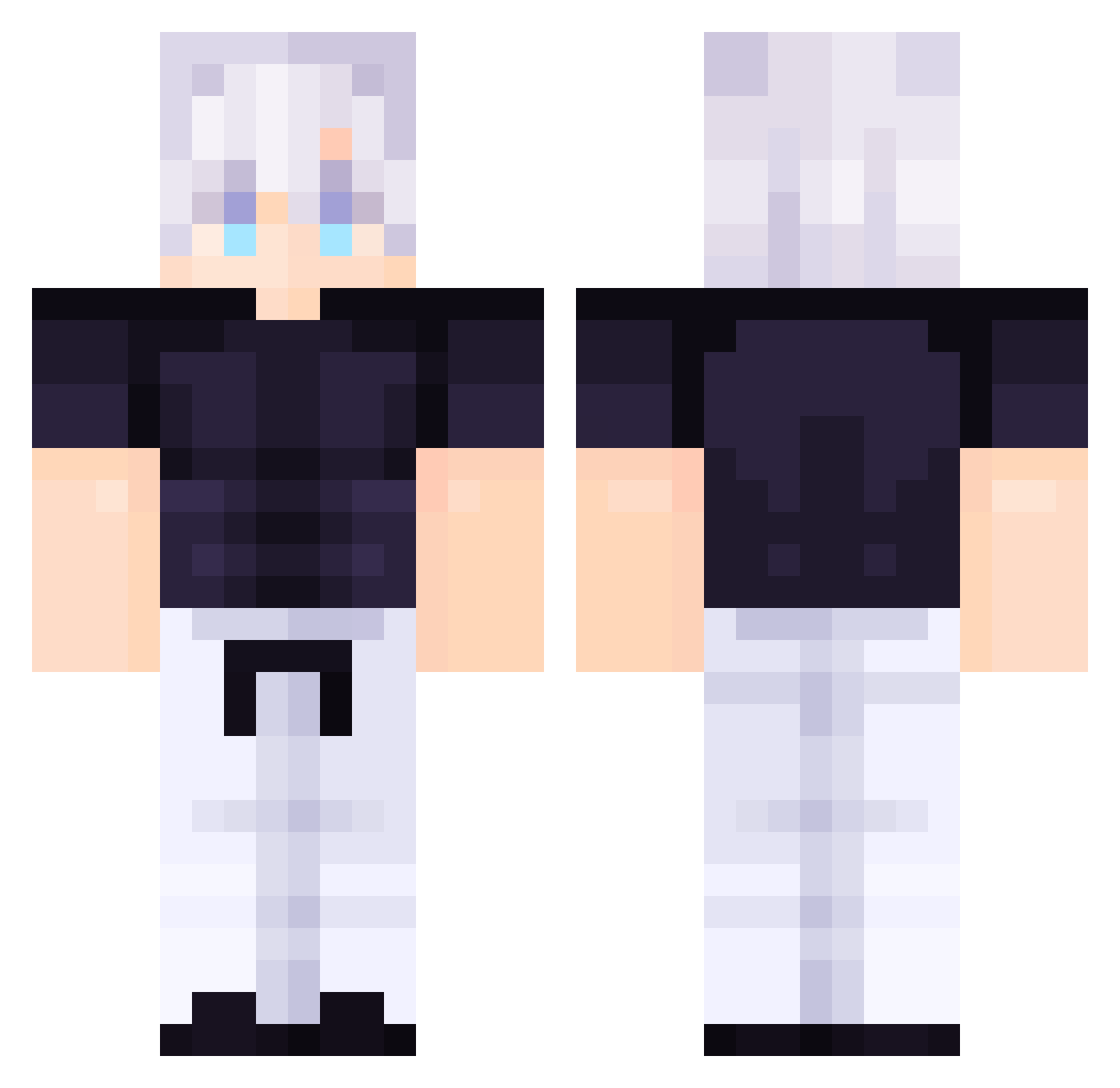
Current Minecraft skin of the player Spidramoon, loaded from the official Mojang API. Rotate the 3D model with your mouse or finger, then download the skin as a PNG file and use it in Minecraft: Bedrock Edition or Java Edition for free. When Spidramoon changes their skin, this page updates automatically and the old skin stays in the history below.
Other players with this skin (114)
Spidramoon was the 60th player we have seen with this skin, first spotted on 19.09.2026. The same skin was seen on these players. Open a nickname to see their current skin and skin history.
 Wchickenmcnugget Contempt2005 Joechan68 Tristan63547 Gabi112012 gojo_nut420 DortHit_28tgnzpt LimboGuruMaster Alyza02 DAlpizar WishBone565 paapkenai _Malignant Xpentar felinaor vRqkt AlexHildenbrand BoyPan NightRaven2556 TheHolyPope123 urxmomxlol Rmzstorm XXITENSHI coquettelys NE_KennY LimitlessSoulSGO DaFroggy4740 Thatguykaleb620 ShiinaLoL Jackaltosun thiagoxsz Darx456 Elizah0 RiftVixen Solke SLLW_ MalvadoCaraPolla homercraft2 Masi_lover Maclee4 ChadSyndrome Aaavaro valdemar0704 NoLuck32 faisal3m Super_AA_YT Codebreaker081 coolboy123321 Hawaiitoast369 DrBens2 YaboyAadi1 0XavY Diegitrix DOMAIN_FLEX Florin____ BxserkerSuns Polaris3264 simpnationisback Ethan2022 LunarCakess
More Satoru Gojo Minecraft skins
See all 1375 Satoru Gojo skins
How to install the Spidramoon skin
- Press the Download button above to save the skin as a PNG file.
- Minecraft: Bedrock Edition (PE): open the Dressing Room from the main menu (or tap your character → Edit Character), go to Classic Skins → Owned, press the + (new skin) button, choose the downloaded PNG and pick the Classic (Steve) model. Works on PC and mobile; consoles cannot import custom skins.
- Minecraft: Java Edition: open the Minecraft Launcher, go to the Skins tab, click New Skin, load the PNG, pick the Classic (Steve) model and press Save & Use. You can also upload it at minecraft.net → Profile → Change Skin.
The skin does not show up after import - what should I do?
Restart Minecraft and open the Dressing Room again - imported skins sometimes appear only after a restart. Also make sure you selected the imported skin and picked the Classic (Steve) model.
Which model should I choose, Classic or Slim?
This skin is designed for the Classic (Steve) model. If you pick the wrong model, the arms of the skin will look stretched or squeezed.
Is the skin of Spidramoon free to download?
Yes. Press Download, save the PNG file and use it in Minecraft: Bedrock Edition or Java Edition - no payment or registration needed. The skin also works on multiplayer servers and Realms.
More skins
Looking for more? Go back to all Minecraft skins and check the top skins of the week, month and all time, or find any player's skin by nickname.