
Masi_lover - Minecraft Skins & Skin History
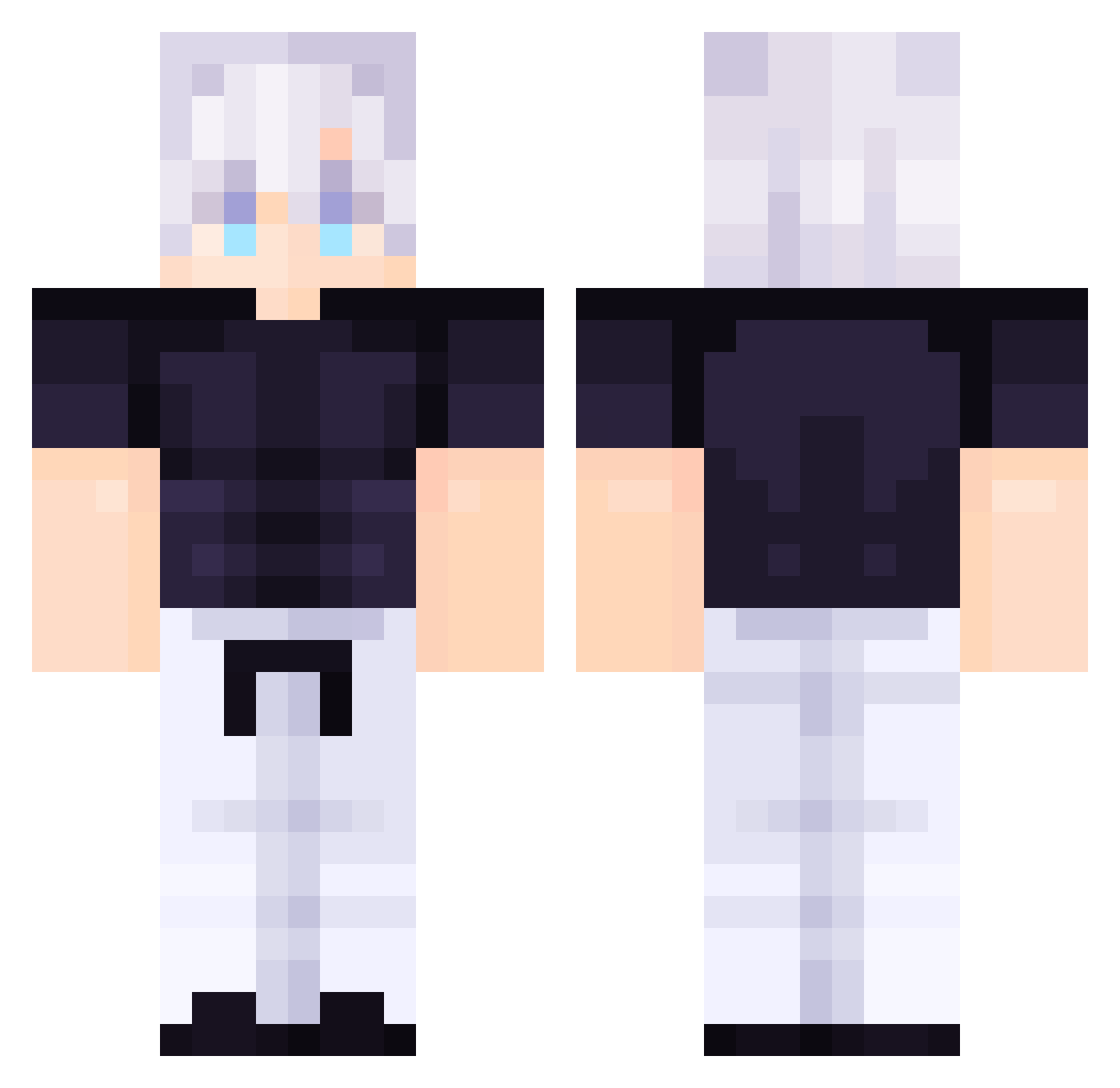
Current Minecraft skin of the player Masi_lover, loaded from the official Mojang API. Rotate the 3D model with your mouse or finger, then download the skin as a PNG file and use it in Minecraft: Bedrock Edition or Java Edition for free. When Masi_lover changes their skin, this page updates automatically and the old skin stays in the history below.
Other players with this skin (114)
Masi_lover was the 77th player we have seen with this skin, first spotted on 06.10.2026. The same skin was seen on these players. Open a nickname to see their current skin and skin history.
 valdemar0704 NoLuck32 homercraft2 Super_AA_YT coolboy123321 Darx456 thiagoxsz YaboyAadi1 Thatguykaleb620 DaFroggy4740 0XavY LimitlessSoulSGO Florin____ coquettelys BxserkerSuns XXITENSHI TheHolyPope123 simpnationisback BoyPan AlexHildenbrand felinaor paapkenai Onomatopoea msf101075131 NAHIDWIN277 LimboGuruMaster Quirkless007 Skoolt Hilri SadBiscuits SixCheese55 gojo_nut420 Joechan68 Yto20100415 MasterSwordPro Spidramoon hank11111 Wchickenmcnugget uaexae Shokert1 Contempt2005 Tristan63547 Gabi112012 Leon0916 altex003 DortHit_28tgnzpt GaytanBDG Alyza02 Sputnik2115 riceffarmer DAlpizar potatoGoosey Shirajay WishBone565 horsey70 rztx nokogecko _Malignant Xpentar bamjrr1
More Satoru Gojo Minecraft skins
See all 1375 Satoru Gojo skins
How to install the Masi_lover skin
- Press the Download button above to save the skin as a PNG file.
- Minecraft: Bedrock Edition (PE): open the Dressing Room from the main menu (or tap your character → Edit Character), go to Classic Skins → Owned, press the + (new skin) button, choose the downloaded PNG and pick the Classic (Steve) model. Works on PC and mobile; consoles cannot import custom skins.
- Minecraft: Java Edition: open the Minecraft Launcher, go to the Skins tab, click New Skin, load the PNG, pick the Classic (Steve) model and press Save & Use. You can also upload it at minecraft.net → Profile → Change Skin.
The skin does not show up after import - what should I do?
Restart Minecraft and open the Dressing Room again - imported skins sometimes appear only after a restart. Also make sure you selected the imported skin and picked the Classic (Steve) model.
Which model should I choose, Classic or Slim?
This skin is designed for the Classic (Steve) model. If you pick the wrong model, the arms of the skin will look stretched or squeezed.
Is the skin of Masi_lover free to download?
Yes. Press Download, save the PNG file and use it in Minecraft: Bedrock Edition or Java Edition - no payment or registration needed. The skin also works on multiplayer servers and Realms.
More skins
Looking for more? Go back to all Minecraft skins and check the top skins of the week, month and all time, or find any player's skin by nickname.