
Spamassy11 - Minecraft Skins & Skin History
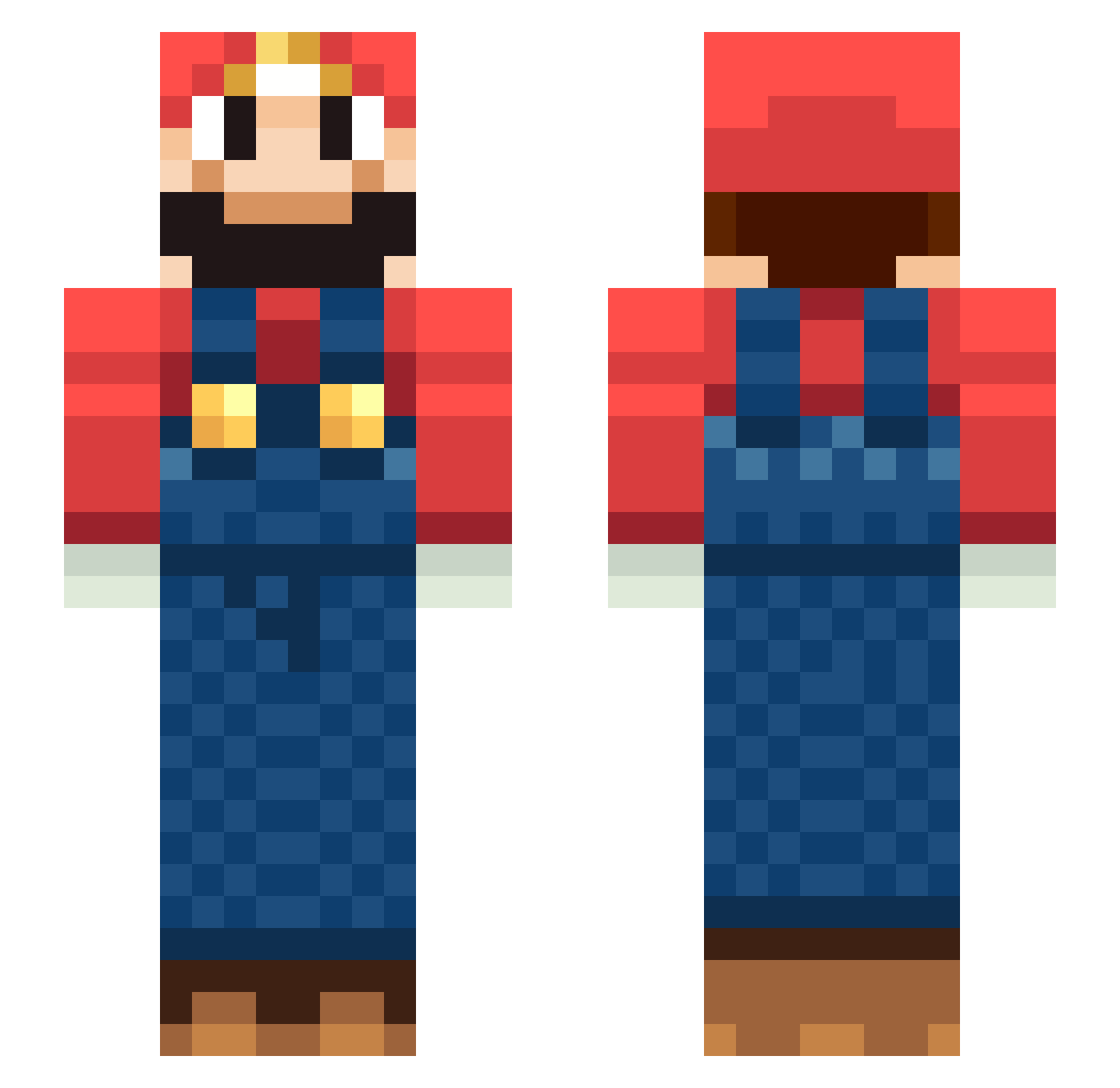
Current Minecraft skin of the player Spamassy11, loaded from the official Mojang API. Rotate the 3D model with your mouse or finger, then download the skin as a PNG file and use it in Minecraft: Bedrock Edition or Java Edition for free. When Spamassy11 changes their skin, this page updates automatically and the old skin stays in the history below.
Other players with this skin (264)
Spamassy11 was the 241st player we have seen with this skin, first spotted on 09.11.2026. The same skin was seen on these players. Open a nickname to see their current skin and skin history.
 Sophi000 youyou1234 DrustoH HugoDelire noogive conks13 BeKind1999 KingBELG Drakiss SO__BASICALLY ChBart62 junwen0614 packta Gorgino tomaty0214 yka1988 alexHuangQQ Emilio_cosmico BaChBear yassy1217 daniezl Louis1902 KuzeyCC WhiteKatana 422fares Schumii91 DudeWhatEverMan 82gamerz Dadada_77 LittleColdDevil MarioGod _Cozyboys keitoo liklost Shikai333 KOYA_0912 First3mmar wenyu1 moser83 freewee1 LucienSylviano HydroPC CRHong neveri7 enpus mariozolly domikito JimG2020 FunkyFaure FakerFinal Bourbi Artanis9 bramboo1998 RANDIZZLLEE NICOFER18 Roachrasta Vittorio88x MrKalo Amnestic_OW IgorTheFish
More Nintendo Minecraft skins
How to install the Spamassy11 skin
- Press the Download button above to save the skin as a PNG file.
- Minecraft: Bedrock Edition (PE): open the Dressing Room from the main menu (or tap your character → Edit Character), go to Classic Skins → Owned, press the + (new skin) button, choose the downloaded PNG and pick the Slim (Alex) model. Works on PC and mobile; consoles cannot import custom skins.
- Minecraft: Java Edition: open the Minecraft Launcher, go to the Skins tab, click New Skin, load the PNG, pick the Slim (Alex) model and press Save & Use. You can also upload it at minecraft.net → Profile → Change Skin.
The skin does not show up after import - what should I do?
Restart Minecraft and open the Dressing Room again - imported skins sometimes appear only after a restart. Also make sure you selected the imported skin and picked the Slim (Alex) model.
Which model should I choose, Classic or Slim?
This skin is designed for the Slim (Alex) model. If you pick the wrong model, the arms of the skin will look stretched or squeezed.
Is the skin of Spamassy11 free to download?
Yes. Press Download, save the PNG file and use it in Minecraft: Bedrock Edition or Java Edition - no payment or registration needed. The skin also works on multiplayer servers and Realms.
More skins
Looking for more? Go back to all Minecraft skins and check the top skins of the week, month and all time, or find any player's skin by nickname.