
SoulStrafzz - Minecraft Skins & Skin History
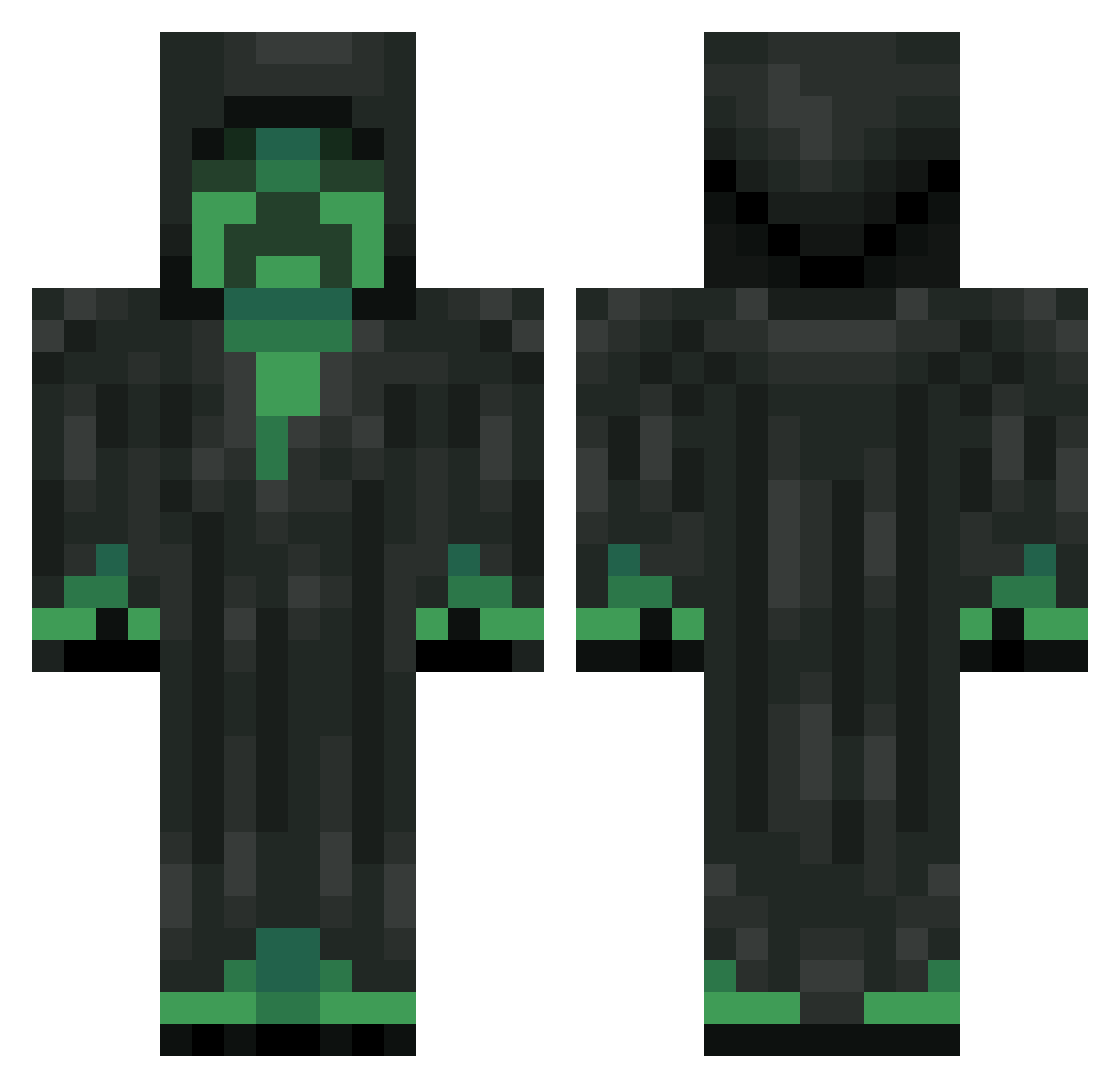
Current Minecraft skin of the player SoulStrafzz, loaded from the official Mojang API. Rotate the 3D model with your mouse or finger, then download the skin as a PNG file and use it in Minecraft: Bedrock Edition or Java Edition for free. When SoulStrafzz changes their skin, this page updates automatically and the old skin stays in the history below.
Other players with this skin (193)
SoulStrafzz was the 45th player we have seen with this skin, first spotted on 22.08.2026. The same skin was seen on these players. Open a nickname to see their current skin and skin history.
 Axered51 Night_Raven23 luiz1O41 PapaCheesee Theif17 Hexhood JohnWITHBlue GoodOlMavis zwhcaq ZachyMassacre ultimateowner526 geulse KaK_Ty3 Daedalus_Reaper TangHuilong PSI_Freeze mooknim The_Aether07 CLAY69 CreepersRockYT murdererclown CrazyJeb similative Sebas_Herrera Mr_NoName2020 cboss999XD NorthStarry DRAGONFIRE666 Ender_black0713 DaarkM JulianPulian GybiBite Remiyo vflo Tugok GermantisM YYMH Gvale Raneltah mineus_craftus Cryophile diegosloth HiTetrisBaum nermalty EstabonNewton Trid3nt Batman259501 yongseogchoi Me_Want_Head Rackter AreYouReadyKids Bobopl ko_no_creeper_da Kernel Mr_Vanek okiwino binbin__xun GiorgioPaoli twitch7_ CrispyAlpha
More Creeper Minecraft skins
How to install the SoulStrafzz skin
- Press the Download button above to save the skin as a PNG file.
- Minecraft: Bedrock Edition (PE): open the Dressing Room from the main menu (or tap your character → Edit Character), go to Classic Skins → Owned, press the + (new skin) button, choose the downloaded PNG and pick the Classic (Steve) model. Works on PC and mobile; consoles cannot import custom skins.
- Minecraft: Java Edition: open the Minecraft Launcher, go to the Skins tab, click New Skin, load the PNG, pick the Classic (Steve) model and press Save & Use. You can also upload it at minecraft.net → Profile → Change Skin.
The skin does not show up after import - what should I do?
Restart Minecraft and open the Dressing Room again - imported skins sometimes appear only after a restart. Also make sure you selected the imported skin and picked the Classic (Steve) model.
Which model should I choose, Classic or Slim?
This skin is designed for the Classic (Steve) model. If you pick the wrong model, the arms of the skin will look stretched or squeezed.
Is the skin of SoulStrafzz free to download?
Yes. Press Download, save the PNG file and use it in Minecraft: Bedrock Edition or Java Edition - no payment or registration needed. The skin also works on multiplayer servers and Realms.
More skins
Looking for more? Go back to all Minecraft skins and check the top skins of the week, month and all time, or find any player's skin by nickname.