
 LittleQueen305 ounimake TripleNNN200 Morkvarg zocoo_nebunu anubis13671 _Sub7_ CJ_JustCJ CarverLlewis the_Oroboros amw _Airsky ZCfatman Thearachnomancer Nova_India GMStrange Olumen Grim_MD L_E_T_sPlay Smarklp iemand_112 Tabben93 tombacon94 ElSrBonais hughm cph2007 Dlorian SnagaholicQ SmaShzzzZ LAcheronte xiaotao23310 JelqLord69 Level1robot Jamscone LABIa seon3129 seanyueh Lucky_Moose TKALA666 dwsja squidlydadly RageZombiess sunkieman MikeJerry Themitrax Mr_Dusiek Athelas_123 MileG LonelyRattle darkmoon444 hgkarmic MillerTime94 Holiest Este1234 Peanut_Noodles LeoHSK Igniskarmo CYBERGAMER75 ReaperkingDCLXVI MTrise
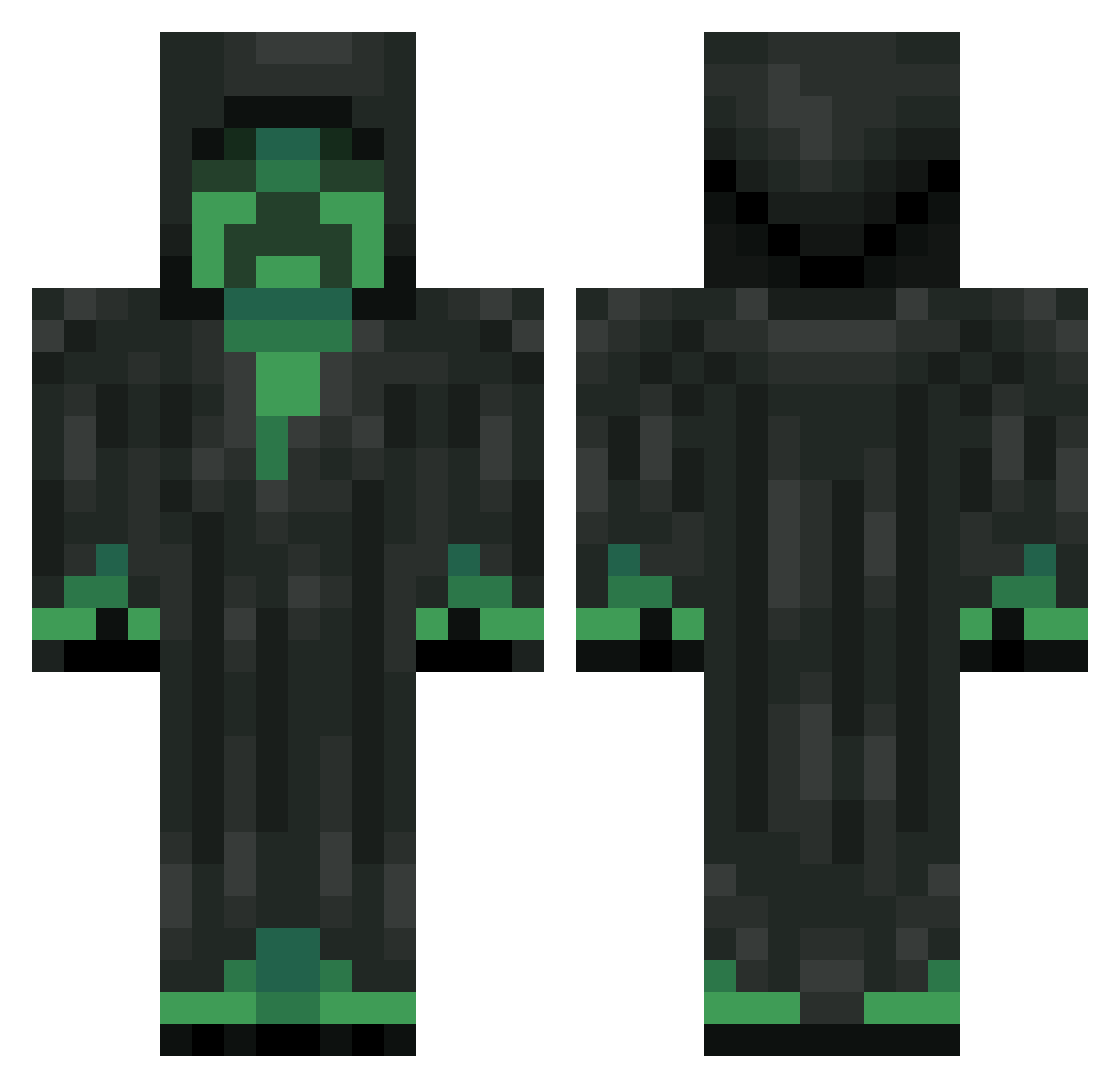
Minecraft skin of MMGhera. Rotate the 3D model with your mouse or finger to view the skin from every angle, then download it as a PNG file and use it in Minecraft: Bedrock Edition or Java Edition for free. Rate the skin with stars to help other players find the best skins in our collection.
How to install the MMGhera skin
- Press the Download button above to save the skin as a PNG file.
- Minecraft: Bedrock Edition (PE): open the Dressing Room from the main menu (or tap your character → Edit Character), go to Classic Skins → Owned, press the + (new skin) button, choose the downloaded PNG and pick the Classic (Steve) model. Works on PC and mobile; consoles cannot import custom skins.
- Minecraft: Java Edition: open the Minecraft Launcher, go to the Skins tab, click New Skin, load the PNG, pick the Classic (Steve) model and press Save & Use. You can also upload it at minecraft.net → Profile → Change Skin.
The skin does not show up after import - what should I do?
Restart Minecraft and open the Dressing Room again - imported skins sometimes appear only after a restart. Also make sure you selected the imported skin and picked the Classic (Steve) model.
Which model should I choose, Classic or Slim?
This skin is designed for the Classic (Steve) model. If you pick the wrong model, the arms of the skin will look stretched or squeezed.
Is this skin free to use?
Yes. Press Download, save the PNG file and use it in Minecraft: Bedrock Edition or Java Edition - no payment or registration needed. The skin also works on multiplayer servers and Realms.
More Creeper Minecraft skins
More skins
Looking for more? Go back to all Minecraft skins and check the top skins of the week, month and all time, or find any player's skin by nickname.