
Sorbay_0 - Minecraft Skins & Skin History
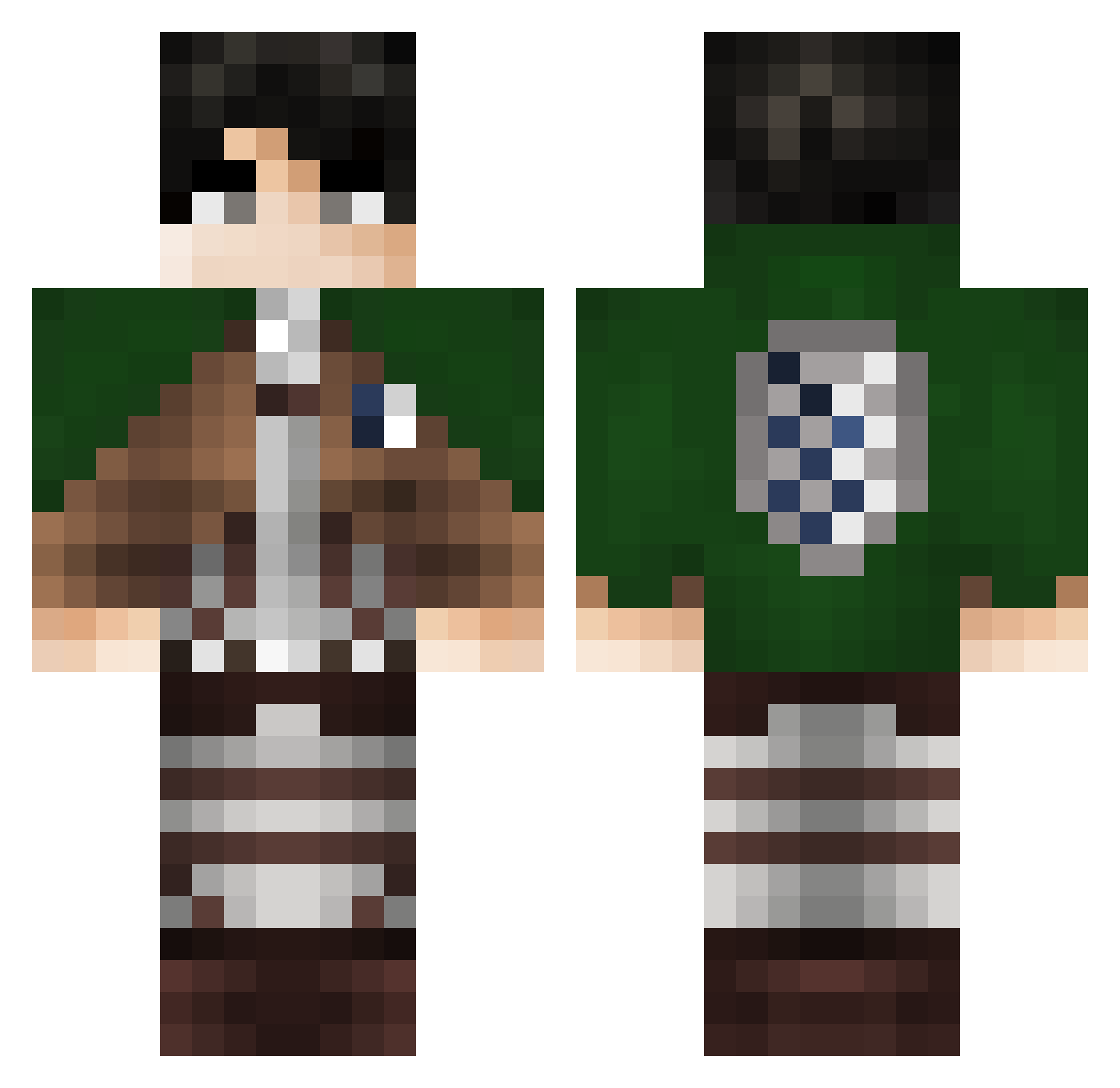
Current Minecraft skin of the player Sorbay_0, loaded from the official Mojang API. Rotate the 3D model with your mouse or finger, then download the skin as a PNG file and use it in Minecraft: Bedrock Edition or Java Edition for free. When Sorbay_0 changes their skin, this page updates automatically and the old skin stays in the history below.
Other players with this skin (335)
Sorbay_0 was the 151st player we have seen with this skin, first spotted on 20.09.2026. The same skin was seen on these players. Open a nickname to see their current skin and skin history.
 epicryan360 Felixd234 DarthVeigar DDIE12 stummy_dd Emptybin flix_1984 DrKido Jorgo999 Fumikage_spfc824 luchoww Kristahfur fareees95 SpicyMinus Castaft exller20 Jinwoosung666 Luletta777 AlexNoJoke r1cky4y DriizzUrden Chavarry DarkCraft21 Peppetosto457 memer101 Loulou0405 LamaMandel Veelz LUiZ12 JustMiri Ynitsed3000 LEVI_ACKERMAN123 herkuleks DubyWuby zXJuanXz Bobas5553M jehat BoscoWong582 Brunocrafter camgorayeb3012 PercyTe0 malenkiyvasik Kak4shi_ MrL0Lgames anna_10000 FrescoDeGiornata Fiadi11 Carusooo JxmieIsBadAtPVP Actarus50 kyoulov Tolzilla Yalman Ruiiovo eddozz AJinsane1 ahmedmohamed1 jocidoll Eisuke10 SomethingChild2
More Levi Ackerman Minecraft skins
See all 191 Levi Ackerman skins
How to install the Sorbay_0 skin
- Press the Download button above to save the skin as a PNG file.
- Minecraft: Bedrock Edition (PE): open the Dressing Room from the main menu (or tap your character → Edit Character), go to Classic Skins → Owned, press the + (new skin) button, choose the downloaded PNG and pick the Classic (Steve) model. Works on PC and mobile; consoles cannot import custom skins.
- Minecraft: Java Edition: open the Minecraft Launcher, go to the Skins tab, click New Skin, load the PNG, pick the Classic (Steve) model and press Save & Use. You can also upload it at minecraft.net → Profile → Change Skin.
The skin does not show up after import - what should I do?
Restart Minecraft and open the Dressing Room again - imported skins sometimes appear only after a restart. Also make sure you selected the imported skin and picked the Classic (Steve) model.
Which model should I choose, Classic or Slim?
This skin is designed for the Classic (Steve) model. If you pick the wrong model, the arms of the skin will look stretched or squeezed.
Is the skin of Sorbay_0 free to download?
Yes. Press Download, save the PNG file and use it in Minecraft: Bedrock Edition or Java Edition - no payment or registration needed. The skin also works on multiplayer servers and Realms.
More skins
Looking for more? Go back to all Minecraft skins and check the top skins of the week, month and all time, or find any player's skin by nickname.