
Sondreliland - Minecraft Skins & Skin History
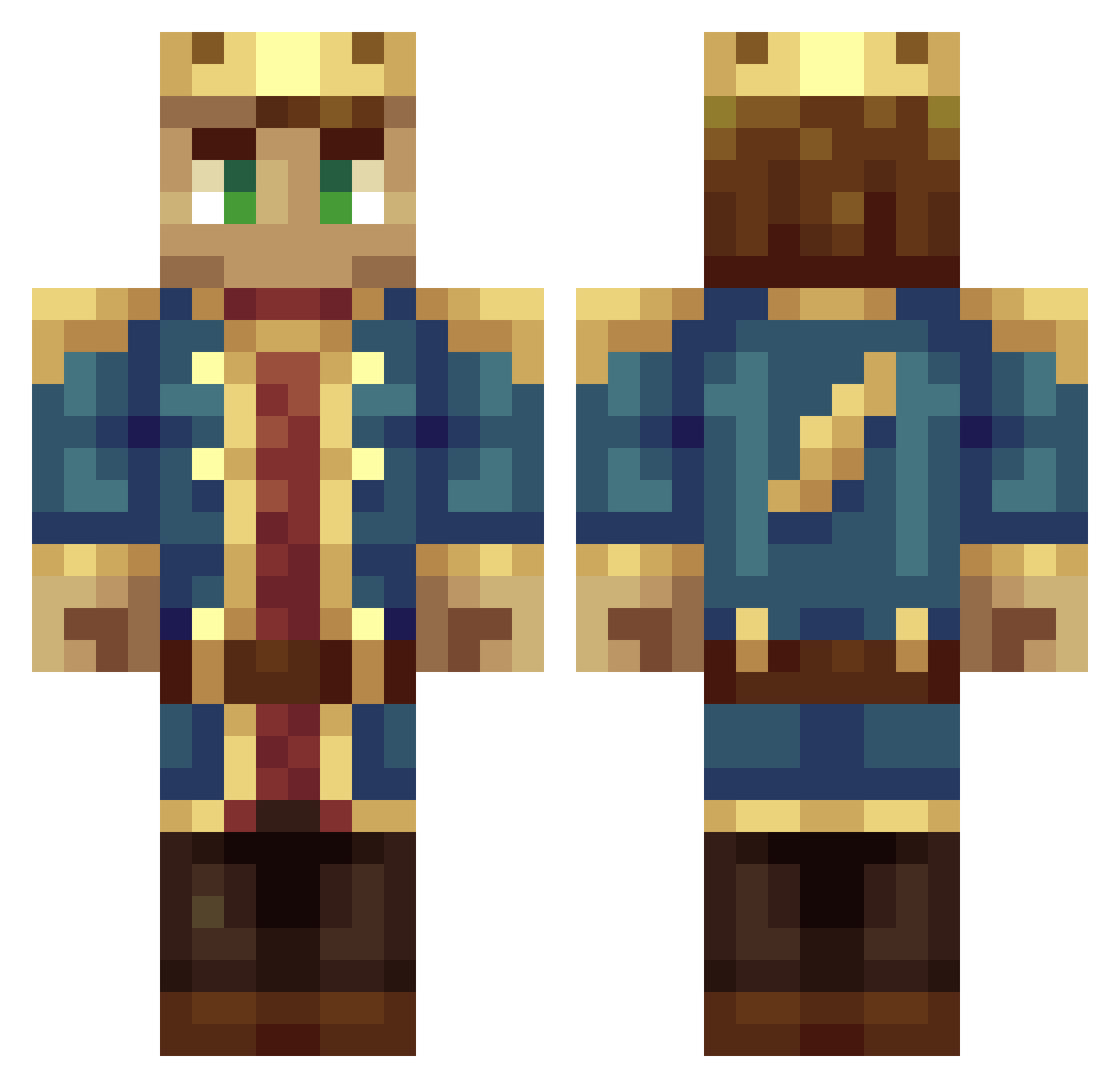
Current Minecraft skin of the player Sondreliland, loaded from the official Mojang API. Rotate the 3D model with your mouse or finger, then download the skin as a PNG file and use it in Minecraft: Bedrock Edition or Java Edition for free. When Sondreliland changes their skin, this page updates automatically and the old skin stays in the history below.
Other players with this skin (319)
Sondreliland was the 137th player we have seen with this skin, first spotted on 10.09.2026. The same skin was seen on these players. Open a nickname to see their current skin and skin history.
 peejoe TheGreatMario chrismanz14 Yorben015 Magnus_Ahlstrom StumpLeTrump MonsterJake87 KingJimmyDean Chov aardh1 SpartaPrime fleaOAO Yashijiru totaI 3xtr4Sparky AkaRogue Miner_Tan Cooree tokyo_king11 Sampesj Janus_Rex J0K3R04 Overpower2210 TrevorSellars The_Crafterian Gengasi Stefio LudvigDraken SpringCereal gaafster kingsolomon657 CommandererCody JAEG98 matteroflight Fuierago Eggwall01 cuber555 jorrik24 JungleJim91 zacharyfed killa_tex Da_Al_Man Aquith ErikDW ProCobraXp FireDragon490 007martie007 ToraxYT kingBjornD xDeAnY Eazzyl albertgutzke 273god RTMdude sanderthelion Gil999 Alexander_Stange XtremeSuperior FabioRijo112 enimare
More DSMP Minecraft skins
How to install the Sondreliland skin
- Press the Download button above to save the skin as a PNG file.
- Minecraft: Bedrock Edition (PE): open the Dressing Room from the main menu (or tap your character → Edit Character), go to Classic Skins → Owned, press the + (new skin) button, choose the downloaded PNG and pick the Classic (Steve) model. Works on PC and mobile; consoles cannot import custom skins.
- Minecraft: Java Edition: open the Minecraft Launcher, go to the Skins tab, click New Skin, load the PNG, pick the Classic (Steve) model and press Save & Use. You can also upload it at minecraft.net → Profile → Change Skin.
The skin does not show up after import - what should I do?
Restart Minecraft and open the Dressing Room again - imported skins sometimes appear only after a restart. Also make sure you selected the imported skin and picked the Classic (Steve) model.
Which model should I choose, Classic or Slim?
This skin is designed for the Classic (Steve) model. If you pick the wrong model, the arms of the skin will look stretched or squeezed.
Is the skin of Sondreliland free to download?
Yes. Press Download, save the PNG file and use it in Minecraft: Bedrock Edition or Java Edition - no payment or registration needed. The skin also works on multiplayer servers and Realms.
More skins
Looking for more? Go back to all Minecraft skins and check the top skins of the week, month and all time, or find any player's skin by nickname.