
Somno1encee - Minecraft Skins & Skin History
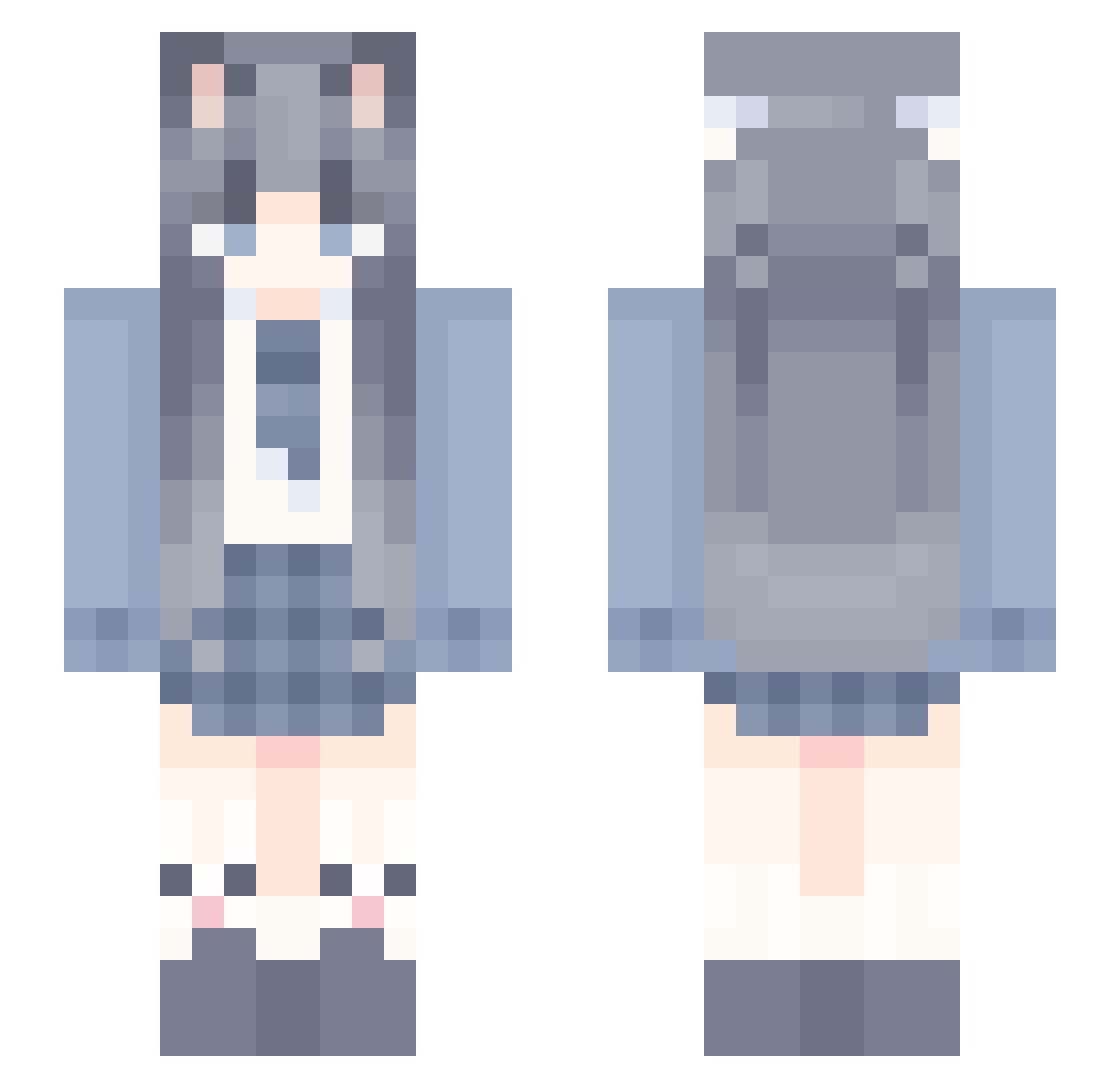
Current Minecraft skin of the player Somno1encee, loaded from the official Mojang API. Rotate the 3D model with your mouse or finger, then download the skin as a PNG file and use it in Minecraft: Bedrock Edition or Java Edition for free. When Somno1encee changes their skin, this page updates automatically and the old skin stays in the history below.
Other players with this skin (1174)
Somno1encee was the 229th player we have seen with this skin, first spotted on 13.08.2026. The same skin was seen on these players. Open a nickname to see their current skin and skin history.
 tangyuan180 MySylus Zhemeiwenliu yyyyyyyyyyyyyyyj Sweetdust BIonia mi_zhi_yin tilenn Haru_lyxi lisiman nius2 LLLMilk wuliao777777 AlieyC _AnuBunny_ CyberPug90 FairerPark Sakura_saki_ MINGWANG25 SuperbBike weimo001 LaoFeiYu66787878 Valens532 Naaasuki Joker__________ xingchen_123 FootBaller1219 uwithyayyyyyyyyy FBI521 qqloveAa DiscoSum Lintai Daiwei_ 1yeying1 manbohhh Yvon_GG fsgsg LinfLuog Tharstar discoRG bushiop xuan099 xiaoyu7641 vantablack__ LySullyy StarMammal_debug wxshhc CreepyEmu tYUNYAMYADYARYAN MapleAut HQZ66 MY_qop lanace chuxia0315 weiyunhelong urlocalcatgirl sfhi Xier___ xuranc lingjing666
More School Uniform Minecraft skins
See all 6887 School Uniform skins
How to install the Somno1encee skin
- Press the Download button above to save the skin as a PNG file.
- Minecraft: Bedrock Edition (PE): open the Dressing Room from the main menu (or tap your character → Edit Character), go to Classic Skins → Owned, press the + (new skin) button, choose the downloaded PNG and pick the Slim (Alex) model. Works on PC and mobile; consoles cannot import custom skins.
- Minecraft: Java Edition: open the Minecraft Launcher, go to the Skins tab, click New Skin, load the PNG, pick the Slim (Alex) model and press Save & Use. You can also upload it at minecraft.net → Profile → Change Skin.
The skin does not show up after import - what should I do?
Restart Minecraft and open the Dressing Room again - imported skins sometimes appear only after a restart. Also make sure you selected the imported skin and picked the Slim (Alex) model.
Which model should I choose, Classic or Slim?
This skin is designed for the Slim (Alex) model. If you pick the wrong model, the arms of the skin will look stretched or squeezed.
Is the skin of Somno1encee free to download?
Yes. Press Download, save the PNG file and use it in Minecraft: Bedrock Edition or Java Edition - no payment or registration needed. The skin also works on multiplayer servers and Realms.
More skins
Looking for more? Go back to all Minecraft skins and check the top skins of the week, month and all time, or find any player's skin by nickname.