
Snowkiller140 - Minecraft Skins & Skin History
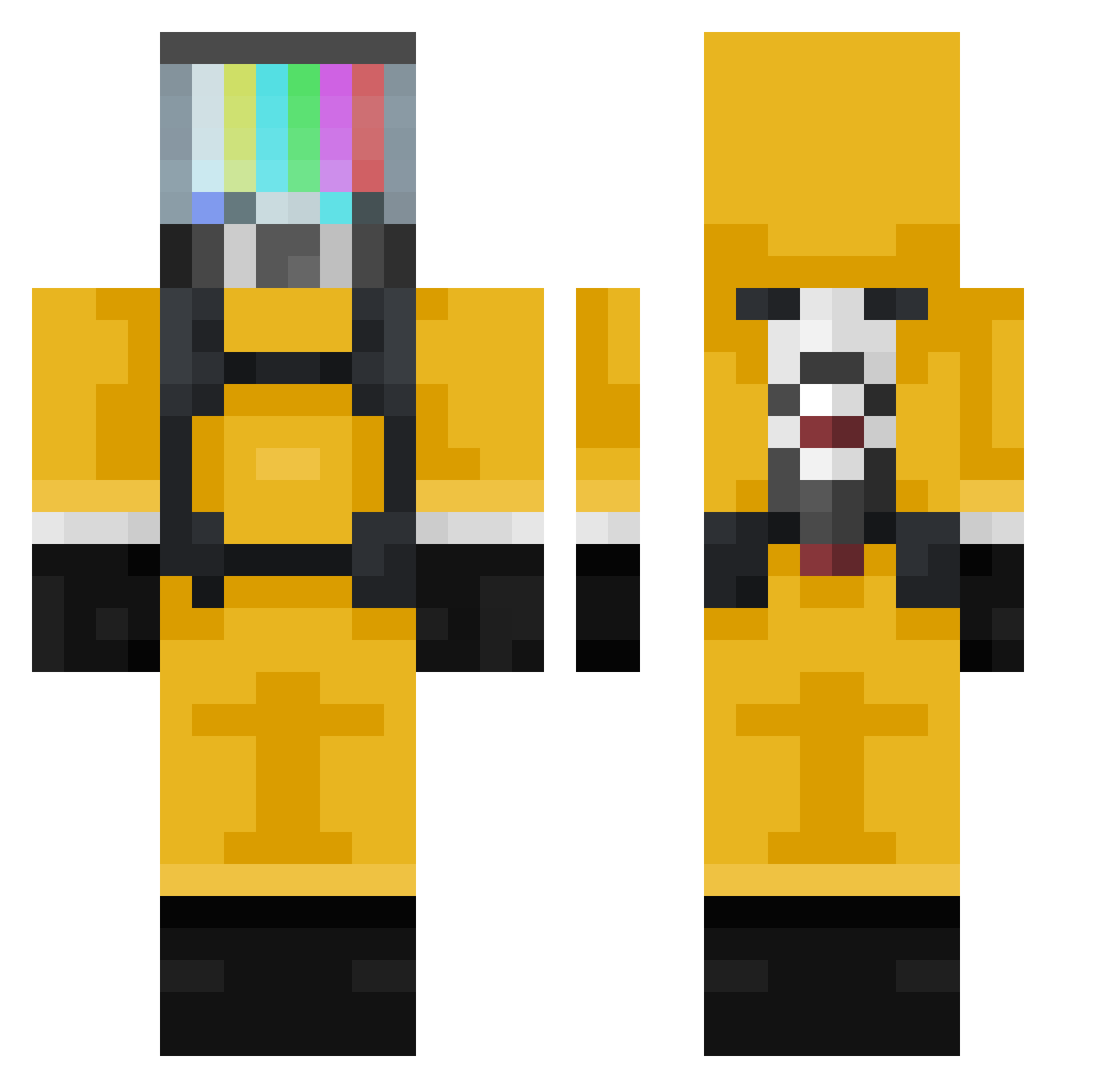
Current Minecraft skin of the player Snowkiller140, loaded from the official Mojang API. Rotate the 3D model with your mouse or finger, then download the skin as a PNG file and use it in Minecraft: Bedrock Edition or Java Edition for free. When Snowkiller140 changes their skin, this page updates automatically and the old skin stays in the history below.
Other players with this skin (377)
Snowkiller140 was the 183rd player we have seen with this skin, first spotted on 23.09.2026. The same skin was seen on these players. Open a nickname to see their current skin and skin history.
 MisterMincraft_ aman623 Fleskil333 Kamer_96 AukaLugar KarmaFlamme Cavabarder_ Szym3kkk Friscot NopeK _SNlPE_ fishoil233 NeedaMormon ByMixz lixocosmico Preda1 Diogoxmc HardStuq Praxa Cleo_Blue 0c5 Marlu2004 Koyaalol Bloom75014 Benedek0610 kkasiak eric77nick Pla_Duk 50l3r SaloGamer2008 Carl_Sparks Asgardios Danis ZzAkiT pinkyb0i uhr44444 Manciniphotos TaigaK65 Goum_s Mythic_Fr Espertaco thebleudiiamant MrZiomSon Johan_803 Nukes2all FlappyChicken456 sphee74 Thebravogm Camknoll Pocketbarf jurgen1507 Ragdoll_SL Larenka jj808 4eKavo sunstroke98 Curare0815 Bilo1214 Mahoyerodemahoya SuperCharrone
More TV Head Minecraft skins
How to install the Snowkiller140 skin
- Press the Download button above to save the skin as a PNG file.
- Minecraft: Bedrock Edition (PE): open the Dressing Room from the main menu (or tap your character → Edit Character), go to Classic Skins → Owned, press the + (new skin) button, choose the downloaded PNG and pick the Classic (Steve) model. Works on PC and mobile; consoles cannot import custom skins.
- Minecraft: Java Edition: open the Minecraft Launcher, go to the Skins tab, click New Skin, load the PNG, pick the Classic (Steve) model and press Save & Use. You can also upload it at minecraft.net → Profile → Change Skin.
The skin does not show up after import - what should I do?
Restart Minecraft and open the Dressing Room again - imported skins sometimes appear only after a restart. Also make sure you selected the imported skin and picked the Classic (Steve) model.
Which model should I choose, Classic or Slim?
This skin is designed for the Classic (Steve) model. If you pick the wrong model, the arms of the skin will look stretched or squeezed.
Is the skin of Snowkiller140 free to download?
Yes. Press Download, save the PNG file and use it in Minecraft: Bedrock Edition or Java Edition - no payment or registration needed. The skin also works on multiplayer servers and Realms.
More skins
Looking for more? Go back to all Minecraft skins and check the top skins of the week, month and all time, or find any player's skin by nickname.